
To create the MVC Application we have to follow various steps. MVC stands for Model View Controller and this is one of the most important development models of ASP.NET. In this the Model represents the business layer of the application which means it handles the logic for the application data and it also retrieves data from the database.
The View represents the display layer of the application which means it handles the display (view) of the data.
The Controller represents the input control which means it handles the input given to the database records. The MVC simplifies the complex applications in the sense that we can emphasize only one aspect at a time.
Here are some steps to create the simple MVC Application in ASP.NET:
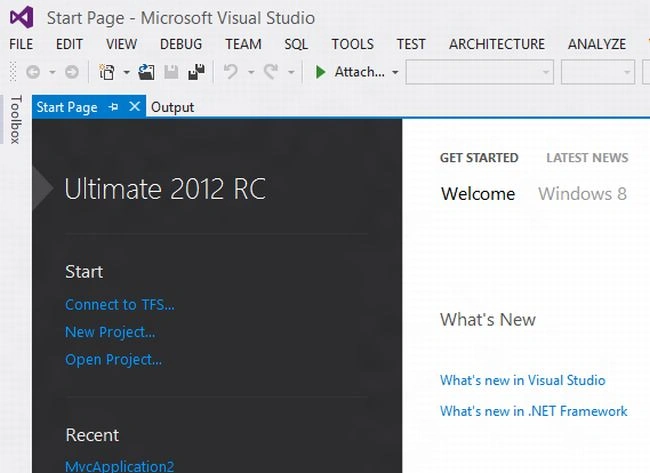
Step 1: First start the Visual Studio:
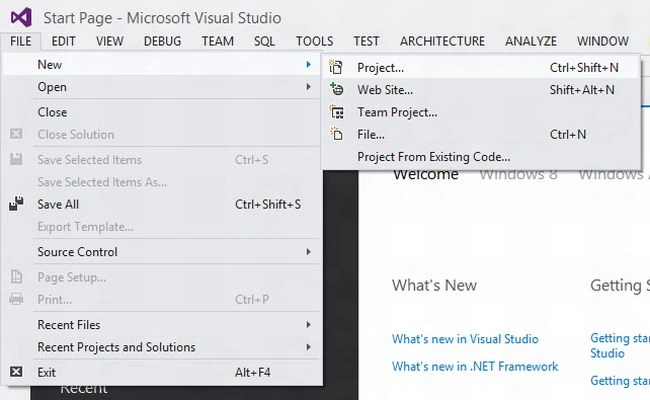
Step 2: Then click on file menu and select the project option from it:
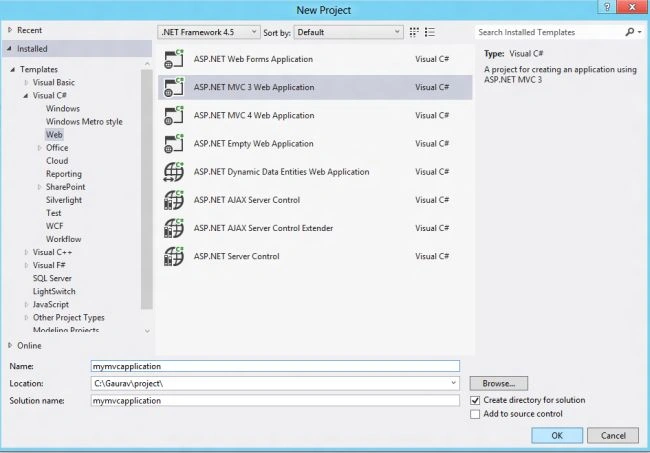
Step 3: Then select the Web Templates and select the ASP.NET MVC3 Web Appliaction template:
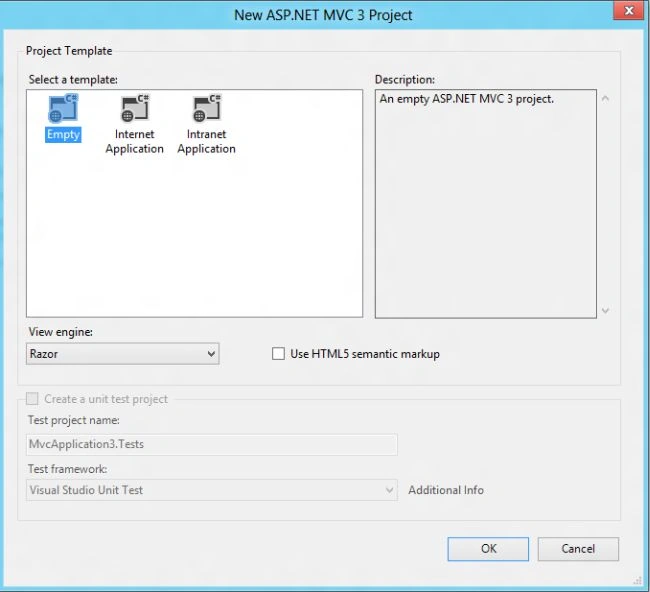
Step 4: Here we will get another dialog box and we will select the Empty project template:
Step 5: Now, we need to add a controller to the application and to do that right-click the Controllers folder in the Visual Studio Solution Explorer window and select Add and then select the controller option from the pop up menu.
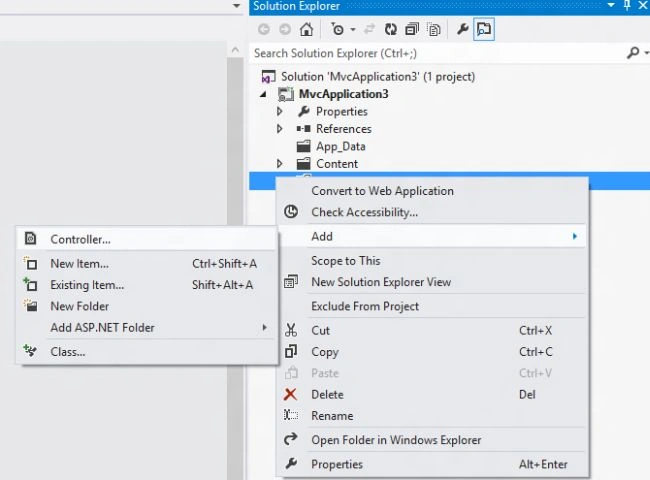
We need to add the controller to provide handlers to the application which will handle the incoming request.
Step 6: Now an Add controller dialog will appear and set the name to HelloController, select add button and it will create a controller class: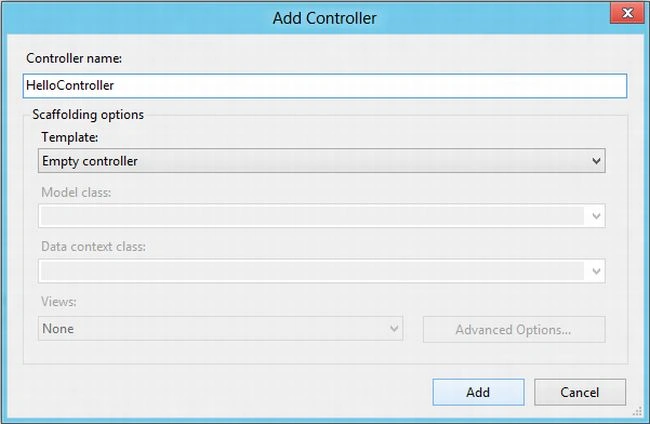
Step 7: Now, modify the HelloController Class as follows: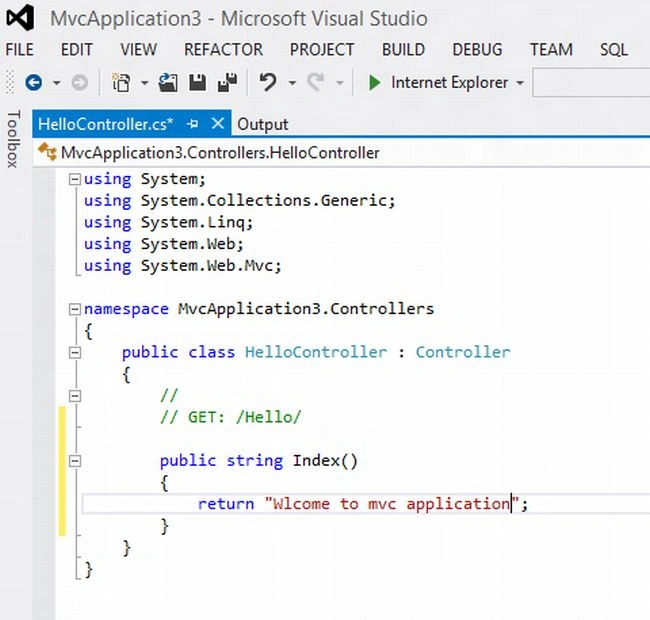
The Controller is like the class which contains a public method called the action method which can be invoked from the Web via URL to perform an action.
Jitendra PatelPosted Sep 8, 2012, 7:13 AM
Good article for beginners to create MVC application.
Atul KumarPosted Jul 30, 2012, 7:39 AM
Good article to start for beginners.
Megha GoyalPosted Jul 18, 2012, 12:45 AM
@prabhakar i have written the basic application of MVC.If you want to know that how to add the class library or any other thing about this application then you can prefer internet.
Prabhakar MauryaPosted Jul 16, 2012, 6:09 AM
In above article Its not enough for create MVC application. Please describe how to work with MVC and how to add class library in application.