Introduction:
Ajax Control Toolkit has introduced Accordion web control which allows providing multiple panes and displays one at a time1. It is built as a collection of AccordionPane web controls. This article shows an enhancement to have a Show All/ Collapse All feature which would allow to View or Collapse all the panes. The figures below show the Show All and Collapse All states with the suggested enhancement.
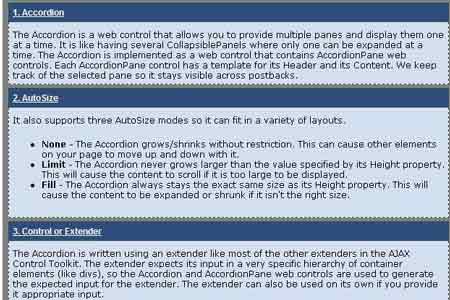
Figure 1: Show all panes

Figure 2: Collapse all panes
Implementation:
The core of the implementation is handled through a new JavaScript function (_expandAllPanes) added to the AjaxControlToolkit.AccordionBehavior.prototype found in AccordianBehavior.js file in the AjaxControlToolKit source. This article uses the version 10606 of the Ajax Control Toolkit which can be download from CodePlex at http://www.codeplex.com/AtlasControlToolkit/Release/ProjectReleases.aspx?ReleaseId=1813. The source for this function is shown in Figure 3.
The function takes a Boolean argument which tells whether the Accordion control needs to be in a Show All or a Collapse All mode. As a first step during both the Show All and Collapse All states, the selected index is reset (to -1) to not have any active panes. The control iterates through its panes collection, and resets their existing animation state. Depending on the input argument, the animation of each pane is set to either "fade in" (Show All) or "fade out" (Collapse All), and all the panes are either opened or closed respectively.
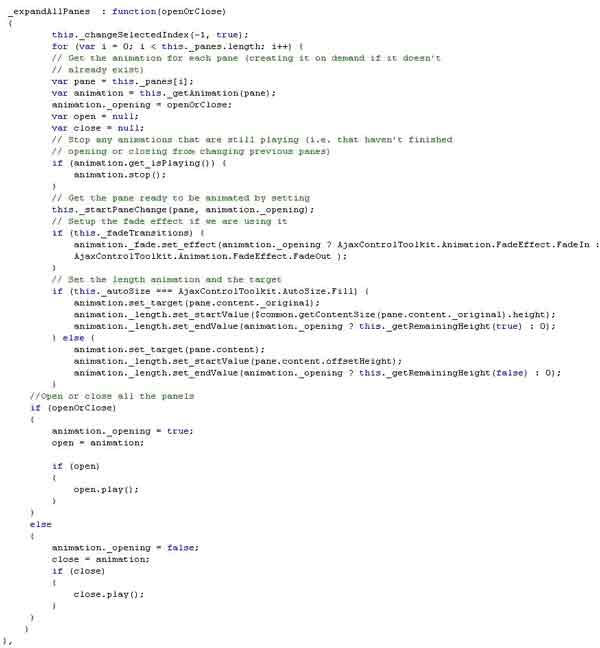
Figure 3: _expandAllPanes function added to the AccordionBehavior prototype
Demo:
The example shown in Figure 4 shows how to use the added newly added function via the client scripts shown in Figure 5. There are two buttons on the page which can be used to Show/Collapse all panes. There is a client side function associated with them which calls the _expandAllPanes function. A user can alternately use a single Checkbox with a Show All/Collapse All feature.
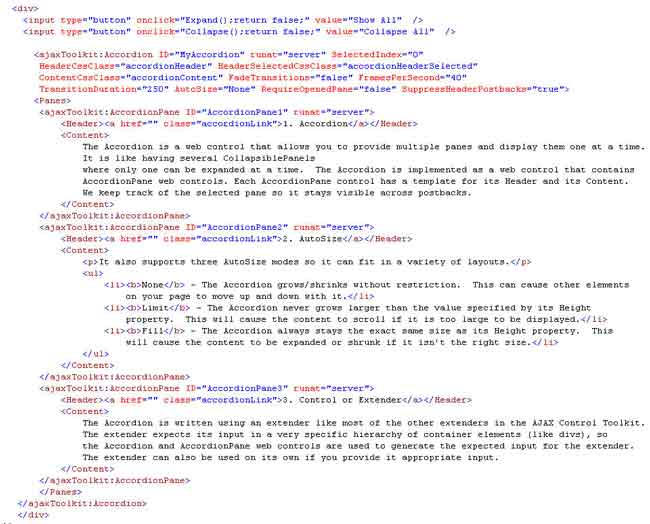
Figure 4 Example demonstrating the use of Show all/ Collapse all feature
The client side functions are simply a wrapper over _expandAllPanes function and are listed below in Figure 5.
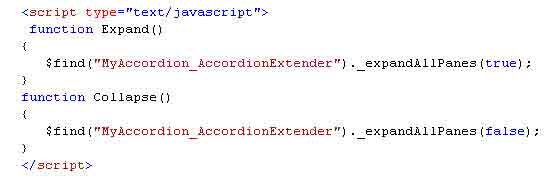
Figure 5 JavaScript functions using the added expandAllPanes function
Conclusion:
By having a Show All/ Collapse All feature, the Accordion control can be used in multiple scenarios where one would want to get a complete snapshot of the data. Another useful scenario is to display parent-child relationships where the child collections may be in a collapsed mode and shown only when requested.
References:
http://ajax.asp.net/ajaxtoolkit/Accordion/Accordion.aspx
Disclaimer:
This article is a result of notes made by my understanding on this subject and is meant purely for educational purposes. Any resemblance to other material is un-intentional coincidence and should not be misconstrued as malicious or slanderous.