"How do I change the default exe name of my project?". I received this question in an email. I decided to write this article so next time somebody asks the same question, I can send him here.
Changing an exe name is a part of project properties settings. You can easily change a project settings from the project Property page.
You can call a project's Property Page from the Solution Explorer. Right click on the Solution Explorer and select Properties menu as you can see in Figure 1.
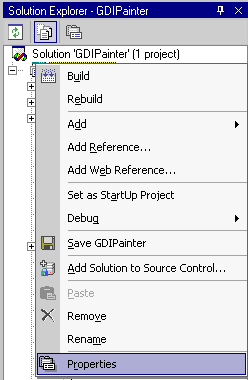
Figure 1.
The Properties menu launches the Property Page for that project. For example, my project name is GDIPainter as you can see in Figure 2.
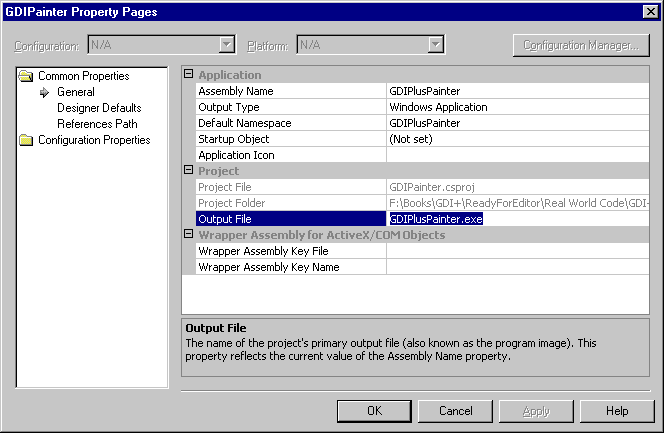
Figure 2.
You can also see from Figure 2, you can change Assembly name, default namespace, application icon and so on. The project section of this page allows you to change the project folder and output file. To change the name of the default exe for your application, you need to change the Output File name as you can see the selected line in Figure 2.