ARTICLE

Better Exception Handling in Visual Studio 2005

Posted by Mahesh Chand Articles | Visual Studio 2010 November 16, 2005
With many new cool features, components, controls, and tools, Visual Studio 2005 definitively is a winner. In this article, I discuss the new exception handling dialog in Visual Studio 2005.
Reader Level:

Better exception handling is one more nice feature in Visual Studio 2005. You remember the exception dialog in prior versions of Visual Studio which used to popup whenever an exception was occurred when you were compiling and debugging the code.

Now the exception dialog is pretty neat. Its a modeless dialog which means you can keep working without getting rid of this dialog. Besides this, it is transparent and you can move it wherever you want. So when you are debugging and exception occurs, you can put it in a corner and keep doing your work.

In my code, an exception occurred and this is how the exception dialog looks like:
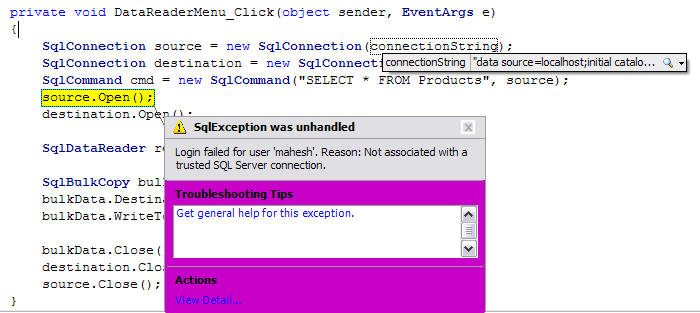


Figure 1. Exception dialog.

I move the dialog and now it looks like the following:
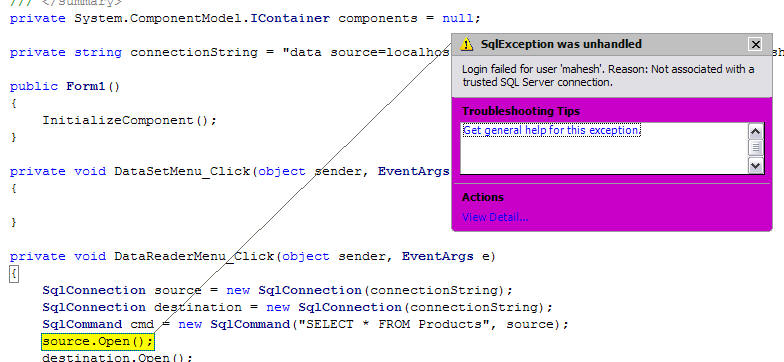
Figure 1. Exception dialog after move.

You can click on View Details link to see more details about the exception.

Besides the exception error, this dialog also shows you the tips and help topics related to that error. You can simply click on these links to learn more about these errors.

I personally am not fond of pink color ;) but its a pretty cool new feature in Visual Studio 2005.

Login to add your contents and source code to this article
post comment
     

Hai i need help and advice, i am tried to develepod login page for System staff Library.I want to modified my login page which only allow user which has register in the system able to access.If the user want to login but dont have any username and password yet that user will got message . All the username and password are store in table staff .For your info i am creating using Visual studio 2005 using application forms and all the data was save in sql 2005. i created my database name Login and table name Staff.In inside table staff 1 created 7 column such staffid, Name, telno, department, username, password, address. Here i my example code for login page and database preview code which i want to modified and also i attached picture of table staff. Public Class Login Private Sub btnlogin_Click(ByVal sender As System.Object, ByVal e As System.EventArgs) Handles btnlogin.Click If txtusername.Text = "" And txtpassword.Text = "" Then MsgBox("Please Enter Your Username And Password", MsgBoxStyle.Information, "Login") Else If txtusername.Text = "" Then MsgBox("Please Enter Your Username ", MsgBoxStyle.Information, "Login") Else If txtpassword.Text = "" Then MsgBox("Please Enter Your Password ", MsgBoxStyle.Information, "Login") Else If txtusername.Text = "Admin" And txtpassword.Text = "password" Then Me.Hide() databasestatus.Show() Else : MsgBox("Wrong Username And Password", MsgBoxStyle.Information, "Login") End If End If End If End If End Sub End Class _________________________________

Posted by iswan wandi Aug 28, 2011
COMMENT USING
PREMIUM SPONSORS
Over-C is a holistic consortium of communications and technology specialists. We build, deploy and market both business as well as consumer products and solutions.
SPONSORED BY
  • PDF reports have never been easier to create. With our included WYSIWYG Designer, you can layout your reports, set up your data source and let DynamicPDF ReportWriter do the rest.