DataGridView is a new control which is more flexible for coding than simple datagrid. However, there are a lot of developer having difficulties about DataGridView Calendar, Mask, ComboBox and also Validations. Actually, DataGridView does not support such as important properties.
Generic Data Grid View is a user control which can be really helpful for,
- Adding a combobox to DataGridView (DataGridViewComboBoxColumn),
- Adding a calendar to DataGridView (DataGridViewCalendarColumn),
- Adding a MaskedTextBox to DataGridView (DataGridView MaskedTextBox Column),
- Validating DataGridView Columns,
- Saving any edited row with automatic created queries.
While I was coding Generic DataGridView, I try to put all important features which can be required for a project. However, these are unlimited. You can add more properties and methods in order to improve it.
After placing the GenericDataGridView(GDGV) to your project, you should set some properties.
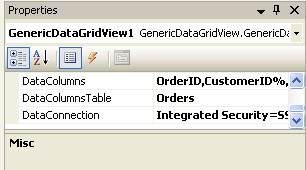
Picture 1 - Properties
DataColumns should be set in design time or in Form_Load such as above and below,
GenericDataGridView1.DataColumns = "OrderID,CustomerID%,OrderDate%,EmployeeID,Freight, ShipPostalCode%"
The column which has a string or date type should be written with % to distinguish. It is necessary for creating DML(Save and Update Queries). And also the first column should be an identity column. The Northwind Database and The Orders table has been selected to demonstrate the example project.
GenericDataGridView1.DataConnection = "Integrated Security=SSPI;Persist Security Info=False;Initial Catalog=Northwind;Data Source=localhost"
GenericDataGridView1.DataColumnsTable = "Orders"
There are some other definitions to be set in form_load;
- FillAll : to fill DataGridView.
- AddCombo : to add a comboboxcolumn to DataGridView.
- AddValidation : to add validation to Columns.
- AddMask : to place a mask to columns.
- AddCalendar : to add a calendarcolumn to DataGridView.
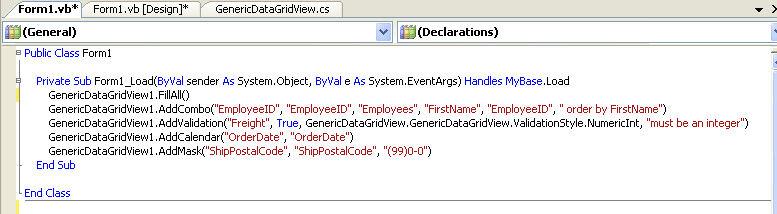
Picture 2 - Form Load
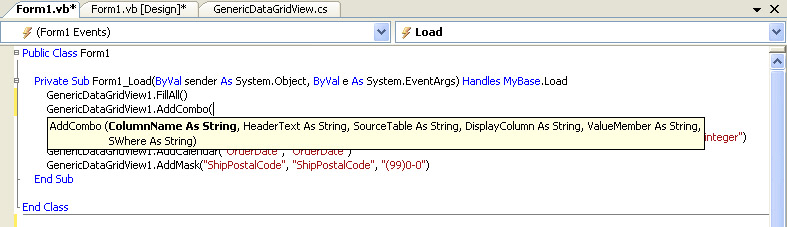
Picture 3 - Add Combo
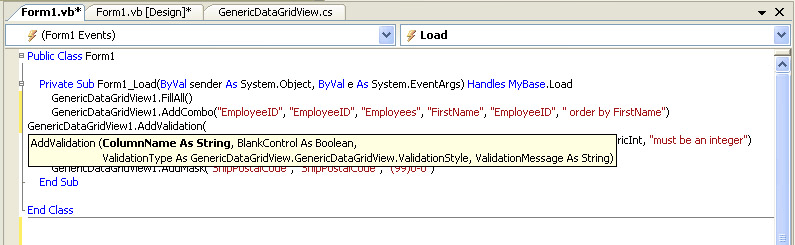
Picture 4 - Add Validation
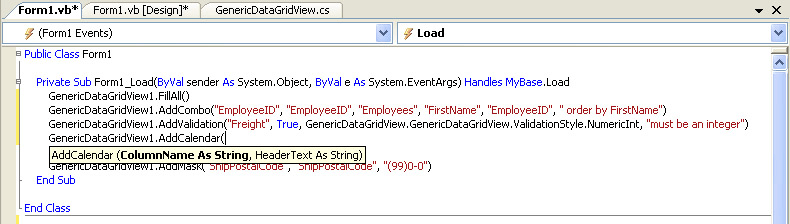
Picture 5 - Add Calendar
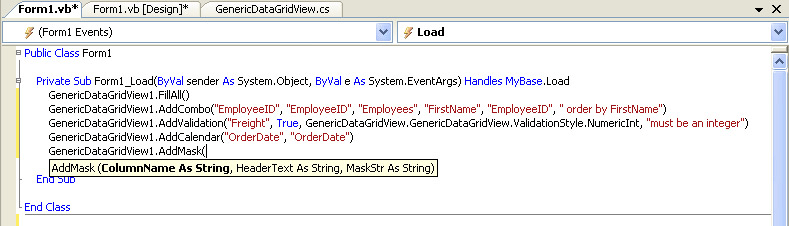
Picture 6 - Add Mask
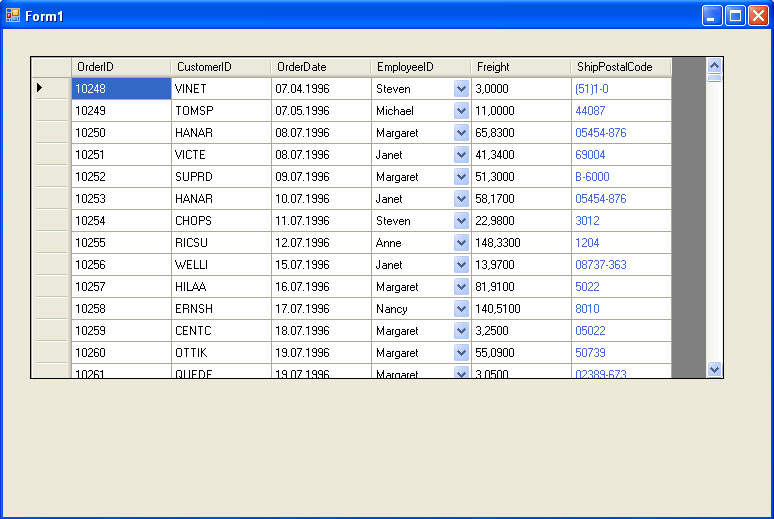
Picture 7 - Form Load
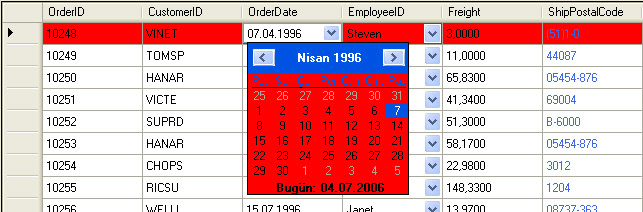
Picture 8 - Calendar Column
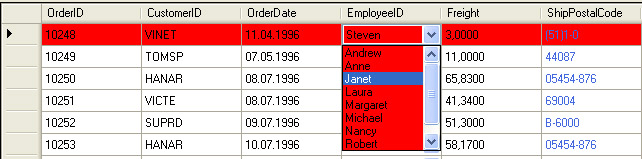
Picture 9 - Combo Column

Picture 10 - Validation

Picture 11 - MaskedText Column

Picture 12 - Saved Row
What About Code of the Generic DatagridView Component ,
There are 11 main part of the Generic DataGridView code, they are New Properties, Fill All, AddCombo, AddCalendar, AddMask, AddValidation, RowSave, Events, ValidationControls, DataGridViewCalendarColumn and DataGridViewMaskColumn.
I will am going to explain some of them.
AddCombo : The important point in this sub is after the DataGridView DataSource is set the column that will be a combo should be remove. After we remove it, we should be define a new DataGridViewComboBoxColumn with same name of the removed column. While we add it to datagridview, it is going to be a last column and that is why we should set the index of it.
public void AddCombo(string ColumnName, string HeaderText, string SourceTable, string DisplayColumn, string ValueMember, string SWhere)
{
Columns.Remove(ColumnName);
System.Data.SqlClient.SqlConnection cn;
cn = new SqlConnection(DataConnection);
cn.Open();
string sql;
sql = "Select " + DisplayColumn + " as LB," + ValueMember + " as VL from " + SourceTable + " " + SWhere;
System.Data.SqlClient.SqlDataAdapter da_addcombo = new SqlDataAdapter(sql, cn);
System.Data.DataTable dt_addcombo;
dt_addcombo = new System.Data.DataTable();
da_addcombo.Fill(dt_addcombo);
DataGridViewComboBoxColumn column_addcombo = new DataGridViewComboBoxColumn();
column_addcombo.DataSource = dt_addcombo;
column_addcombo.DisplayMember = "LB";
column_addcombo.ValueMember = "VL";
column_addcombo.DataPropertyName = ColumnName;
column_addcombo.Name = ColumnName;
column_addcombo.HeaderText = HeaderText;
Columns.Add(column_addcombo);
int j, i;
string[] k;
char a;
a = ',';
k = m_DataColumns.Split(a);
i = k.Length - 1;
j = 0;
while ((j < i) && (k[j].IndexOf(ColumnName) == -1))
{
j = j + 1;
}
Columns[i].DisplayIndex = j;
}
AddValidation : While i am developing the component i decide to use a datatable and keep the information of the validations in a datatable. The columns of this datatable is ColumnName, BlankControl, ValidationType and ValidationMessage. the pivotal point in this method is the validation types which are NumericInt, NumericDouble, DateTime and Email . The validation types can be added or changed.
protected override void OnCellValidating(System.Windows.Forms.DataGridViewCellValidatingEventArgs e)
{
int i, j;
j = dtValidation.Rows.Count - 1;
if (j != -1)
{
i = 0;
bool check = false;
System.Data.DataView dv = new System.Data.DataView(dtValidation, "Name='" + this.Columns [e.ColumnIndex].Name + "'", null, System.Data.DataViewRowState.CurrentRows);
if (dv.Count == 1)
{
if ((bool)dv[0][1])
{
if (String.IsNullOrEmpty(e.FormattedValue.ToString()))
{
this.Rows[e.RowIndex].ErrorText = "Empty Text";
e.Cancel = true;
}
}
if ((dv[0][2].ToString()) != "")
{
switch (dv[0][2].ToString())
{
case "0":
check = IsNumericInt(e.FormattedValue.ToString());
break;
case "1":
check = IsNumericDouble(e.FormattedValue.ToString());
break;
case "2":
check = IsEmail(e.FormattedValue.ToString());
break;
case "3":
check = IsDate(e.FormattedValue.ToString());
break;
}
if (check)
{
this.Rows[e.RowIndex].ErrorText = dv[0][3].ToString();
e.Cancel = check;
}
}
}
}
base.OnCellValidating(e);
}
AddMask : The last method that i will explain is Mask. The addmask method is using MaskedTextColumn Type which is coded by me. This type is almost same as DataGridViewCalendarColumn which is not a native datagridview property. The adding a mask to datacolumn is easier than adding a combo.
public void AddMask(string ColumnName, string HeaderText, string MaskStr)
{
Columns.Remove(ColumnName);
MaskedTextColumn column_addmask;
column_addmask = new MaskedTextColumn();
column_addmask.DataPropertyName = ColumnName;
column_addmask.Name = ColumnName;
column_addmask.HeaderText = HeaderText;
column_addmask.maskA(MaskStr);
Columns.Add(column_addmask);
int j, i;
string[] k;
char a;
a = ',';
k = m_DataColumns.Split(a);
i = k.Length - 1;
j = 0;
while ((j < i) && (k[j].IndexOf(ColumnName) == -1))
{
j = j + 1;
}
Columns[i].DisplayIndex = j;
}
PS : There can be some bugs related with client properties such as datetime and (, or .) which can be fixed easily. Please feel free to ask any questions. The source code of project has GenericDataGridView Control(c#), VB.Net Project to demonstrate the control and c# project to demostrate the control.