

getElementsByName() property in HTML
getElementsByName() property access all elements which we will specify in it.
- <html>
- <head>
- <script type="text/javascript">
- function getNumberOfElements()
- {
- var x=document.getElementsByName("btn");
- alert(x.length);
- }
- </script>
- </head>
- <body>
- <input name="btn" type="button" value="First" />
- <input name="btn" type="button" value="Second" />
- <input name="btn1" type="button" value="Third" />
- <input name="btn" type="button" value="Forth" />
- <input name="btn" type="button" value="Fifth" />
- <input name="btn" type="button" value="Sixth" />
- <br />
- <br />
- <input type="button" onclick="getNumberOfElements()" value="Click here to find the number of elements that have the same name" />
- </body>
- </html>
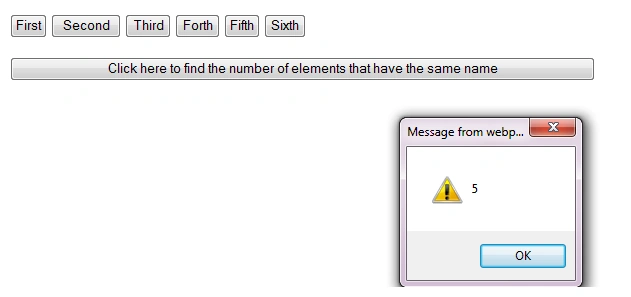
In this example, the alert box shows the number of button elements (btn).
Join the conversation! Your thoughts help the community grow.