

Automatic Autocomplete in chrome browser like this:
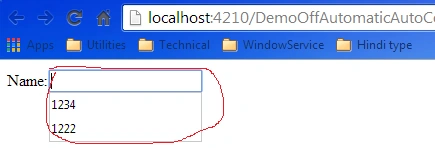
Here i have describe how to off this automatic Autocomplete for each input page.
Reasion to Restric this funationality: for securty purpose.
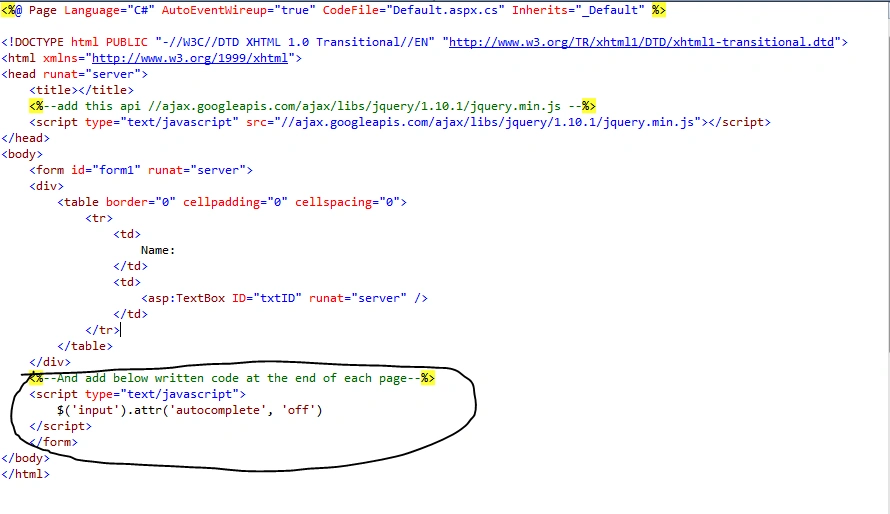
Step 1: Add this jquery api in script tag.
<script type="text/javascript" src="//ajax.googleapis.com/ajax/libs/jquery/1.10.1/jquery.min.js"></script>

Step 2: After that add this tag at the end of aspx page.
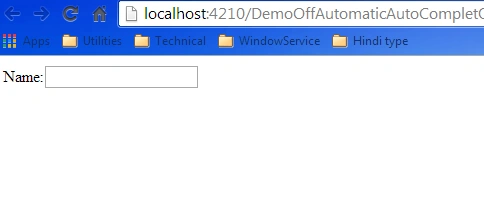
Step 3: After that you can see that automatic autocomplete not appear in your page.
Please download attached file for live example.
Gajanan BhatPosted Nov 3, 2018, 5:36 AM
In the latest version of the browsers this does not disable the functionality.. now a days browsers are ignoring this settings.
Ashok ReddyPosted May 30, 2018, 1:49 AM
Can you please send me total example to me [email protected]
AdhirPosted Feb 4, 2015, 6:03 AM
No need to add any Jquery to turn off Autocomplete. This can be simply done by :autocomplete="off" E.g. <asp:TextBox ID="txtTest" runat="server" autocomplete="off"> For asp .net tutorials: www.codingfusion.com
Lakshmanan Sethu SankaranarayanPosted May 14, 2014, 12:37 AM
Hi, how was Autocomplete enabled in first place?
Saineshwar BageriPosted May 13, 2014, 12:34 PM
nice one