

In SharePoint 2010 we can define and use managed metadata in multiple languages. I have a created a managed metadata service application named MMS (Refer http://technet.microsoft.com/en-us/library/ee530391.aspx to create managed metadata service application).
To define the terms in multiple language, we need to install the language packs. I have installed "French" language pack.
Download and Install Language packs:
You can download the language packs for SharePoint 2010 server in the following link
http://www.microsoft.com/downloads/en/details.aspx?FamilyID=046f16a9-4bce-4149-8679-223755560d54&displaylang=en
To install the language packs on the SharePoint web servers check the following link
http://technet.microsoft.com/en-us/library/cc262108.aspx
Go to Central Administration => Application Management => Service Applications => Manage service applications=> Click on MMS => Taxonomy Term Store.
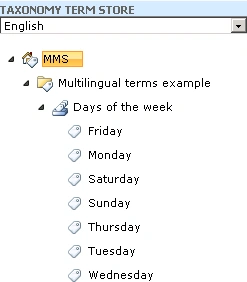
I have selected the language as "English" from the drop down.
In that MMS I have created Group "Multilingual terms example" , term set "Days of the week" and terms "Monday", "Tuesday", "Wednesday" ,"Thursday" ,"Friday", "Saturday" &"Sunday" (Refer http://www.c-sharpcorner.com/uploadfile/anavijai/4349/ (Copy the hyperlink and paste) to create group, term set and terms).
Note: Taxonomy Group, Term set and Terms in SharePoint 2010 can also be created using powershell.
Refer http://www.c-sharpcorner.com/UploadFile/anavijai/5815/ for more details.
Create Labels:
- Go to Central Administration => Application Management => Service Applications => Manage service applications=> Click on MMS.
- Select the term "Monday" that we have created.
- When you click on that, on the right hand side you could see the properties for the term "Monday" as shown in the following.
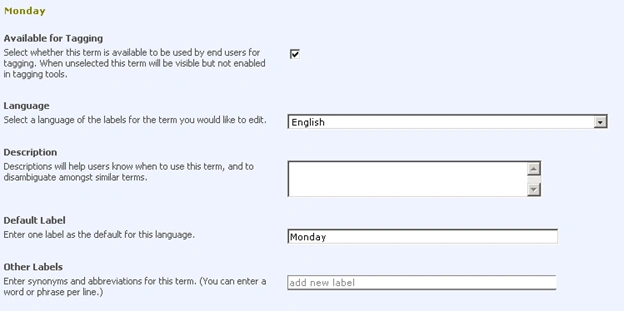
- Default language is selected as "English" and default label is "Monday".
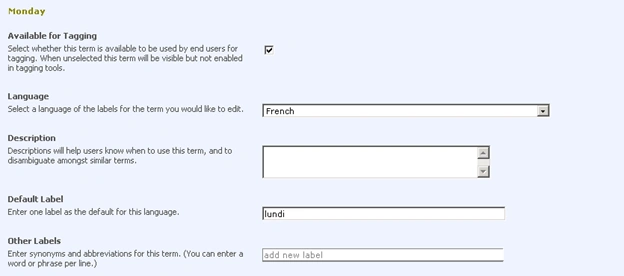
- Create a separate label for "French".
- Select the language "French" from the language drop down menu and enter the default label value as "lundi".
- Click on Save.
- For all the terms I have created the label in "French" language.
- In the Taxonomy Term Store select the language "French" from the drop down menu.
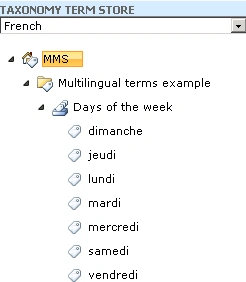
- The terms in the term sets are sorted in the default sort order (mostly alphabetical order).
- Days of the week :
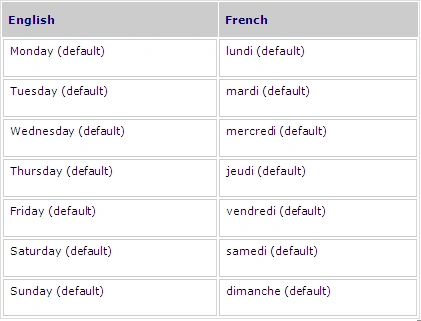
Note: Labels can also be created using powershell and SharePoint object model. Refer http://www.c-sharpcorner.com/UploadFile/anavijai/5784/ for more details.
Create Managed Metadata Column:
I have created a Managed Metadata column named "Multilingual Terms" in the custom list with the "Days of the week" term set.
Refer http://www.c-sharpcorner.com/UploadFile/anavijai/4349/ to create managed metadata column in SharePoint 2010.
Managed Metadata in multiple languages:
- Go to the SharePoint site.
- Select the Display Language as English.
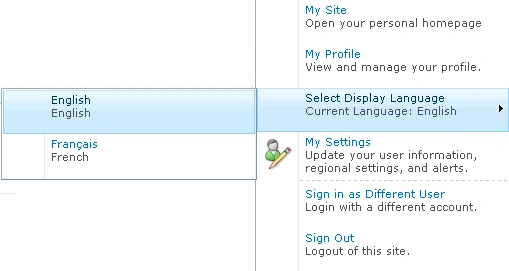
- Go to Custom List where the Managed metadata column is created.
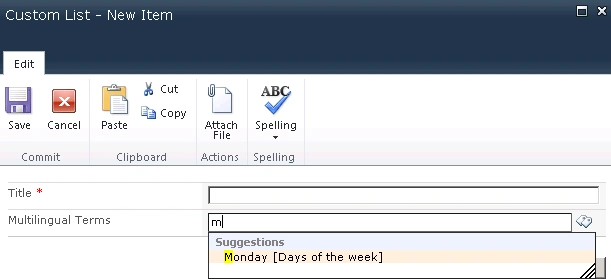
- Add a new item.
- When you enter "M" see the following suggestions.
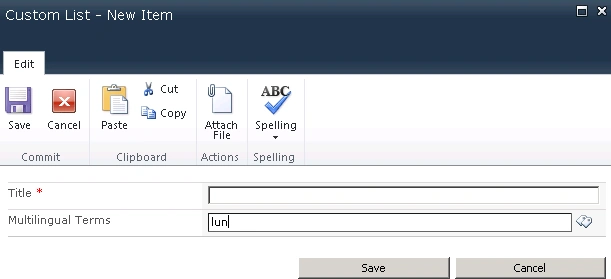
- When you enter "lun" you won't be getting any suggestions because the Display language selected was "English".
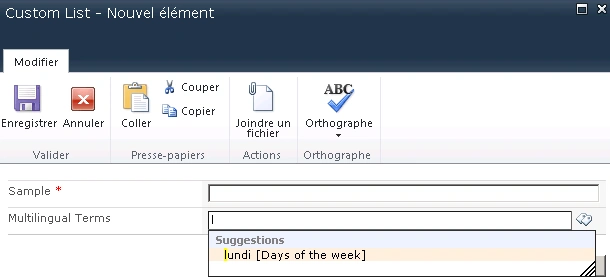
- Change the display language to "French".
- When you enter "Mon" you won't be getting any suggestions.
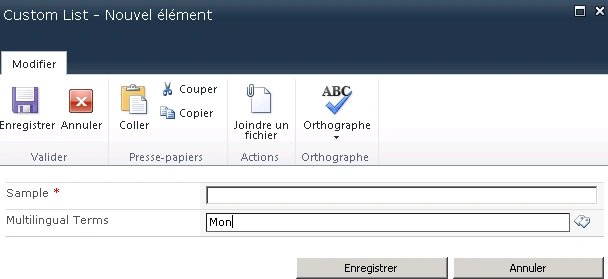
- When you enter "lun" you will be getting the following suggestions.
StephanePosted Jul 4, 2011, 7:31 AM
Applying multilingual value to a field using term store works fine. But I could only use search engine in default language (search for Monday, and not Lundi). Any ideas ?