

Child Window concept is new in Silverlight 3. We will explore some properties that can help us for presentation.
Creating Silverlight 3 Application
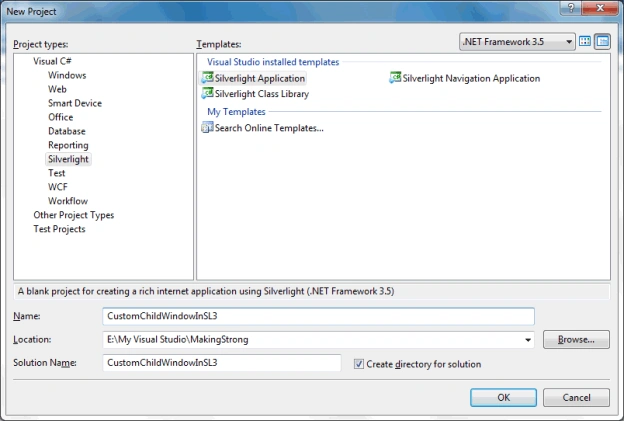
Open up Visual Studio 2008 and create a Silverlight 3 Application. Name it as CustomChildWindowInSL3.
Add a Button to the application and name it as btnShow. Follow the xaml code behind:
<Button x:Name="btnShow" VerticalAlignment="Top" Content="Show ChildWindow" Margin="0,98,0,0" HorizontalAlignment="Center" Width="130"/>
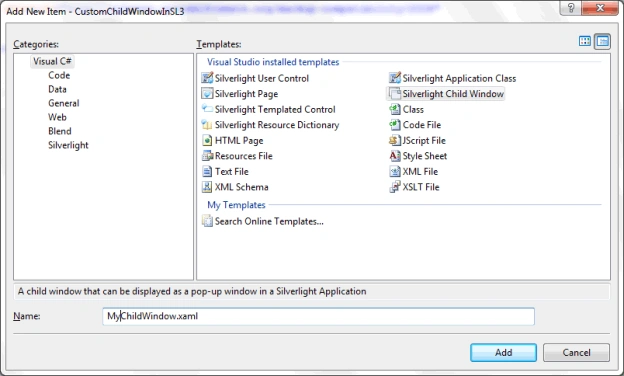
Now add a Child Window by adding a new Item to the Silverlight Project. Name it as MyChildWindow.
Add a click event to the btnShow Button.

Now navigate to the Event Handler you just added.
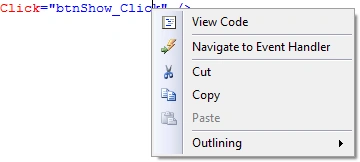
Create an object of the ChildWindow and then call the show method of it.
This is normally how we achieve displaying Child Window.
private void btnShow_Click(object sender, RoutedEventArgs e)
{
MyChildWindow cw = new MyChildWindow();
cw.Show();
}
Now if you run your application. You can see the Child Window pops up when you click the Button.
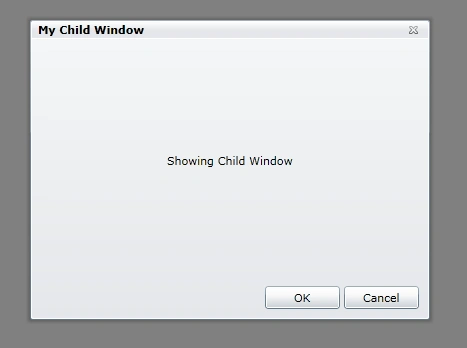
In the above figure you can see that, the Overlay Background is Background with some Opacity value.
We can change the above default color scheme.
For Child Window there are two properties called OverlayOpacity and OverlayBrush.
Using the above two properties we will achieve our own Color Scheme.
Go ahead and add the properties and give values. Follow the below code:
private void btnShow_Click(object sender, RoutedEventArgs e)
{
MyChildWindow cw = new MyChildWindow();
cw.OverlayOpacity = 0.5;
cw.OverlayBrush = new SolidColorBrush(Colors.Red);
cw.Show();
}
In above code, I have assigned the OverlayOpacity to 0.5 and OverlayBrush as Red.
Now we will run our application and see what the changes we have made.
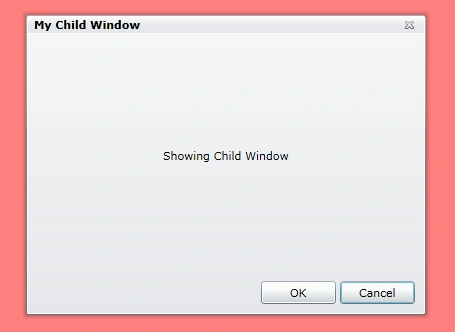
That's it we have successfully customized our Child Window display.
Enjoy Coding.
tarun dhimanPosted Aug 20, 2010, 2:59 AM
sir , i want a complete customized child window in silverlight(*in blend) plz help me!!!!
kriszotPosted Nov 19, 2009, 1:10 PM
Have You noticed that opacity change executes after displaying the ChildWindow? It is a quite strange effect (try with opacity = 0.2 without color change) when back screen dims to grey (probably with opacity 0.8), and then immediately changes to 0.2. Seems to be a bug to me.