

In this article we will see how we can sort one or more DataGrid Colums using SortDescription method.
Creating Silverlight Project
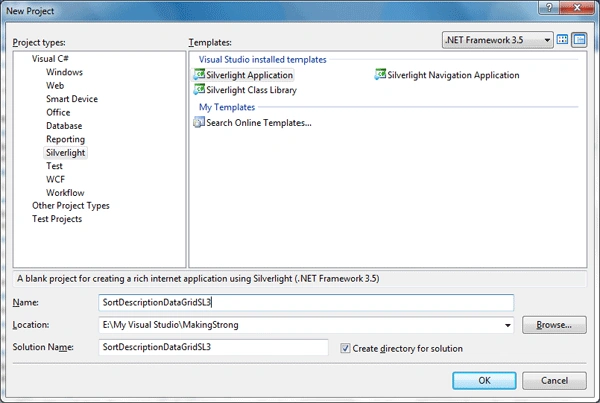
Fire up Visual Studio 2008 and create a Silverlight Application. Name it as SortDescriptionDataGridSL3.
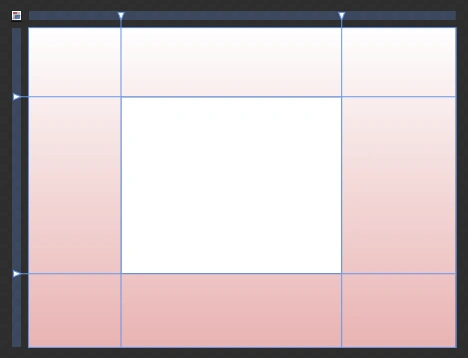
Add a DataGrid into your Application.
Add a class for defining the sample properties of the Sample Data.
public class Users
{
public string Name { get; set; }
public int Age { get; set; }
public string Gender { get; set; }
public string Country { get; set; }
}
Now create some sample data:
List<Users> myList = new List<Users>
{
new Users{ Name="Hiro Nakamura", Gender="M", Age=24, Country="Japan"},
new Users{ Name="Mohinder Suresh",Gender="M", Age=26, Country="India"},
new Users{ Name="Claire Bennette", Gender="F",Age=19, Country="USA"},
new Users{ Name="Matt Parkman", Gender="M",Age=30, Country="USA"},
new Users{ Name="Nathan Patrelli", Gender="M",Age=30, Country="USA"},
new Users{ Name="Peter Patrelli", Gender="M",Age=26, Country="USA"},
new Users{ Name="Mica", Age=12, Gender="M",Country="USA"},
new Users{ Name="Linderman", Gender="M",Age=56, Country="USA"},
new Users{ Name="Ando", Age=24, Gender="M",Country="Japan"},
new Users{ Name="Maya", Age=24, Gender="M",Country="Mexico"},
new Users{ Name="Niki Sanders", Gender="F",Age=26, Country="USA"},
new Users{ Name="Angela Patrelli", Gender="F",Age=26, Country="USA"},
};
Now create an instance of PagedCollectionView and give parameter as the above list.
PagedCollectionView collection = new PagedCollectionView(myList);
Now add SortDescriptions as follows:
collection.SortDescriptions.Add(new SortDescription("Name", ListSortDirection.Ascending));
collection.SortDescriptions.Add(new SortDescription("Country", ListSortDirection.Ascending));
Now assign the ItemSource of the DataGrid.
MyDataGrid.ItemsSource = collection;
That's it we have successfully used SortDescription. Now run your application to see the Sort Display: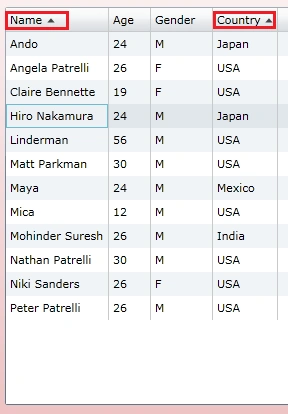
Enjoy Coding.
nguyen phong 0Posted Apr 18, 2010, 2:46 AM
thanhk