

Problem overview
I have been facing the below issue on my tenant. We created a team site collection and I am one of the site collection administrators for that site. After some time of use, I couldn’t upload the list template as my permissions are changed to limited access automatically and I continuously received the access denied messages.
Solution
We can solve this issue in SharePoint Online using PowerShell script. Follow the below-listed steps to solve the same.
Step 1
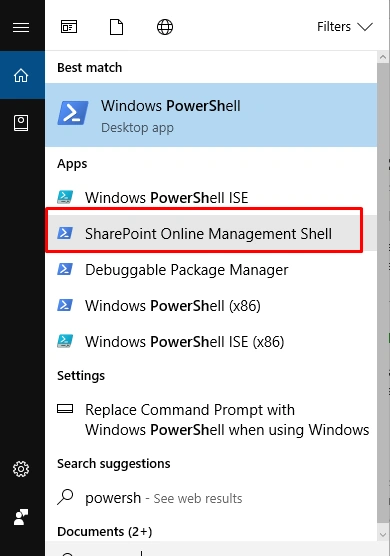
Open the SharePoint Online Management Shell on your machine as an administrator.
Step 2
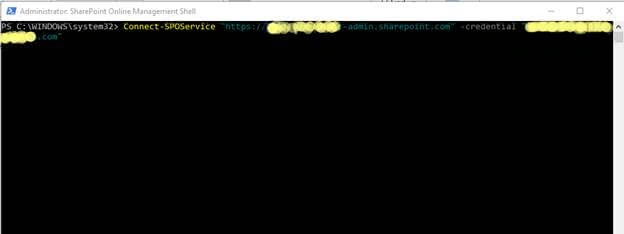
Provide the below command to connect to the online tenant.
Connect-SPOService "https://{{tenantname}}-admin.sharepoint.com" -credential "admin email address"
Step 3
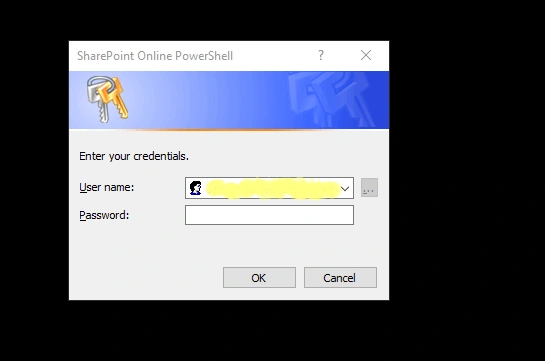
Once you are connected, it will prompt the credentials window; provide the password.
Step 4
Then, execute the below command.
Set-SPOsite "SiteURL" -DenyAddAndCustomizePages 0
The above command will solve the access denied issue for any site collection administrator.
Summary
In this article, we have explored how to solve the access denied issue for SharePoint site collection administrator on SharePoint Online site. Thanks for visiting my blog. I hope this blog is helpful to you. Please share your feedback.
Join the conversation! Your thoughts help the community grow.