

In this article, we will learn how to save and get cookies using Angular v2.
Procedure to save a value in cookies using Angular version 2
In the following code, we pass three parameters:
- name - the name of the cookie (that you want to create)
- value - the value you want to save in the cookie
- days - expiry days for your cookie
This is a simple live example of how to use a cookie in your application,
- GetNames() {
- var strVal = this.readCookie("Angular2_demo");
- var name = this.Registration.Address
- if (strVal == name) {
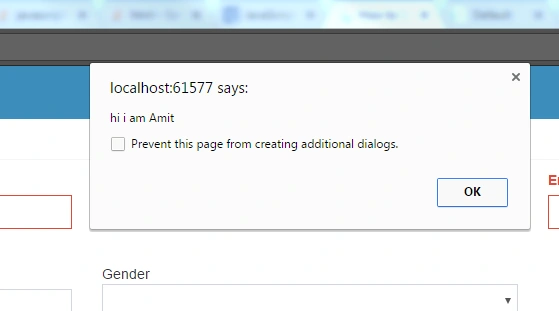
- alert("hi i am " + name);
- }
- };
- savecookies() {
- this.createCookie("Angular2_demo", this.Registration.Name, 7);
- }
- createCookie(name: string, value: string, days: number) {
- var expires = "";
- if (days) {
- var date = new Date();
- date.setTime(date.getTime() + (days * 24 * 60 * 60 * 1000));
- expires = "; expires=" + date.toUTCString();
- }
- document.cookie = name + "=" + value + expires + "; path=/";
- }
- readCookie(name: string) {
- debugger;
- var nameEQ = name + "=";
- var ca = document.cookie.split(';');
- for (var i = 0; i < ca.length; i++) {
- var c = ca[i];
- while (c.charAt(0) == ' ') c = c.substring(1, c.length);
- if (c.indexOf(nameEQ) == 0) return c.substring(nameEQ.length, c.length);
- }
- return null;
- }
- eraseCookie(name: string) {
- this.createCookie(name, "", -1);
- } < input type = "text"
- class = "form-control"
- id = "Name"
- name = "Name" [(ngModel)] = "Registration.Name" (blur) = "savecookies()"
- placeholder = "Enter Name" > < button type = "submit"
- class = "btn" (click) = "GetNames()" > GetNames < /button>
Join the conversation! Your thoughts help the community grow.