
Introduction
When building flows in Microsoft Power Automate, timing is critical. Whether you're waiting for approvals, scheduling reminders, or controlling execution pace, the Delay and Delay Until actions are essential tools.
However, using them incorrectly can affect performance or disrupt the flow of logic. Understanding how to apply them effectively is key to building efficient and reliable workflows
Understanding the Actions
Delay introduces a fixed pause in execution for a defined duration (seconds, minutes, hours, or days).
It is best suited for short, controlled waiting periods within a running flow.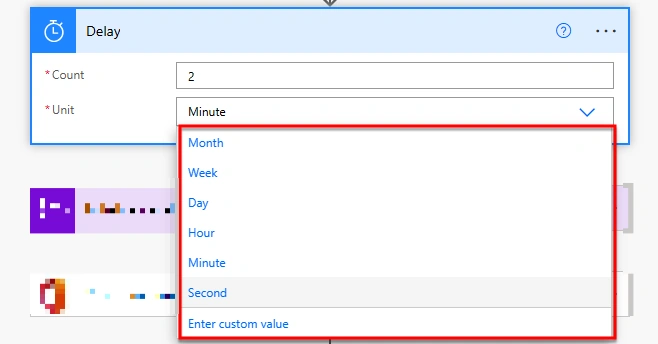
The Delay Until action pauses the flow until a specific date and time is reached.
It is ideal for scenarios where actions must occur at an exact timestamp.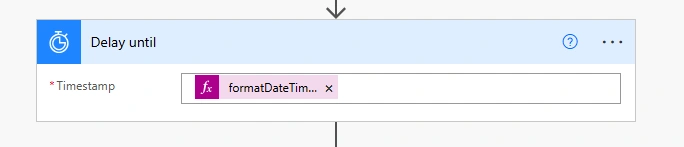
When to Use Each
Use Delay when:
You need to introduce buffering between steps
External systems require time to sync or respond
You want to prevent rapid repeated execution
Use Delay Until when:
When precise execution at a specific date and time is required.
When scheduling tasks for future execution
You need time-based automation tied to deadlines
Practical Implementation Scenario
Use Case: Approval Reminder System
A common enterprise scenario involves tracking pending approvals:
A request is submitted
The flow initiates a Delay
(e.g., 2 hours) The system checks approval status
If still pending, a reminder notification is sent
For more controlled scheduling
Replace Delay with Delay Until using a calculated timestamp (e.g., next working day at 9 AM)
This ensures reminders are sent at appropriate business hours rather than arbitrary intervals.
Best Practices for Smart Usage
Prefer short delays to maintain responsiveness
Avoid placing delays inside high-volume loops to prevent performance degradation
Use dynamic expressions
(e.g., addHours(utcNow(), 2), formatDateTime()with Delay Until for flexibility Combine with conditions to build intelligent, decision-based flows
Consider time zones explicitly when working with scheduled triggers
Key Highlights
Both actions serve complementary roles in workflow design.
Delay controls how long a flow pauses, while Delay Until defines the exact time when execution resumes.
When used thoughtfully, these actions improve workflow efficiency, maintain system stability, and ensure processes align with real-world schedules
Join the conversation! Your thoughts help the community grow.