

Microsoft Flows is a Cloud based service that enables us to build workflow processes for different services.
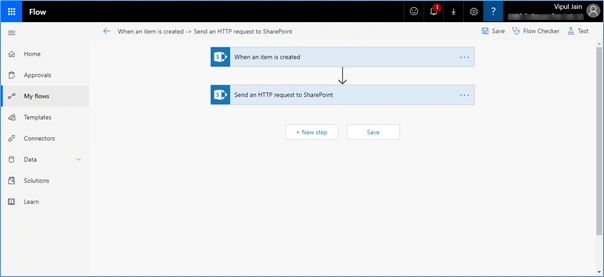
Triggers and Actions used,
- When an item is created
- Send an HTTP request to SharePoint
Explanation
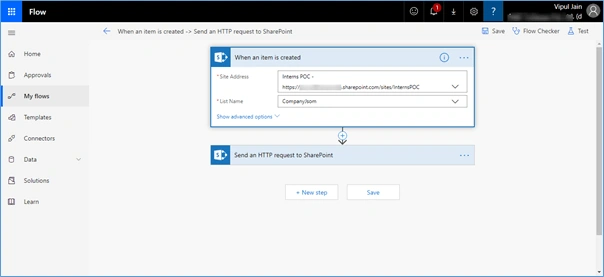
When an item is created - This gets triggered when an item is created. The required parameters for this trigger are,
- Site Address
- List Name
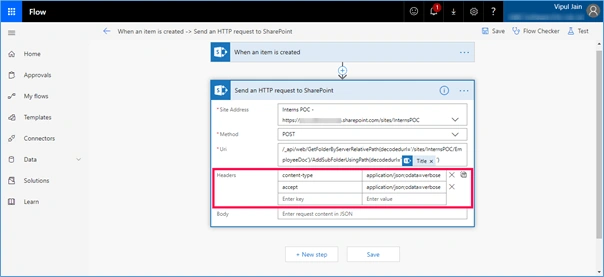
Send an HTTP request to SharePoint
- Site Address
- Method
- URL
Since I wanted to create a folder in document library. Used the below REST call:-
/_api/web/GetFolderByServerRelativePath(decodedurl='/sites/InternsPOC/EmployeeDoc')/AddSubFolderUsingPath(decodedurl='')
Below headers need to be added to perform a POST operation,
- Content-type = application/json;odata=verbose
- Accept = application/json;odata=verbose
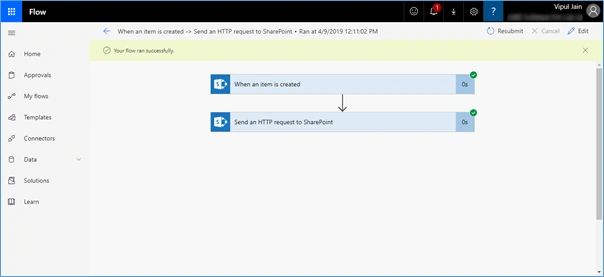
Once Flow runs successfully, it can be tested and seen as per the below screen:-
Output
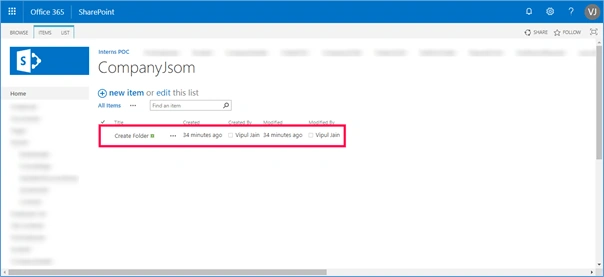
List Name Used: CompanyJsom
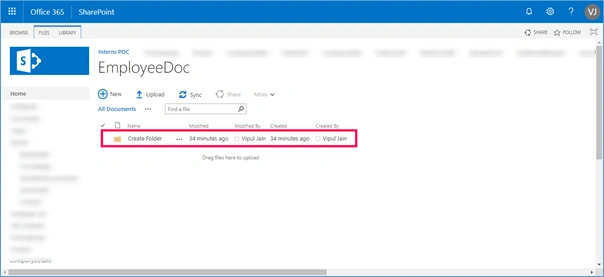
Document Library Name Used: EmployeeDoc
When an item is created in the list, the folder got created in the document library, as shown below,
Summary
In this blog, we have seen how we can create a folder on list item creation using Microsoft Flows.Check all SharePoint actions and triggers in the below URL,
Sharing is caring!
Laxmidhar SahooPosted Apr 19, 2019, 10:43 AM
Thanks for a good article