

Through this article, I would like to explain how to insert data into the SQL Server database from an Excel using stored procedure with help of XML for bulk data insertion using the Windows desktop application and Visual Studio 2017. I am sure there are many different ways to do that; here, I am looking at the very basics to keep things simple.
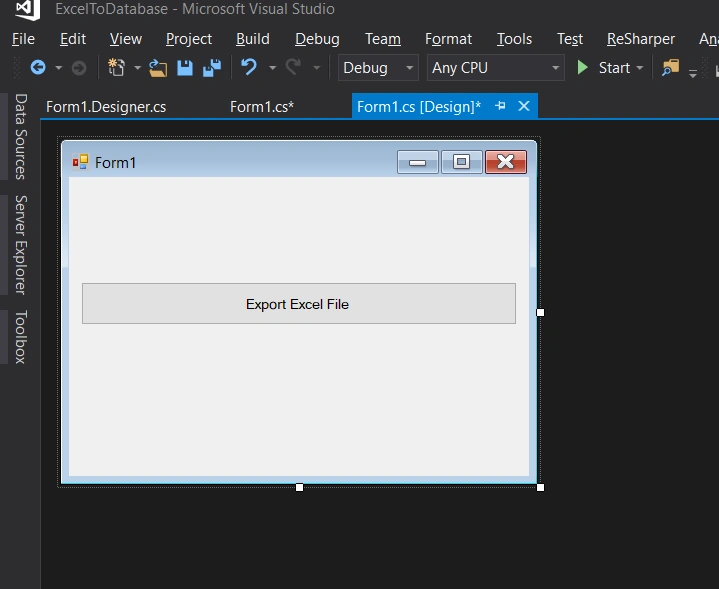
Create a project for a Windows desktop application. Insert a button to export an excel file, and we are going to write the C# code for exporting the excel data on the button click event.
Now go to nuget package and install ExcelDataReader and install this to our project so we can use the features of this package.
Next the coding part for the button click.
private void Button1_Click(object sender, EventArgs e) {
    OpenFileDialog ope = new OpenFileDialog {
        Filter = "Excel Files|*.xls;*.xlsx;*.xlsm"
    };
    if (ope.ShowDialog() == DialogResult.Cancel) {
        return;
    }
    FileStream stream = new FileStream(ope.FileName, FileMode.Open);
    IExcelDataReader excelReader = ExcelReaderFactory.CreateOpenXmlReader(stream);
    DataSet result = excelReader.AsDataSet();
    DataTable firstTable = result.Tables[0];
    firstTable.Rows[0].Delete();
    System.IO.StringWriter writer = new System.IO.StringWriter();
    firstTable.WriteXml(writer, XmlWriteMode.WriteSchema, false);
    string res = writer.ToString();
    DataTable checkData = new DataTable();
    checkData = CheckXml(res);
    if (checkData.Rows.Count > 0) {
        lblDuplication.Text = "Found Duplication on data provided. Cannot be saved to database.";
    } else {
        try {
            using(SqlConnection con = new SqlConnection(@ "Data Source=xxxxxxxxxxxx;Initial Catalog=Test;Integrated Security=True")) {
                using(SqlCommand cmd = new SqlCommand("InsertXML")) {
                    cmd.Connection = con;
                    cmd.CommandType = CommandType.StoredProcedure;
                    cmd.Parameters.AddWithValue("@xml", res);
                    con.Open();
                    cmd.ExecuteNonQuery();
                    con.Close();
                }
            }
            lblDuplication.Text = "Saved Successfully";
        } catch (Exception) {
            lblDuplication.Text = "Found an error in program. Contact IT Admin";
        }
    }
}
private DataTable CheckXml(string xml) {
    DataSet ds = new DataSet();
    DataTable dt = new DataTable();
    using(SqlConnection con = new SqlConnection(@ "Data Source=xxxxxxxxxxxxxxx;Initial Catalog=Test;Integrated Security=True")) {
        using(SqlCommand cmd = new SqlCommand("CheckXML")) {
            cmd.Connection = con;
            cmd.CommandType = CommandType.StoredProcedure;
            cmd.Parameters.AddWithValue("@xml", xml);
            con.Open();
            SqlDataAdapter sda = new SqlDataAdapter {
                SelectCommand = cmd
            };
            sda.Fill(dt);
            con.Close();
            return dt;
        }
    }
}
Here I am adding the stored procedure to handle the XML data insertion to DB.
shreyas adikumarPosted Jan 30, 2020, 3:40 AM
Hi i have one clarity why we are using two data source