

Have you ever wondered what happens behind the scenes when you type a URL like https://api.company.ca into your browser?
It may look like your request goes directly to a web server, but several components work together behind the scenes to process the request and send the response back to you.
Let's break it down with a simple example:
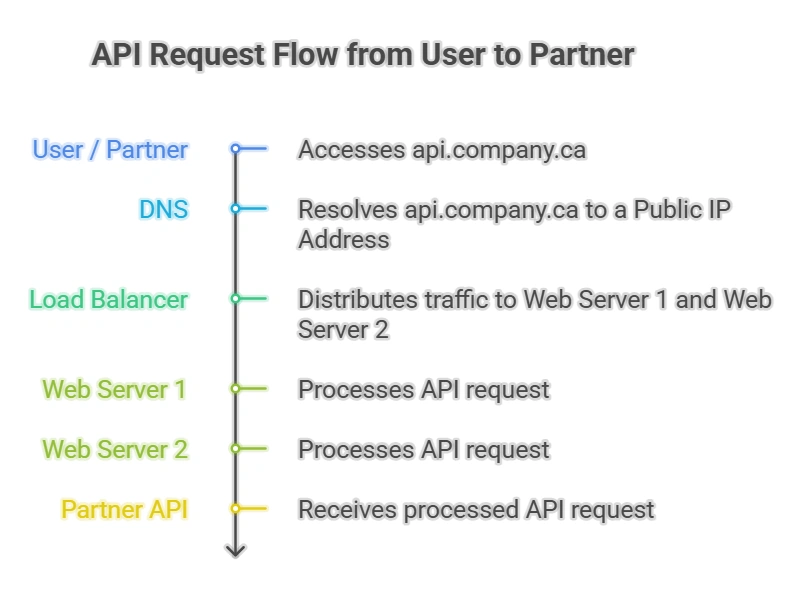
Step 1 – Domain
A domain is your organization's unique identity on the Internet.
For example:
company.ca
This is the only name you register (or purchase) from a domain registrar.
Step 2 – Subdomains
Once you own company.ca, you can create multiple subdomains at no additional registration cost.
Examples include:
api.company.ca
mortgage.company.ca
payments.company.ca
partners.company.ca
Think of the domain as your company's address, while subdomains are different departments within the same building.
Step 3 – DNS
DNS (Domain Name System) is often called the Internet's phone book.
When someone requests: https://api.company.ca
their computer asks: "Where can I find api.company.ca?"
DNS responds with the destination, such as:
api.company.ca
      │
      ▼
203.0.113.10
Notice that DNS does not process the request. It simply tells the client where to connect.
Step 4 – Load Balancer
The public IP usually belongs to a Load Balancer, not the web server itself.
The Load Balancer acts like a receptionist at an office. Instead of every visitor deciding which employee to meet, the receptionist directs each visitor to an available employee.
Similarly, the Load Balancer distributes incoming requests across multiple servers.
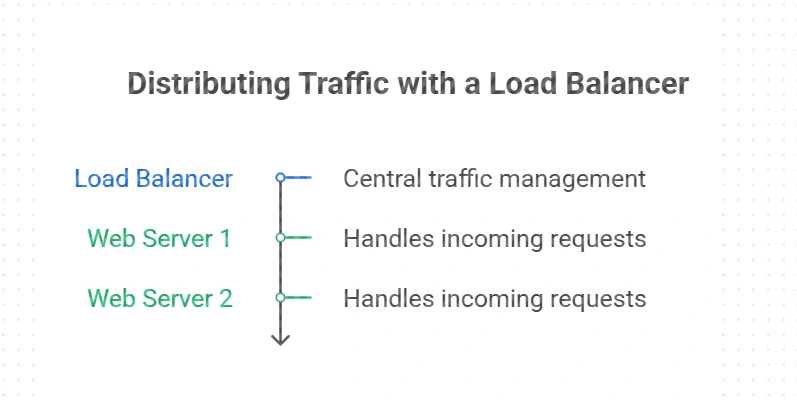
This provides:
High Availability
Better Performance
Fault Tolerance
Easy Scaling
If one server goes offline, requests are automatically routed to another healthy server.
Step 5 – Where is HTTPS?
The URL begins with https://, which means communication is encrypted using TLS.
In many enterprise environments, the TLS certificate is installed on the Load Balancer.
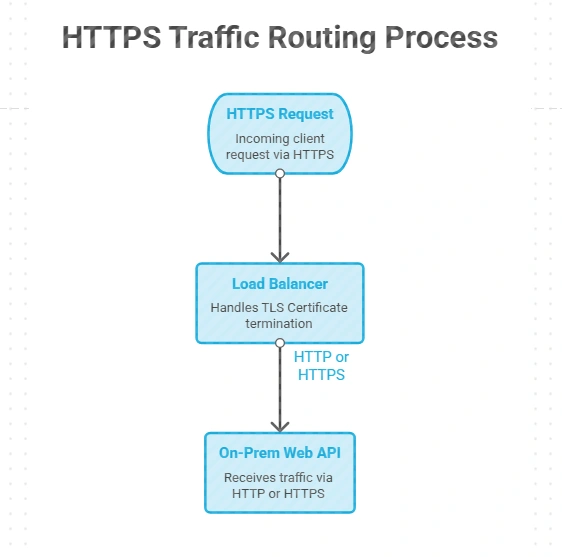
The Load Balancer can either:
decrypt HTTPS and forward HTTP internally, or
maintain HTTPS all the way to the web server for end-to-end encryption.
Bringing It All Together
Imagine a partner sends a request to: https://api.company.ca/customers
Here's what happens:
The client asks DNS for api.company.ca.
DNS returns the public IP of the Load Balancer.
The client connects securely using HTTPS.
The Load Balancer receives the request.
The Load Balancer selects an available on-premises web server.
The web server processes the request and returns the response.
Although the partner only sees a single URL, the request may travel through multiple networking components before reaching the application.
Key Takeaways
Domain → Your organization's registered Internet name (e.g., company.ca).
Subdomain → A logical name under the domain (e.g., api.company.ca).
DNS → Converts a hostname into a destination IP address.
Load Balancer → Receives traffic and distributes it across multiple servers.
Web Server → Hosts the application and processes client requests.
Together, these components create a secure, scalable, and highly available architecture while exposing only a single, easy-to-remember URL to your users.
Join the conversation! Your thoughts help the community grow.