

Introduction
JavaScript is a kind of scripting language.
Scripting Languages are used to put logic with HTML tags. They are small
languages, having no environment. It is executed in the browser with HTML.
All the scripting languages are Interpreted languages. There are some script languages, which are as follows:
- java Script:- Netscape
- Jscript :- MS (C/c++/java/c#)
- Vbscript :- MS (vb)
Why we use JavaScript?
Fundamentals Of JavaScript
- There are no specific data type (e.g. :-var t) in JavaScript.
- There are if, for, switch, while, do-while, break, continue same as java or c# in JavaScript.
- document.write() is used for display output in JavaScript.
- There are some dialogues in JavaScript, which are as followsAlert -- OkConfirm -- Ok/CANCEL
Prompt -- Input - Function :-There are 'function' keyword used for function in JavaScript.
Some Examples of JavaScript:
A simple program of JavaScript.
- <html>
- <head>
- <title>MY TITLE</title>
- </head>
- <body>
- <script type="text/javascript">
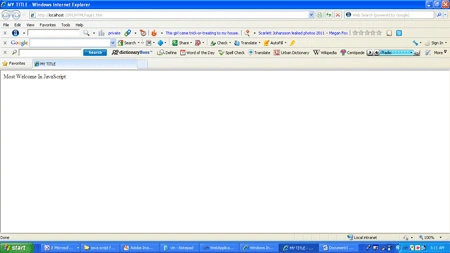
- document.write("Most Welcome in JavaScript")
- </script>
- </body>
- </html>
Output
If-else
program in JavaScript
- <html>
- <body>
- <script type="text/javascript">
- var d = new Date()
- var time = d.getHours()
- if (time < 10) {
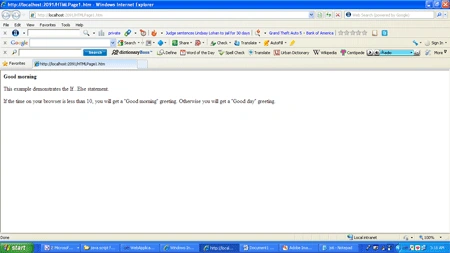
- document.write("<b>Good morning</b>")
- }
- else {
- document.write("<b>Good day</b>")
- }
- </script>
- <p>
- This example demonstrates the If...Else statement.
- </p>
- <p>
- If the time on your browser is less than 10,
- you will get a "Good morning" greeting.
- Otherwise you will get a "Good day" greeting.
- </p>
- </html>
Output
- <html>
- <body>
- <script type="text/javascript">
- var d = new Date()
- theDay = d.getDay()
- switch (theDay) {
- case 5:
- document.write("<b>Finally Friday</b>")
- break
- case 6:
- document.write("<b>Super Saturday</b>")
- break
- case 0:
- document.write("<b>Sleepy Sunday</b>")
- break
- default:
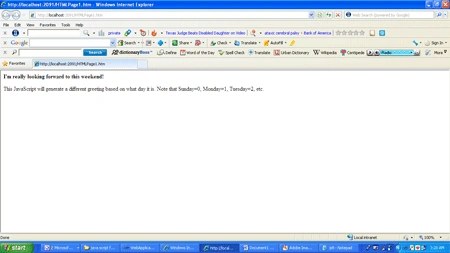
- document.write("<b>I'm really looking forward to this weekend!</b>")
- }
- </script>
- <p>This JavaScript will generate a different greeting based on what day it is. Note that Sunday=0, Monday=1, Tuesday=2, etc.</p>
- </body>
- </html>
Output
For loop in
JavaScript
- <html>
- <body>
- <script type="text/javascript">
- for (i = 0; i <= 5; i++) {
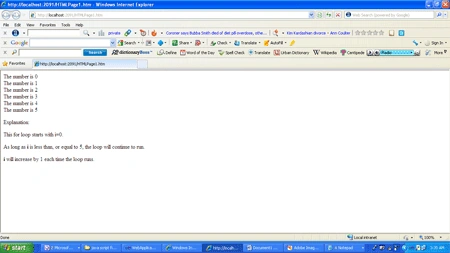
- document.write("The number is " + i)
- document.write("<br />")
- }
- </script>
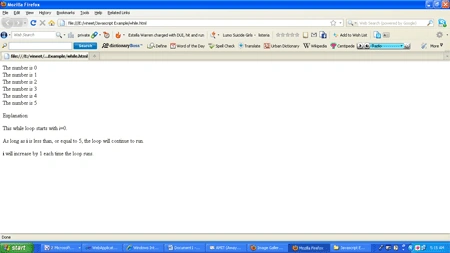
- <p>Explanation:</p>
- <p>This for loop starts with i=0.</p>
- <p>As long as <b>i</b> is less than, or equal to 5, the loop will continue to run.</p>
- <p><b>i</b> will increase by 1 each time the loop runs.</p>
- </body>
- </html>
Output
- <html>
- <body>
- <script type="text/javascript">
- var i = 0;
- while(i <= 5){
- document.write("The number is " + i)
- document.write("<br />")
- i++
- }
- </script>
- <p>Explanation:</p>
- <p>This while loop starts with i=0.</p>
- <p>As long as <b>i</b> is less than, or equal to 5, the loop will continue to run.</p>
- <p><b>i</b> will increase by 1 each time the loop runs.</p>
- </body>
- </html>
Output
- <html>
- <<body>
- <script type="text/javascript">
- var i = 0;
- do {
- i++;
- document.write("The number is " + i)
- document.write("<br />")
- }while(i<=5)
- </script>
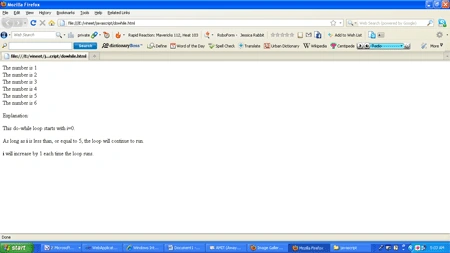
- <p>Explanation:</p>
- <p>This do-while loop starts with i=0.</p>
- <p>As long as <b>i</b> is less than, or equal to 5, the loop will continue to run.</p>
- <p><b>i</b> will increase by 1 each time the loop runs.</p>
- </body>
- </html>
Output
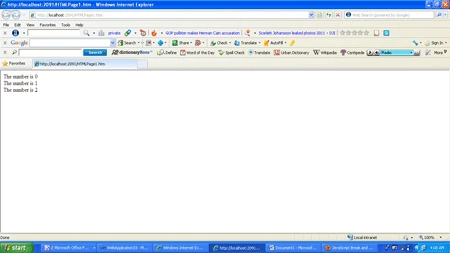
Break
statement in JavaScript
- <html>
- <body>
- <script type="text/javascript">
- var i = 0;
- for (i = 0; i <= 10; i++) {
- if (i == 3) {
- break;
- }
- document.write("The number is " + i);
- document.write("<br />");
- }
- </script>
- </body>
- </html>
Output
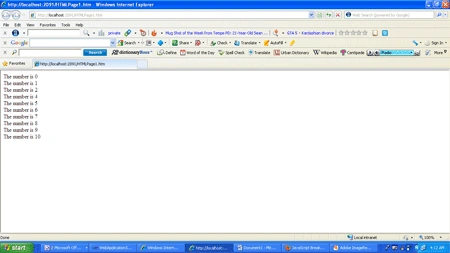
Continue
statement in JavaScript
- <html>
- <body>
- <script type="text/javascript">
- var i = 0
- for (i = 0; i <= 10; i++) {
- if (i == 3) {
- continue;
- }
- document.write("The number is " + i);
- document.write("<br />");
- }
- </script>
- </body>
- </html>
Output
Function in JavaScript
- <html>
- <head>
- <script type="text/javascript">
- function product(a, b) {
- return a * b
- }
- </script>
- </head>
- <body>
- <script type="text/javascript">
- document.write(product(4, 3))
- </script>
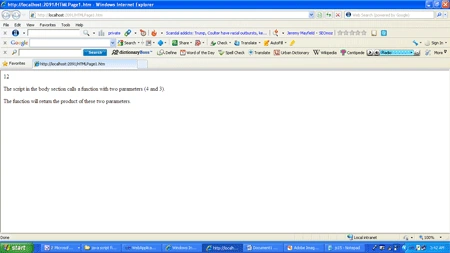
- <p>The script in the body section calls a function with two parameters (4 and 3).</p>
- <p>The function will return the product of these two parameters.</p>
- </body>
- </html>
Output
Vineet Kumar SainiPosted Jan 5, 2013, 4:48 AM
Thanks viveck saini !!
viveck sainiPosted Jan 5, 2013, 2:39 AM
great article i understand eaisly
RaananPosted Nov 18, 2011, 9:22 AM
:) Tx