
Introduction
This article describes how to sort data in a Search Data Screen using LightSwitch 2011.
Step 1
Open Microsoft Visual Studio LightSwitch 2011 and click the "Ok" button.
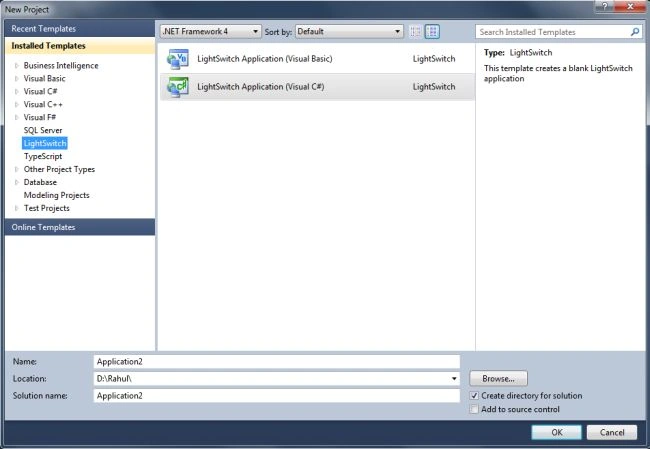
Step 2
As you can see, there are two links, one to create a new database table and the second to attach to an external data source. Let's click on "Attach to external Data Source".

Step 3
Now click on "Database" and click "Next >".

Step 4
Select the server name and select the database, I am using the Rahul database in this article. Click OK.

Step 5
Select tables and click the "Finish" button.


Vinod KumarPosted Apr 24, 2013, 8:39 AM
What is LightSwitch?
Manish SharmaPosted Apr 24, 2013, 8:37 AM
Nice article..
Rahul SharmaPosted Apr 24, 2013, 8:36 AM
New data screen insert records to the database
Nitin BhardwajPosted Apr 24, 2013, 8:23 AM
what is New Data Screen?
Sharad GuptaPosted Apr 24, 2013, 8:16 AM
light switch make easy to use of database, nice one rahul