

Clocks for Websites
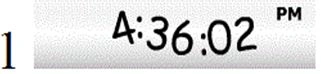
- It is based on JavaScript.
- Works on mouse over events.
- <div style="margin: 15px 0px 0px; display: inline-block; text-align: center; width: 88px;">
- <div style="margin: 15px 0px 0px; display: inline-block; text-align: center; width: 88px;">
- // no script declaration, for failure condition
- <noscript>
- <div style="display: inline-block; padding: 2px 4px; margin: 0px 0px 5px; border: 1px solid #cccccc; text-align: center; background-color: #ffffff;">
- // link of the info access route
- <a href="http://localtimes.info/Asia/India/Delhi/" style="text-decoration: none; font-size: 13px; color: #000000;">
- <img src="http://localtimes.info/images/countries/in.png"="" border=0="" style="border:0;margin:0;padding:0"=""> Delhi</a>
- </div>
- </noscript>
- // main functioning of script file
- <script type="text/javascript" src="http://localtimes.info/clock.php?continent=Asia&country=India&city=Delhi&cp1_Hex=000000&cp2_Hex=FFFFFF&cp3_Hex=000000&fwdt=88&ham=0&hbg=0&hfg=0&sid=0&mon=0&wek=0&wkf=0&sep=0&widget_number=1012">
- </script>
- </div>
Clock 2 | Code
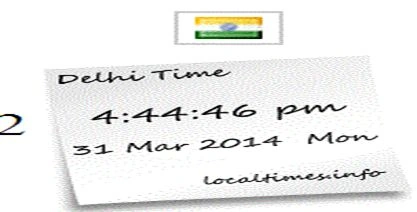
This clock contains a little bit of more functionality than the first one, its features are:
- Based on JavaScript
- You can select your country locations too.
- Proper date and time management
- Grid view of the clock.
- <div style="margin: 15px 0px 0px; display: inline-block; text-align: center; width: 88px;">
- <div style="display: inline-block; padding: 2px 4px; margin: 0px 0px 5px; border: 1px solid #cccccc; text-align: center; background-color: #ffffff;">
- <a href="http://localtimes.info/Asia/India/Delhi/" style="text-decoration: none; font-size: 13px; color: #000000;"><img src="http://localtimes.info/images/countries/in.png"="" border=0="" style="border:0;margin:0;padding:0"="">
- </a>
- </div>
- // main functioning of script file
- <script type="text/javascript" src="http://localtimes.info/clock.php?continent=Asia&country=India&city=Delhi&cp1_Hex=000000&cp2_Hex=FFFFFF&cp3_Hex=000000&fwdt=88&ham=0&hbg=0&hfg=0&sid=0&mon=0&wek=0&wkf=0&sep=0&widget_number=1025">
- </script>
- </div>
- <div style="margin: 15px 0px 0px; display: inline-block; text-align: center; width: 88px;">
- // no script declaration, for failure condition
- <noscript>
- <div style="display: inline-block; padding: 2px 4px; margin: 0px 0px 5px; border: 1px solid #cccccc; text-align: center; background-color: #ffffff;">
- </div>
- </noscript>
- // main functioning of script file
- <script type="text/javascript" src="http://localtimes.info/clock.php? continent=Asia&country=India&city=Delhi&cp1_Hex=000000&cp2_Hex=FFFFFF&cp3_Hex=000000&fwdt=88&ham=0&hbg=0&hfg=0&sid=0&mon=0&wek=0&wkf=0&sep=0&widget_number=1012">
- </script>
- </div>
Conclusion
In this article, we studied how to generate a clock for websites.
Abhishek JaiswalPosted Apr 30, 2014, 8:24 AM
thnks, kalai :)
Abhishek JaiswalPosted Apr 30, 2014, 8:24 AM
thnks for ur kind review @vijay
KalaiPosted Apr 30, 2014, 12:51 AM
nice article
vijay chauhanPosted Apr 26, 2014, 2:10 PM
good work !! keep updating us
Abhishek JaiswalPosted Mar 31, 2014, 10:51 AM
thanks! :)
Lakshmanan Sethu SankaranarayanPosted Mar 31, 2014, 8:49 AM
Good one. :)