

The ViewModel locator allows you to select which ViewModel is going to the view. You can take advantage of this design to even load different ViewModels by dependency injection. A ViewModelLocator is a class witch will map ViewModels to its properties and on your views you can specify which ViewModel it should use.
It also allows you to use a different ViewModel during design time so you can see mock values when you are building the views.
An example of a ViewModelLocator would be the following.
public class ViewModelLocator
{
    private DependencyObject dummy = new DependencyObject();

    public IMainViewModel MainViewModel
    {
        get
        {
            if (IsInDesignMode())
            {
                return new MockMainViewModel();
            }

            return MefBootstrap.Container.GetExportedValue<IMainViewModel>();
        }
    }

    private bool IsInDesignMode()
    {
        return DesignerProperties.GetIsInDesignMode(dummy);
    }
}
An AndApp.xaml file you could include as a resource. Define the namespace on the class above and register it on the resources.
xmlns:core="clr-namespace:YourNameSpace"

<Application.Resources>
    <core:ViewModelLocator x:Key="ViewModelLocator" />
</Application.Resources>
With the locator in your application resources you can refer to it as `{StaticResource ViewModelLocator}` anywhere in your application.
On your view you can then bind the DataContext to a property of the locator as in the following.
<Window x:Class="WpfGuide.Views.MainView"
    ...
    DataContext="{Binding Path=MainViewModel,
                Source={StaticResource ViewModelLocator}}">
</Window>
With the example above I will have a mock ViewModel when I'm designing the application as in the following.
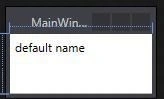
And real values when I'm running it as in the following.

NitinPosted May 30, 2015, 11:02 AM
Nice
Sibeesh VenuPosted May 29, 2015, 3:16 AM
Good one.
Santhakumar MunuswamyPosted May 29, 2015, 3:14 AM
Nice