

This is a general question but important now a days for every developer. There is a defined step-by-step process for logging into a website through Facebook user id and password.
- Log into your Facebook account and go to "Manage app".
- Create new apps (if you have already an app).
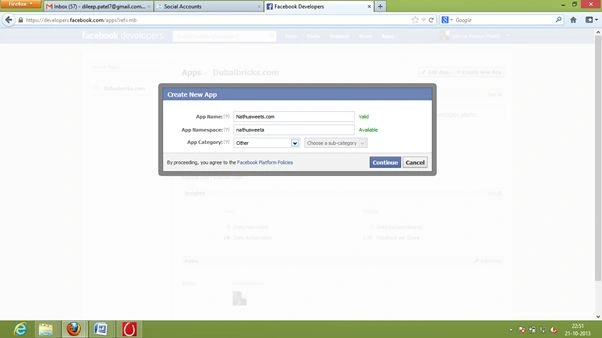
- Next.
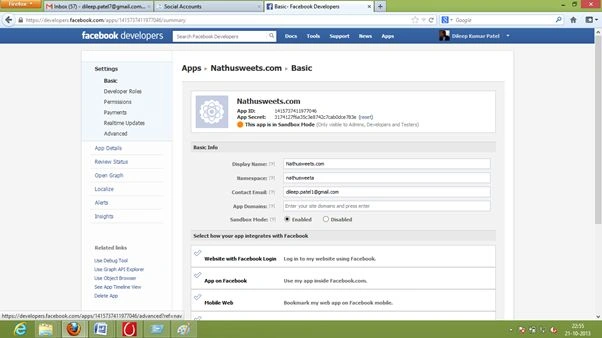
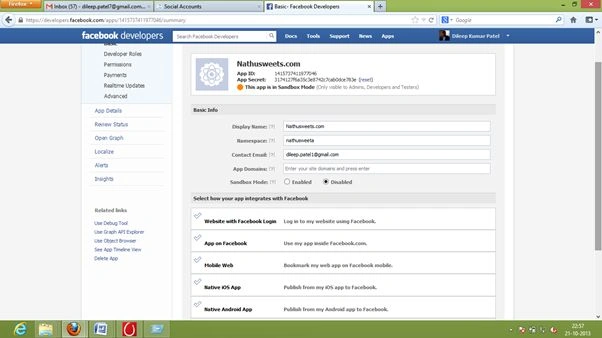
- If you want to make Sand box public then check the Disabled sandbox mood.
- I will use a "<div>" for showing the login with Facebook button:
<div class="fb-Login">
<input type="button" id="btnFacebook" name="btnFacebook" value="" class="fb-Button" />
</div>
- Then a "<script>" after the "<body>" tag:
<body >
<div id="fb-root"></div>
<script type="text/javascript" language="javascript" src="js/fb-Login.js"></script>
- Then facebooklogoin.js:
//Edited by dkp
// Load the SDK Asynchronously
(function (d) {
var js, id = 'facebook-jssdk', ref = d.getElementsByTagName('script')[0];
if (d.getElementById(id)) { return; }
js = d.createElement('script'); js.id = id; js.async = true;
js.src = "//connect.facebook.net/en_US/all.js#xfbml=1";
ref.parentNode.insertBefore(js, ref);
} (document));
// Additional JS functions here
window.fbAsyncInit = function () {
FB.init({
appId: '408537542603090',
channelUrl: '//http://yoururl.com/channel.html',
status: true,
cookie: true,
xfbml: true
});
FB.getLoginStatus(function (response) {
if (response.status == 'connected') {
// window.location = "http://dubaibricks.com/siteuser/home.aspx";
//connected
//alert("You are already login with facebook userid and password.");
} else if (response.status == 'not_authorized') {
alert("Please use normal signin with userid and password!Otherwise Provide us to fetch necessary informations from facebook like Email,date of birth.These are all private not public!")
FB.logout(function (response) {
//logout
alert("You are Signout successfully!Thank you.");
});
// not_authorized
} else {
// not_logged_in
//window.location = "http://96.0.68.12/";
}
});
};
function login() {
FB.login(function (response) {
if (response.authResponse) {
Getloginuserdetails();
} else {
}
}, { scope: 'email,user_birthday,user_location' });
}
function Getloginuserdetails() {
FB.api('/me', function (response) {
//alert('Welcome ' + response.first_name + ',' + response.last_name + ',' + response.gender + ',' + response.email + ',' + response.birthday);
var date = new Date();
var curyear = date.getFullYear();
//var curmonth = date.getMonth()+1;
//var curdate = date.getDate();
//var datediff = parent()
var yeardiff = parseInt(curyear) - parseInt(response.birthday.substr(6, 4))
if (yeardiff < 18) {
alert("Your age must be 18 years or above")
FB.logout(function (response) {
// user is now logged out
});
}
else {
var data = response.first_name + "|" + response.last_name + "|" + response.email + "| |";
data += response.gender + "| |" + yeardiff + "|";
$.ajax({
type: "POST",
async: false,
url: "Handler/registration.ashx",
data: data,
beforeSend: function (xhr) { xhr.setRequestHeader("X-AjaxPro-Method", "REGISTRATION-FB"); },
success: function (response) {
window.location = response;
},
error: function (xhr) {
//alert(xhr.status)
//alert(xhr.statusText);
//alert(xhr.responseText);
alert("!Sorry im am not fething your essential information.Please Try again later.");
}
});
}
});
}
- The channel.html:
<!DOCTYPE html PUBLIC "-//W3C//DTD XHTML 1.0 Transitional//EN" "http://www.w3.org/TR/xhtml1/DTD/xhtml1-transitional.dtd">
<html xmlns="http://www.w3.org/1999/xhtml">
<head>
<title></title>
</head>
<body>
<script type="text/javascript" language="javascript" src="//connect.facebook.net/en_US/all.js"></script>
</body>
</html>
- Screen like this:

- Click "Sign in with Facebook":
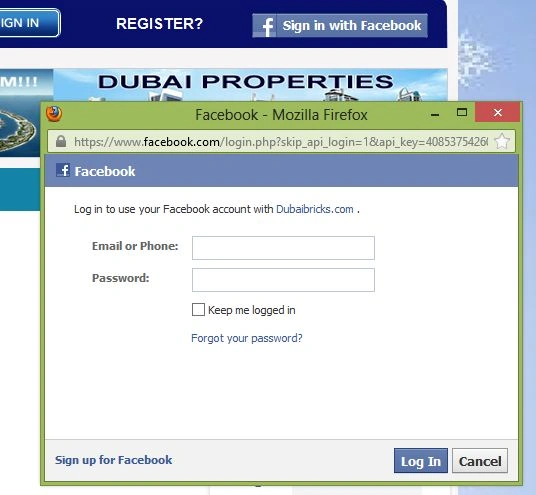
- Login with Facebook credentials in your website.
Bhuvanesh MohankumarPosted May 23, 2016, 1:15 PM
Good one
Vithal WadjePosted Oct 30, 2014, 1:51 PM
very nice,does it requires any authentication Id or Token from facebook
sabyasachi mishraPosted Jan 2, 2014, 4:04 AM
very nice article friend