

Introduction
An Array is a collection of same type variables which can be accessed using numeric index. The numeric index is written in square brackets after the array name.
Following is the declaration of a single dimension Array.
- int[ ] Roll = new int[5];
Characteristics
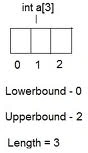
The numeric index is zero based. It goes from 0 to n-1 where n is the size of the array (The total number of elements in the Array).
On declaration, the default value of numeric type Arrays are set to 0, and Reference types are set to null.
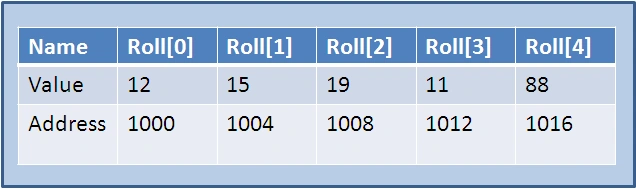
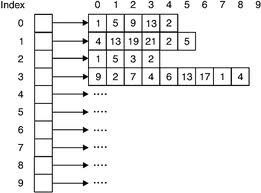
Arrays are stored in continuous memory locations as shown in figure.
In C#, Arrays are objects, and they have certain properties like Length, which can be used by using (.) and property name. All arrays are derived from abstract Class Arrays so many built-in Methods can be called.
- //Rank propety Return number of dimensions
- int[ ] single = new int[4] { 1, 2, 3, 4 };
- int dimension = single.Rank;
Single Dimension Arrays
It is the simplest form of Arrays; it's kind of a Row with n columns where each column is accessed with the zero based index. The preceding two examples show single dimension arrays.
In C#, declaration of an array is a bit different from C or C++. In C# the square brackets are placed after the type name instead of after the array-name, which (in C#) is followed by the keyword new and then the type followed with square brackets containing the size of the array.
Type[] arrayname = new Type[size];
The following code initializes a single dimension Integer Array of size 5. It contains 5 elements which can be accessed by arr[0] to arr[4].
- //Integer Array declaration
- int[ ] arr = new int[5];
- Character type Arrays are declared as following
- //Charahcetr Type array
- char[ ] name = new char[10];

The same way, String Type Arrays are declared
- //String Array declaration
- string[ ] days = new string[7];
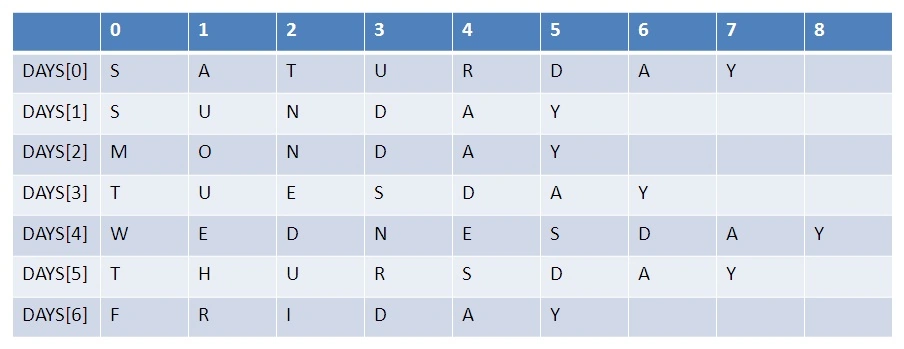
In above example, days has referee type elements all assigned to null. Before using elements of days Array, we need to initialize them. Each element can vary in length, this point will get clear after reading Jagged Arrays.
There are many ways to assign values to an Array. An Array can be initialized in a declaration line by placing the values between curly braces { } in comma separated fashion. Characters are placed in single quotes and Strings are placed in double quotes.
- //Integer Array Initialization
- int[ ] arr = new int[5] { 1, 2, 3, 4, 5 };
- //Charahcetr Array Initialization
- char[ ] name = new char[10] { 'i', ' ', 'a', 'm', ' ', 'f', 'i', 'n', 'e', '.' };
- //String Array Initialization
- tring[ ] DAYS = new string[7] { "SATURDAY", "SUNDAY", "MONDAY", "TUESDAY", "WEDNESDAY", "THURSDAY", "FRIDAY", "SATURDAY" };
Another way of declaring and initializing an Array is
- //Integer Array Declaration, Initialization
- int[ ] arr;
- arr = new int[5] { 1, 2, 3, 4, 5 };
- //Wrong Way of Writing
- int[ ] arr = new int[5];
- arr = { 1, 2, 3, 4, 5 };
Iterating Through Single Dimension Array
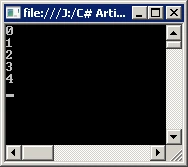
In C#, Arrays are objects and retain certain built-in properties. The Length property returns the total number of elements in the Array. Right now we are dealing with a single dimension, so the total number of elements is equal to the size of the array.
- for (int i = 0; i < arr.Length; i++)
- {
- Console.WriteLine(i);
- }
- Console.ReadLine();
Multi Dimensional Arrays
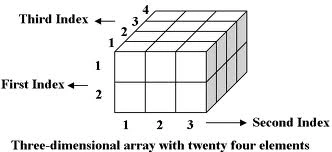
Arrays can be multidimensional. The most widely used are two-dimensional Arrays, often Matrices form 2D Arrays. In 2D Array, 2 zero based indexes are used to access a particular value in the Array.
- //Integer 2D Array
- int[,] matrix = new int[10, 10];
- //Accessing Value
- int val = matrix[5, 7];
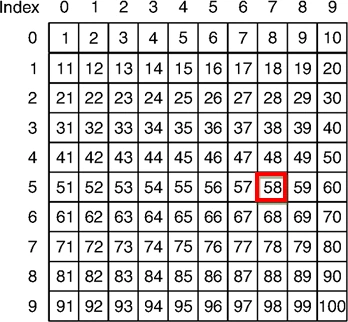
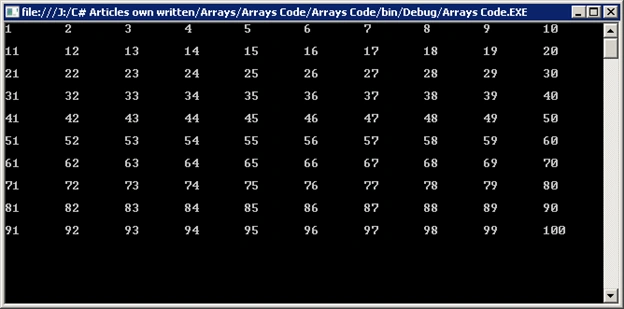
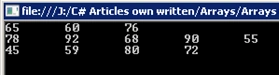
The Value of an element stored in 5th Row, 7th Column is 58, which will be assigned to Variable val. Rows and Columns have zero based index. The total number of values which can be stored in 2D array is equal to the product of rows and columns. For the above case it is 100.
A single dimension Array is a single Row with columns >0. 2D Arrays have more than one Row, thus form a table.
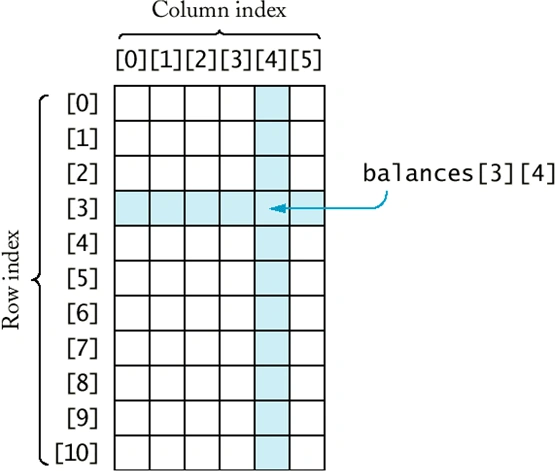
Accessing the element stored in 3rd row, 4th column in balances table.
To initialize 2D array, each row values are placed in curly braces as in case of single dimensional array and then these set of curly braces for all rows are placed in another set of curly braces in same fashion.
- //2D Array Initializtion
- int[,] arr_2d = new int[3, 2] { { 1, 2 }, { 3, 4 }, { 5, 6 } };
- //Initializing 2Dimensional Array
- char[,] day = new char[2, 3] { { 'o', 'n', 'e' }, { 't', 'w', 'o' } };

Sreekanth ReddyPosted Oct 25, 2018, 2:34 AM
An amazing work...
panayan palanivelPosted Jul 6, 2012, 3:43 AM
Thank you so much
panayan palanivelPosted Jul 6, 2012, 3:43 AM
Thank you so much
Muneer SyedaPosted Apr 14, 2011, 12:33 PM
Made it easy to get it. Thanks...!!!
Jean Simon RattePosted Feb 26, 2011, 3:09 PM
Amazing article! Your explanations are really good!
sarathi reditedPosted Feb 26, 2011, 7:08 AMEdited Feb 26, 2011, 7:09 AM
Do you have any 4d array application? where do you use 4d array?
Mahesh ChandPosted Feb 24, 2011, 9:19 AM
Good work Abdur. Nice explanation.