

Introduction
This article describes how to send table data to an Excel file. In QlikView, table data can only be sent to an Excel sheet, not any other.
First you must create the table in QlikView.
In my previous article I created a table in a QlikView application.
Create table box in QlikView
There are two steps to send table data to an Excel file.
- The first step is to right-click on the table box and select "Send to Excel".

- The second method is to right-click on the table box and select "Export...".

Step 1: Select any one method
The first and major step is to select a method and send data to an Excel sheet.
Suppose we select the first method and send data.
Then the table data will be opened with an Excel file.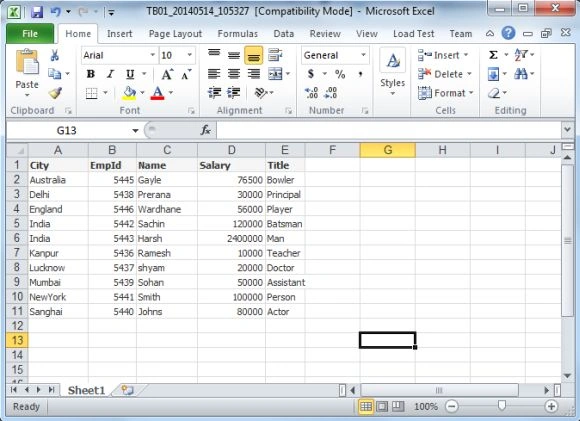
Step 2: Save file
The next step is to save the Excel file and click on the "Save" button. 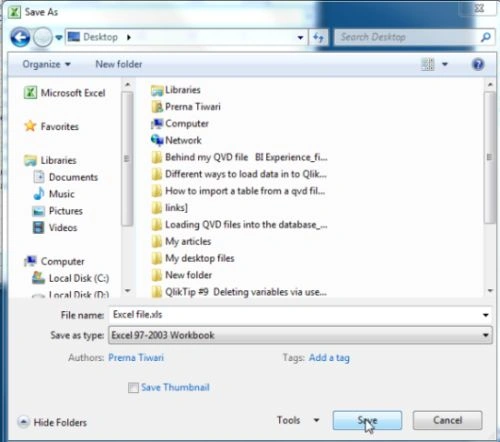
Summary
This article described how to send table data to an Excel file in a QlikView application.
Sushil KumarPosted Jul 17, 2015, 1:16 PM
Is there a way to export the table data to CSV file programmatically?