

Create a Delayed Site Collection
A delayed Site Collection is a Site Collection that has been created but the Template will be chosen later. To create a delayed Site Collection, open Central Administration then select Create Site Collections then select the Custom tab as shown below.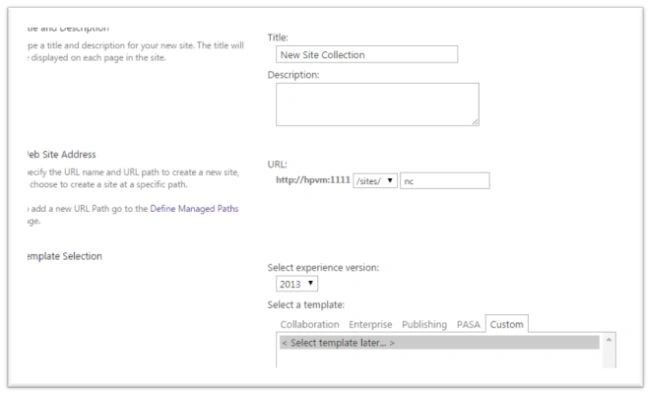
Wait for the Site Collection to be created and open it in a new window. You can see the site asks for a template.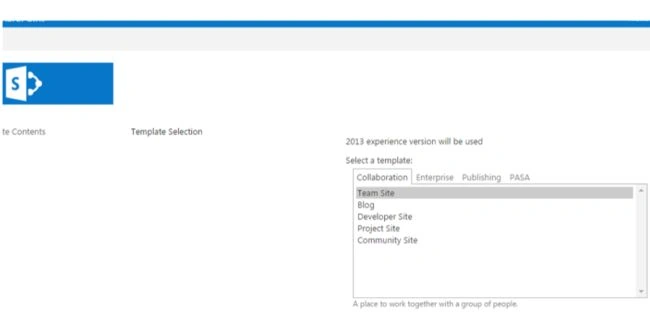

This is good for Administrators where a Site Collection request comes in without specifying the template.
Managing Site Collection Disposition
Site Collection Disposition deals with the closing and deletion of a site. Closing prevents access to the Site Collection. Deletion removes the Site Collection.
We can create a policy to do that. Open Site Settings then select the Site Policies page.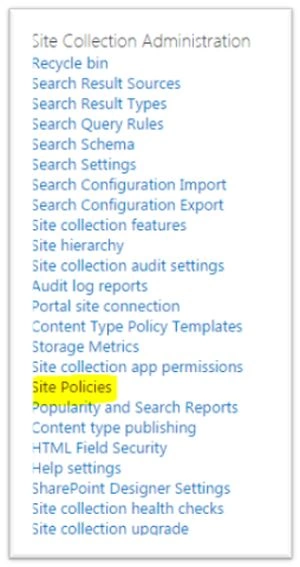
You will get the following page.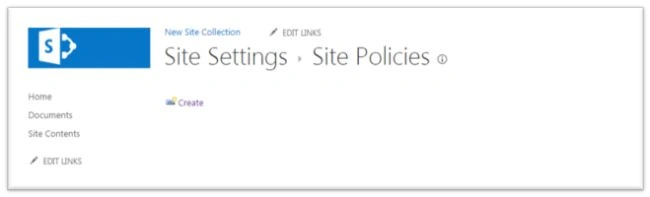
Click the Create button to create a new policy.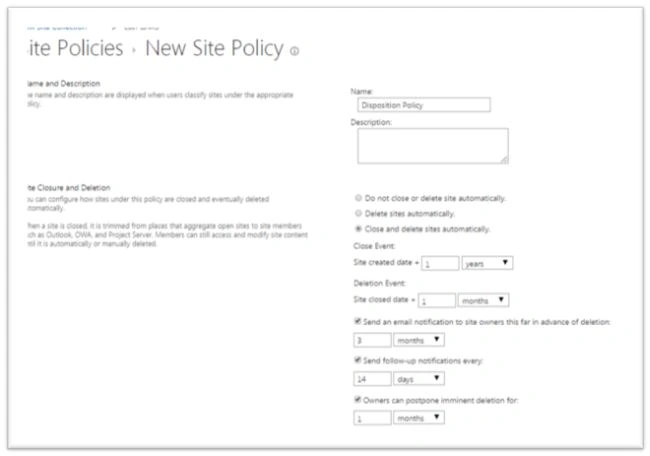
In the page that appears enter the following:
- Name of the policy
- Close and Delete functionality
Save the changes and your new policy is created.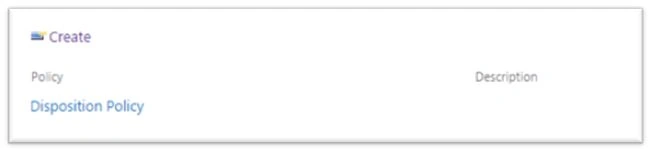
In the preceding example, I have selected 1 year from the creation date to close the site. Plus, 1 month for deletion from the closing date. SharePoint internal timer jobs will be carrying out these tasks and an appropriate email notification will be sent.
It is a good habit to associate a Disposition policy with a Site Collection creation. This will ensure unused or irrelevant data from occupying the content database and search results.
References
Overview of site policies in SharePoint 2013.
Summary
This article explored managing a Site Collection life cycle.
Akash BhimaniPosted Nov 14, 2014, 6:42 AM
awesome bro..