

Introduction
Today, I am creating a website using CSS templates. You can create a website and apply various types of CSS themes. You can make it more beautiful but suppose you want to associate a CSS template with your website then this article will be useful. You can easily integrate the CSS template in your ASP.NET Website by applying a very few steps.
In that context, here I have a CSS template and I am using that template in my ASP.NET Website. So, let's proceed with the following sections:
- Choose CSS Template
- Creating ASP.NET Website
- Integrate CSS Template with Website
- Running the Website
Choose CSS Template
Here, you choose your CSS template. If you don't have it, you can simply download it from Google.
Creating ASP.NET Website
Now we'll create the ASP.NET Empty Website using the following procedure.
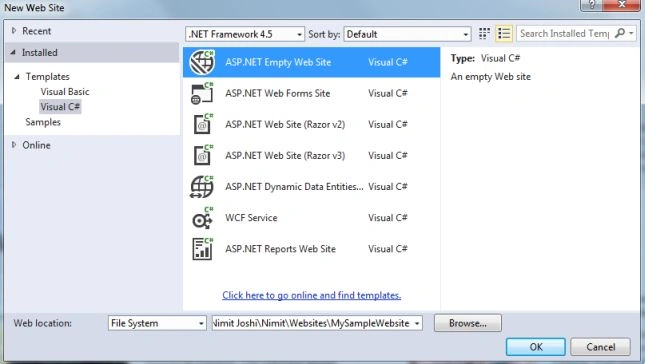
Step 1: Open Visual Studio and go to "File" -> "New" -> "Website..."
Step 2: Select an "Empty Website" and enter the name for it.
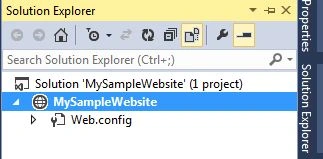
You can see your empty Solution Explorer in it.
Integrate CSS Template with Website
Now we'll integrate the CSS template with our website. Proceed with the procedure below:
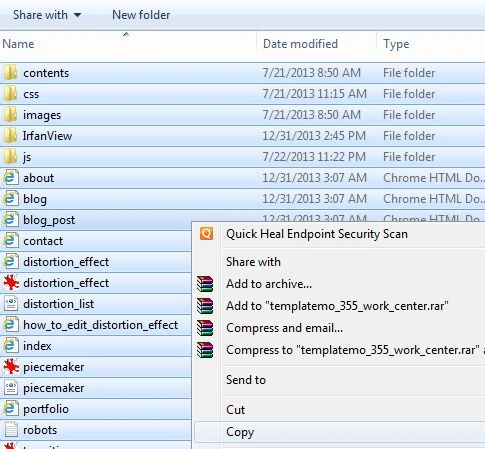
Step 1: Open the CSS Template folder in the Windows Explorer and copy all contents from it.
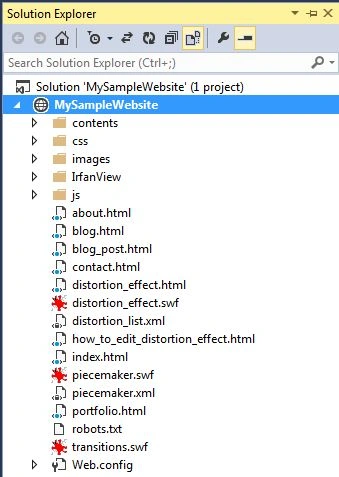
Step 2: Paste all contents in your website as shown below:
Step 3: Open the Index.html page.
Working with Master Page
Step 4: Create a Master Page in your Website.
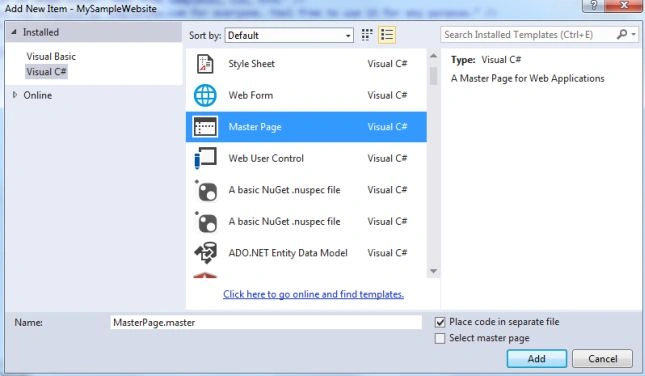
Step 5: Now we'll split this step into multiple steps:
- Head Element
Copy the content of <Head> from the Index.html page as you saw in the screenshot below.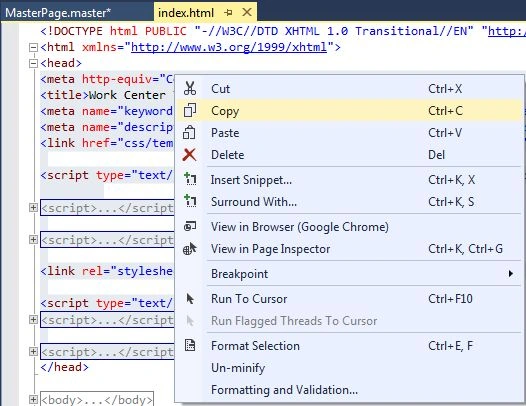
Now paste it in the place of <Title> in the Master Page as shown below: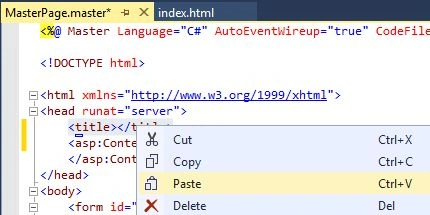
- Header Content
Copy the Header part from the <body> from the Index.html page. As you can see in the screenshot below.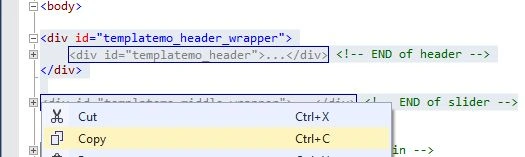
Now paste it in the place of <div> present in the preceding of ContentPlaceHolder in the Master Page as shown below: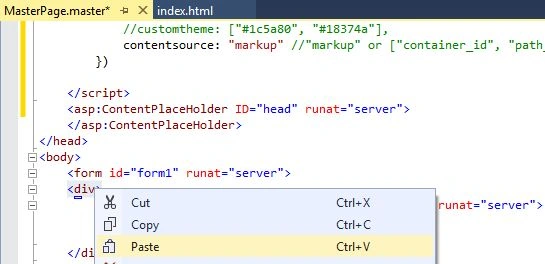
- Footer Content
Copy the Footer part from the <body> from the Index.html page. As you can see in the screenshot below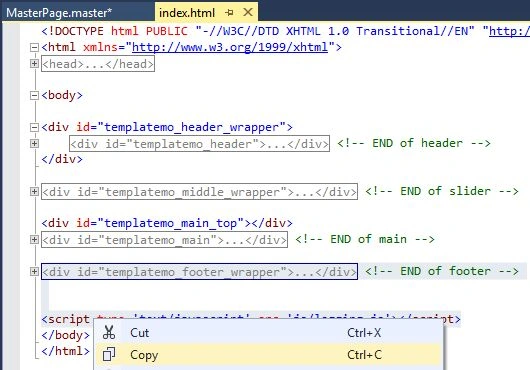
Now paste it in the place of <div> present in the following of ContentPlaceHolder in the Master Page as shown below: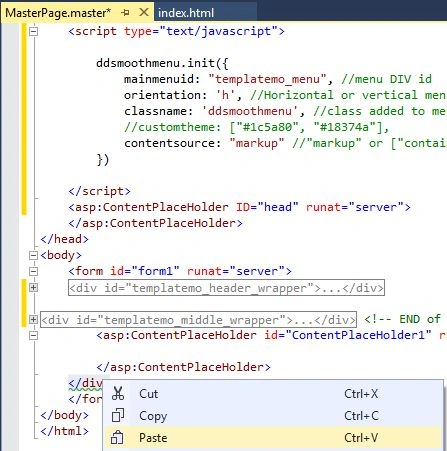
Step 6: Now check your Master Page (Design View). If the page is not responding perfectly then build your solution.
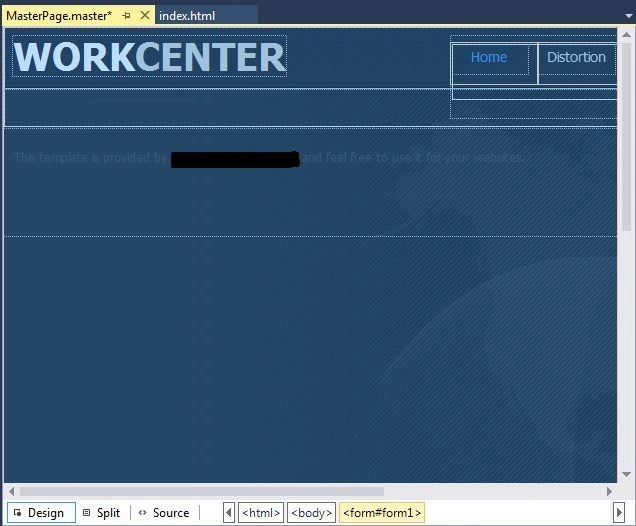
Working with the Content Page
Step 6: Now add a Content Page of your Master Page.
Step 7: Copy the Main content from the <body> from the Index.html page as you can see in the screenshot below
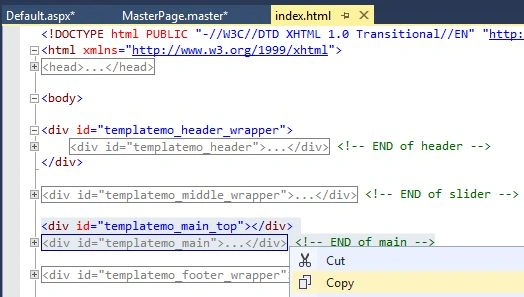
Now paste it inside of ContentPlaceHolder in the Content Page as shown below: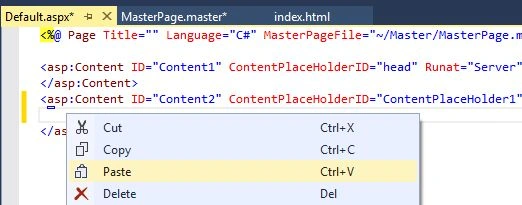
Running the Website
Now you are all set to run the website. Press Ctrl+F5 to run the website.
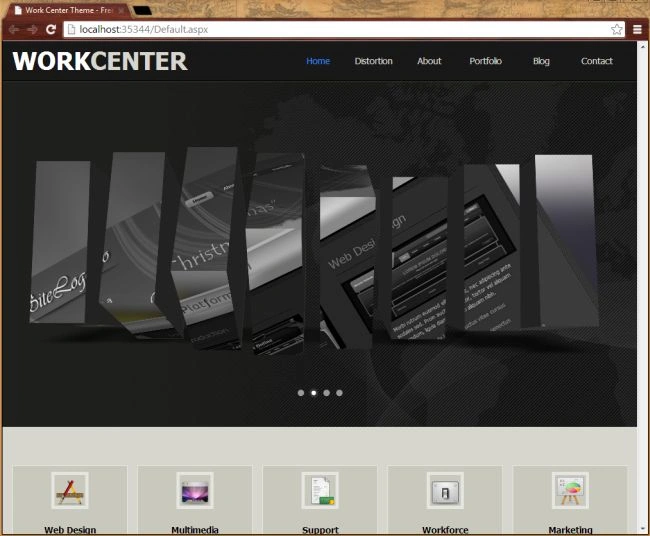
Summary
This article will help you to create an intuitive website using CSS templates in the Visual Studio. Thanks for reading and Happy Coding!!
Aditya PatilPosted May 27, 2019, 7:54 AM
Hello sir ....this article is very useful but I have a question...How to match that HTML code with asp.net keeping design as it is??
SANDEEP KATIYARPosted Feb 15, 2018, 10:51 AM
Why not edit CSS templste in vs 2012 ?hence how to edit template
Sagar Pandurang KapPosted Dec 13, 2017, 3:57 AM
Nicee Article...Well Explained..
Christine SapornaPosted Jun 6, 2016, 9:02 PM
I have a question. What does link do in the website? It seems to do nothing when I click it. Thanks.
Sr KarthigaPosted Feb 21, 2016, 11:15 PM
nice one
Sr KarthigaPosted Feb 21, 2016, 11:15 PM
Nice explanation
suri singhPosted Feb 15, 2016, 2:13 AM
How to solve the problem of "herf".
Arvind kumar YadavPosted Aug 18, 2015, 3:11 AM
very nice ........
Ck NitinPosted Aug 4, 2015, 1:47 AM
Nice tutorial
Flufy MindPosted Aug 4, 2015, 12:07 AM
HI DEAR Very Nice Tutorial Bro, BUT i have little confusion In this i saw there is 4 or 5 html file but you use one index.html file convert into default.aspx so what will do that with remaining html files? they also convert into aspx just like index file or not? SORRY for the stupid Question but m new in asp.net thats why m confious.. PLEASE HELP ME...!
P.T. LPosted Mar 30, 2015, 10:30 AM
so easy. thank you!!!