

Introduction
I have started an article series. The first part Introducing ASP.NET Web API 2 provided a basic introduction to ASP.NET Web API 2 and how to add an ADO.NET Entity Data Model to work with the model.
In this article, we'll learn to add a controller using the Web API 2 Empty Controller and call the controller using jQuery. So, follow the sections described below:
- Adding Web API 2 Controller
- Working with Controller
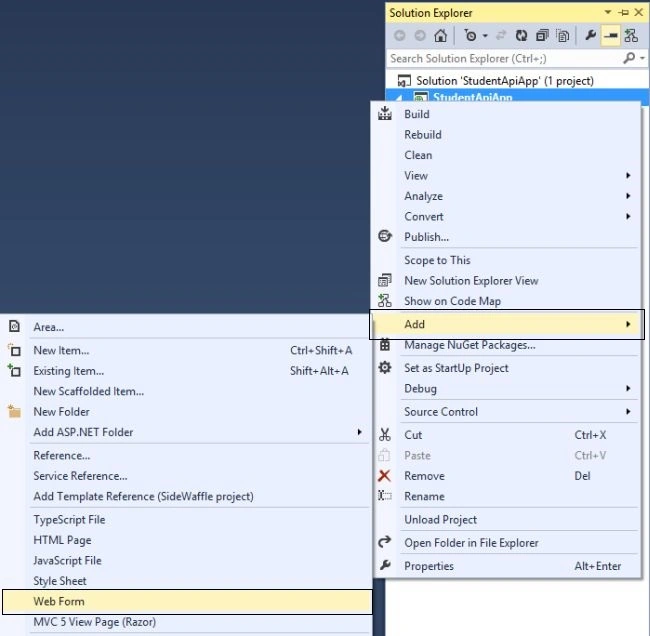
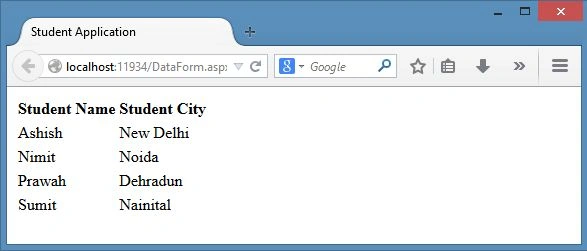
- Adding Web Form
- Calling Web API using jQuery
Adding Web API 2 Controller
So far we have added a model, therefore now we need to have a controller to communicate with the model. We will add the Web API 2 controller here. So, just use the following procedure.
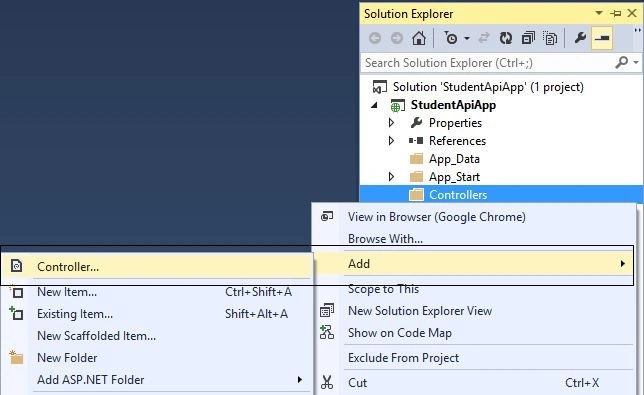
Step 1: In the Solution Explorer, right-click on the Controllers folder and go to Add and select the Controller.
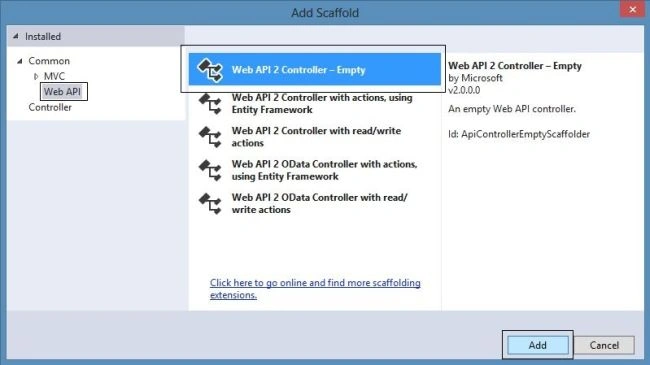
Step 2: In the next Add Scaffold wizard, select the Web API from the left pane and choose the Web API 2 Controller- Empty from the right pane. Click on Add.
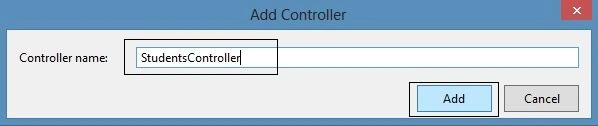
Step 3: Now specify the controller name in the Add Controller wizard and click on Add.
That's it. Now in the next section we'll work on this controller.
Working with Controller
In this section, we'll work with the controller and perform some methodology to communicate with the model. Just use the following procedure.
Step 1: Now you have an empty controller with the following code:
using System;
using System.Collections.Generic;
using System.Linq;
using System.Net;
using System.Net.Http;
using System.Web.Http;

namespace StudentApiApp.Controllers
{
    public class StudentsController : ApiController
    {
    }
}
You can see that this is an empty controller.
Step 2: Now replace the code with the following code:
using StudentApiApp.Models;
using System.Collections.Generic;
using System.Web.Http;

namespace StudentApiApp.Controllers
{
    public class StudentsController : ApiController
    {
        Student[] db = new Student[]
        {
            new Student { ID = 1, Name = "Ashish", Sex = "Male", City = "New Delhi"},
            new Student { ID = 2, Name = "Nimit", Sex = "Male", City = "Noida"},
            new Student { ID = 3, Name = "Prawah", Sex = "Male", City = "Dehradun"},
            new Student { ID = 4, Name = "Sumit", Sex = "Male", City = "Nainital"},
        };

        public IEnumerable<Student> GetStudentRecords()
        {
            return db;
        }
    }
}
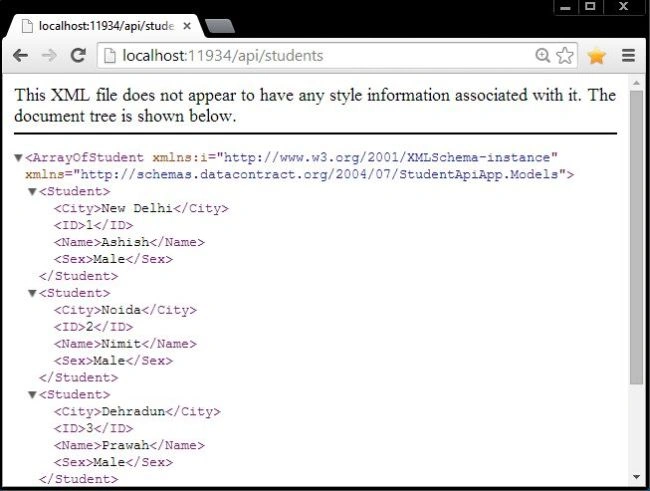
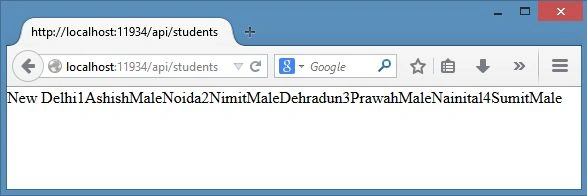
In the code above, I have inserted some records into the Student entity manually. I have also created a GetStudentRecord() method to fetch all the student records and return them as an IEnumerable<Student> type.
Prasad JoshiPosted Jul 3, 2021, 12:05 PM
Web API 2 Controller is not seen can you please guide how to add, my email id is [email protected]