

Introduction
Today we'll discuss some important aspects of the DataGrid in the ASP.NET. The DataGrid helps you to manipulate the data with select, edit, cancel and delete buttons. The buttons are associated with their events on the server side. The buttons have the command name and property for the select, edit or delete operations.
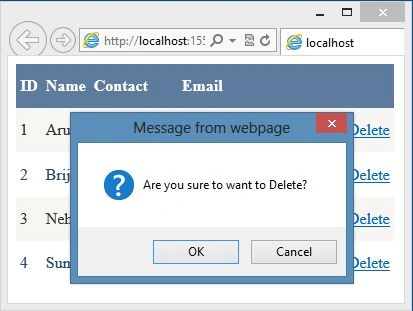
In that context, in here we'll work with the delete button. You have seen many times we need to get the confirmation from the user about deleting the record. DataGrid does not provide any builtin way to do that. We'll use the JavaScript to do the task.
Let's create the application using the following procedure:
- Create the application
- Working With DataGrid
- Applying JavaScript
- Run the application
Create the Application
In this section we'll create the simple empty application to work with the DataGrid. Use the following procedure.
Step 1: Open Visual Studio and Create the Web application.
Step 2: Select the empty project template.
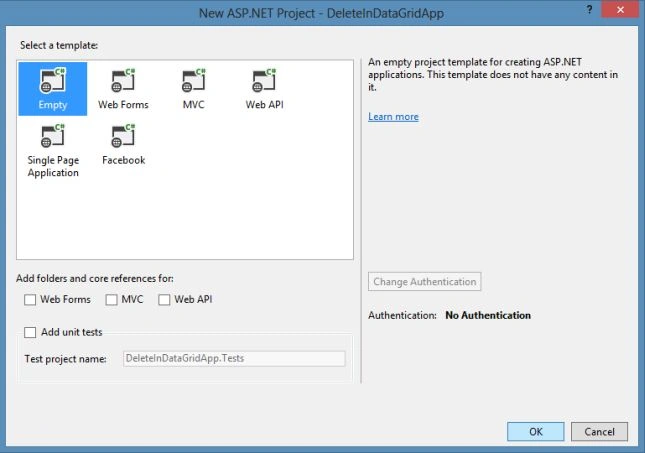
Visual Studio automatically creates the application in the empty project template and adds references, files and folders to the project.
Working with DataGrid
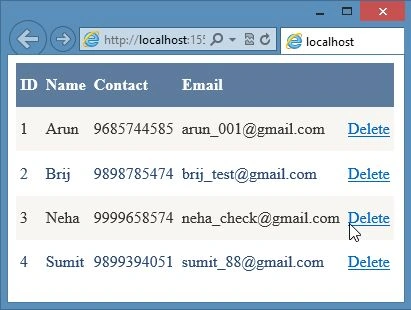
Now to work with the DataGrid, we need bind it to the table of a database. Generate the database or you can also connect with the existing database. The DataGrid has a column Delete that triggers the DeleteCommand event handler. Use the following procedure to do that.
Step 1: Add a WebForm and using the following markup design the DataGrid:
- <asp:DataGrid ID="DtaGridView" AutoGenerateColumns="False" runat="server" Height="221px" Width="81px"
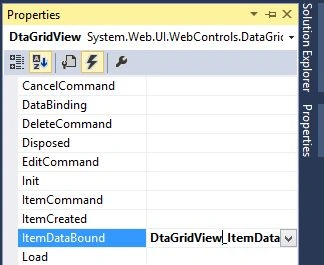
- OnItemDataBound="DtaGridView_ItemDataBound" DataSourceID="SqlDataSource2">
- <Columns>
- <asp:TemplateColumn HeaderText="ID">
- <ItemTemplate>
- <asp:Label ID="Lblid" runat="server" Text='<%#Bind("ID") %>'></asp:Label>
- </ItemTemplate>
- </asp:TemplateColumn>
- <asp:TemplateColumn HeaderText="Name">
- <ItemTemplate>
- <asp:Label ID="Lblname" runat="server" Text='<%#Bind("Name") %>'></asp:Label>
- </ItemTemplate>
- </asp:TemplateColumn>
- <asp:TemplateColumn HeaderText="Contact">
- <ItemTemplate>
- <asp:Label ID="Lblcontact" runat="server" Text='<%#Bind("Contact") %>'></asp:Label>
- </ItemTemplate>
- </asp:TemplateColumn>
- <asp:TemplateColumn HeaderText="Email">
- <ItemTemplate>
- <asp:Label ID="Lblemail" runat="server" Text='<%#Bind("Email") %>'></asp:Label>
- </ItemTemplate>
- </asp:TemplateColumn>
- <asp:TemplateColumn>
- <ItemTemplate>
- <asp:LinkButton ID="LbtnDelete" runat="server" Text="Delete" CausesValidation="false"
- CommandName="Delete"></asp:LinkButton>
- </ItemTemplate>
- </asp:TemplateColumn>
- </Columns>
- </asp:DataGrid>
Join the conversation! Your thoughts help the community grow.