Introduction
This article shows how to delete data using the Code First approach.
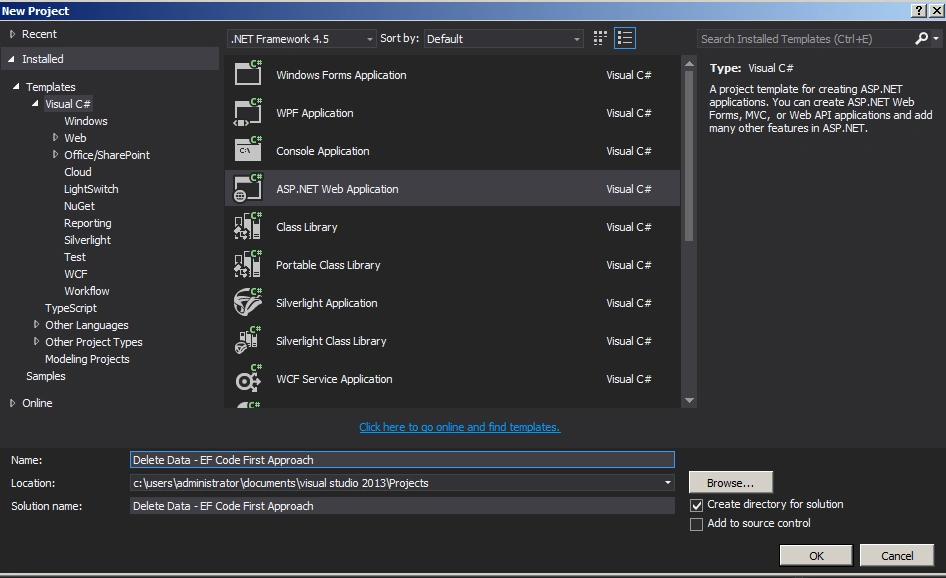
Create an ASP.Net web application as in the following:
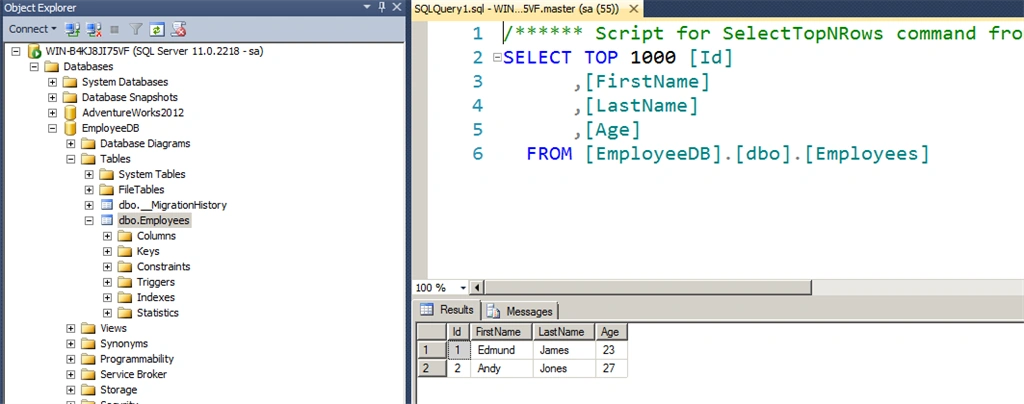
Before delete
Employee.cs
- using System;
- using System.Collections.Generic;
- using System.Linq;
- using System.Web;
- using System.ComponentModel.DataAnnotations;
- using System.ComponentModel.DataAnnotations.Schema;
-
- namespace Insert_Data___Code_Frist_Approach
- {
- public class Employee
- {
-
- public Employee()
- {
- }
-
- [Key]
- [DatabaseGenerated(DatabaseGeneratedOption.Identity)]
- public int Id { get; set; }
- public string FirstName { get; set; }
- public string LastName { get; set; }
- public int Age { get; set; }
- }
- }
Employeecontext.cs
- using System;
- using System.Collections.Generic;
- using System.Data.Entity;
- using System.Linq;
- using System.Web;
-
- namespace Insert_Data___Code_Frist_Approach
- {
- public class EmployeeContext : DbContext
- {
- public EmployeeContext()
- : base("EmployeeConn")
- {
- Database.SetInitializer<EmployeeContext>(new CreateDatabaseIfNotExists<EmployeeContext>());
- }
-
- public DbSet<Employee> Employees { get; set; }
- }
- }
Web.config
- <connectionStrings>
- <add name="EmployeeConn"
- connectionString="Data Source=WIN-B4KJ8JI75VF;Initial Catalog=EmployeeDB;Integrated Security=true"
- providerName="System.Data.SqlClient"/>
- </connectionStrings>
Webform1.aspx
- <%@ Page Language="C#" AutoEventWireup="true" CodeBehind="WebForm1.aspx.cs" Inherits="Delete_Data___EF_Code_First_Approach.WebForm1" %>
-
- <!DOCTYPE html>
-
- <html xmlns="http://www.w3.org/1999/xhtml">
- <head runat="server">
- <title></title>
- </head>
- <body>
- <form id="form1" runat="server">
- <div>
- <table>
- <tr>
- <td>
- <asp:Label ID="Label1" runat="server" Text="Delete Data - EF Code First Approach" Font-Bold="true"></asp:Label>
- </td>
- </tr>
- </table>
- <br />
- <br />
- <table>
- <tr>
- <td>
- <asp:Label ID="Label6" runat="server" Text="Please Enter Id: " ForeColor="Brown"
- Font-Bold="true" Font-Italic="true"></asp:Label>
- </td>
- <td>
- <asp:TextBox ID="TextBox1" runat="server"></asp:TextBox>
- </td>
- </tr>
- <tr>
- <td colspan="2">
- <asp:Button ID="Button1" runat="server" Text="Delete Data"
- BackColor="Orange" Font-Bold="true" OnClick="Button1_Click" />
- <br />
- <br />
- </td>
- </tr>
- </table>
- <br />
- <br />
- <table>
- <tr>
- <td colspan="3">
- <asp:Label ID="Label5" runat="server" ForeColor="Red" Font-Bold="true"></asp:Label>
- </td>
- </tr>
- </table>
- </div>
- </form>
- </body>
- </html>
Webform1.aspx.cs
- using System;
- using System.Collections.Generic;
- using System.Linq;
- using System.Web;
- using System.Web.UI;
- using System.Web.UI.WebControls;
-
- namespace Delete_Data___EF_Code_First_Approach
- {
- public partial class WebForm1 : System.Web.UI.Page
- {
- protected void Page_Load(object sender, EventArgs e)
- {
-
- }
-
- protected void Button1_Click(object sender, EventArgs e)
- {
- EmployeeContext empContext = new EmployeeContext();
- var empID = int.Parse(TextBox1.Text);
- var emp = empContext.Employees.Where(a => a.Id.Equals(empID)).SingleOrDefault();
- empContext.Employees.Remove(emp);
- empContext.SaveChanges();
- }
- }
- }
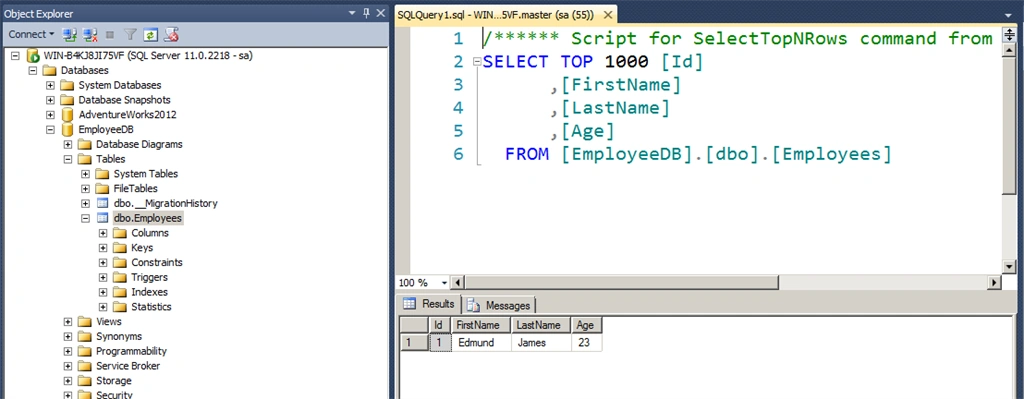
The output of the application looks as in the following.
Summary
In this article we saw how to delete data using the Code First approach. Happy coding!


Sonu ChaudharyPosted May 26, 2016, 10:47 AM
Good one...
Bhuvanesh MohankumarPosted May 6, 2016, 4:03 PM
Good to read...
Santhakumar MunuswamyPosted May 18, 2015, 2:20 PM
Thanks for sharing