

Introduction
This article shows you how to use a RadioButtonFor helper handling IsSelected in MVC applications.
Create an ASP.Net Web Application as in Figure 1.
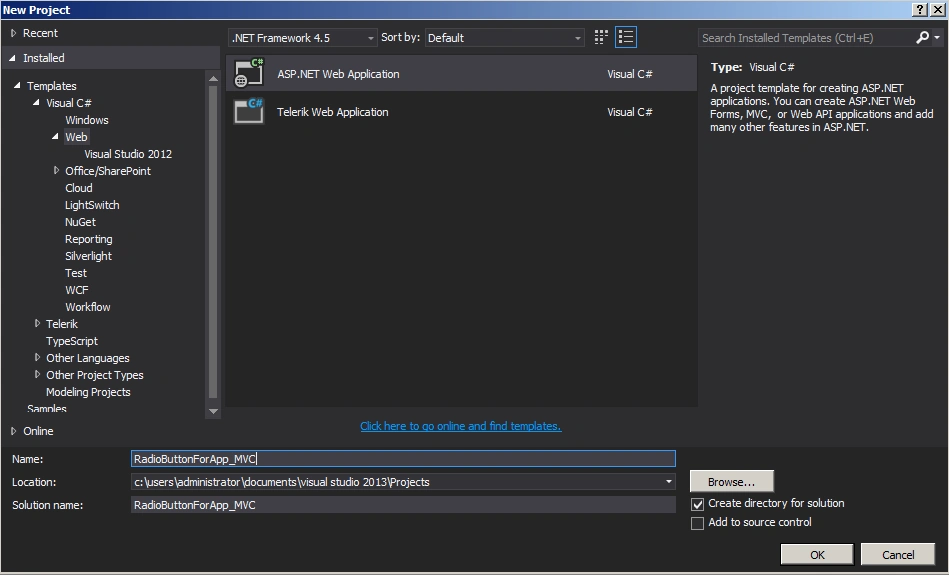
Figure 1: Web application
Choose MVC template as in Figure 2.
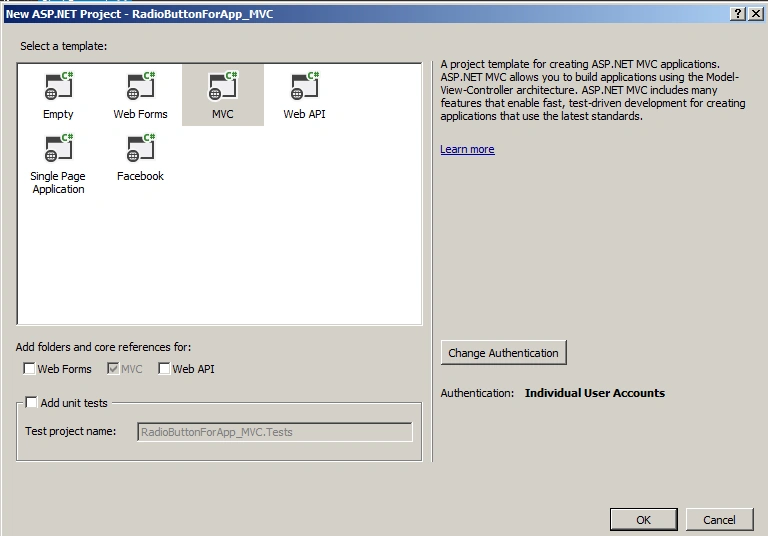
Figure 2: MVC template.
Add an Employee Controller as in Figures 3 and 4.
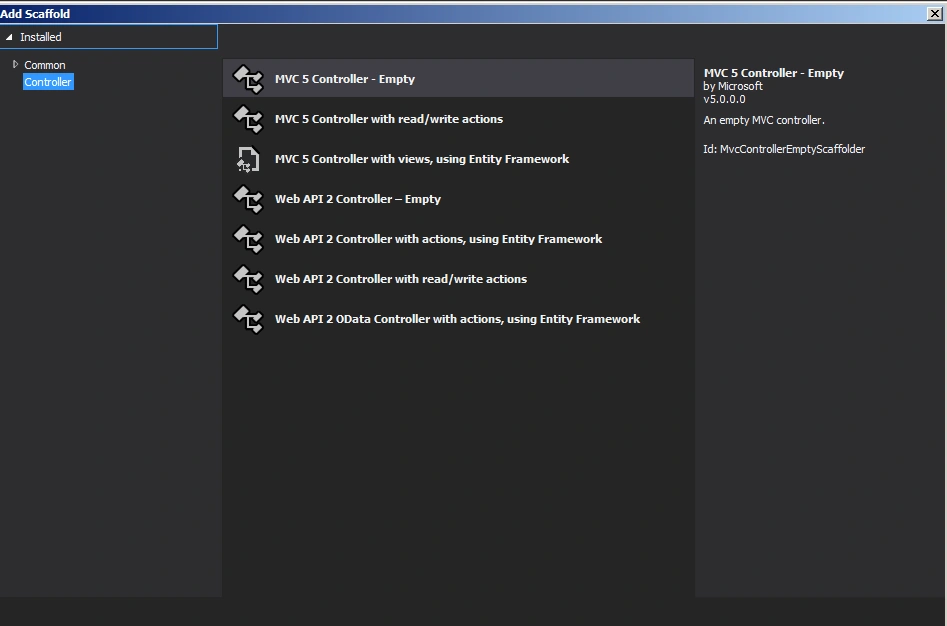
Figure 3: Add Controller.
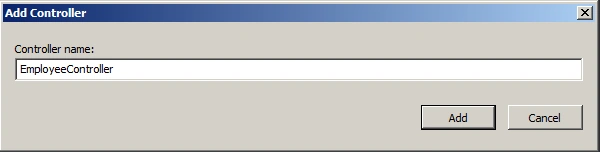
Figure 4: Employee Controller.
EmployeeController.cs
- using RadioButtonForApp_MVC.Models;
- using System;
- using System.Collections.Generic;
- using System.Linq;
- using System.Web;
- using System.Web.Mvc;
- namespace RadioButtonForApp_MVC.Controllers
- {
- public class EmployeeController : Controller
- {
- //
- // GET: /Employee/
- public ActionResult Index()
- {
- Employee emp = new Employee();
- return View(emp);
- }
- [HttpPost]
- public string Index(Employee emp)
- {
- if (string.IsNullOrEmpty(emp.SelectedDepartments))
- {
- return "You did not select any option";
- }
- else
- return "You selected department is" + emp.SelectedDepartments;
- }
- }
- }
Create an Employee Class as in Figures 5 and 6.
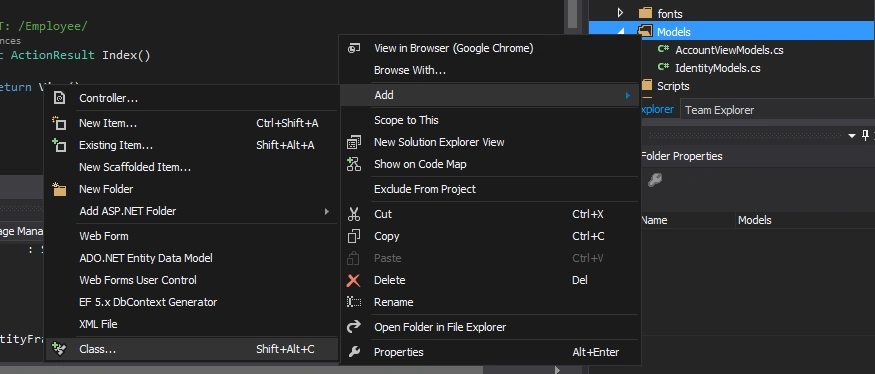
Figure 5: Employee Class
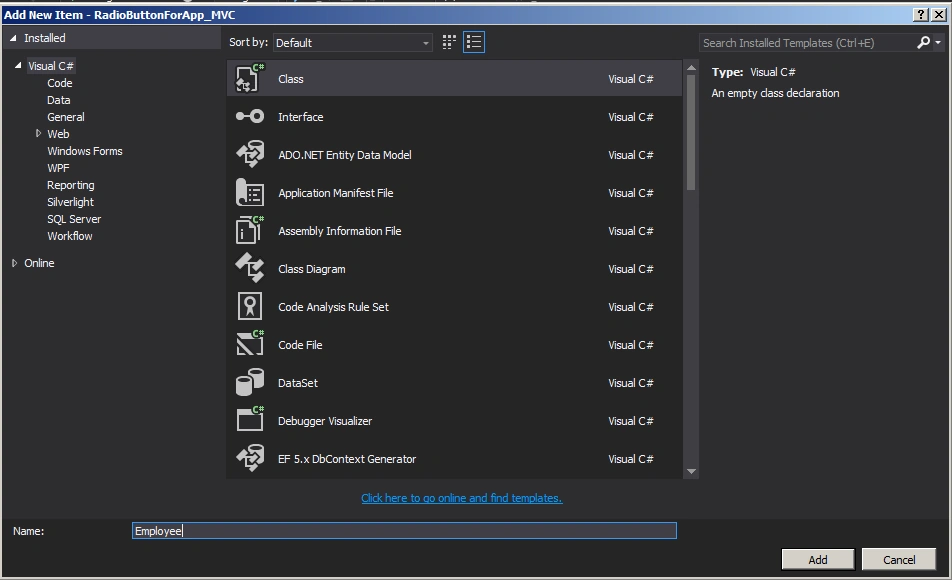
Figure 6: Employee Class
Employee.cs
- using System;
- using System.Collections.Generic;
- using System.Linq;
- using System.Web;
- namespace RadioButtonForApp_MVC.Models
- {
- public class Employee
- {
- public string SelectedDepartments { get; set; }
- public List<Department> Departments
- {
- get
- {
- EmployeeEntities db = new EmployeeEntities();
- return db.Departments.ToList();
- }
- }
- }
- }
Set up the Entity Framework as in Figures 7 and 8.
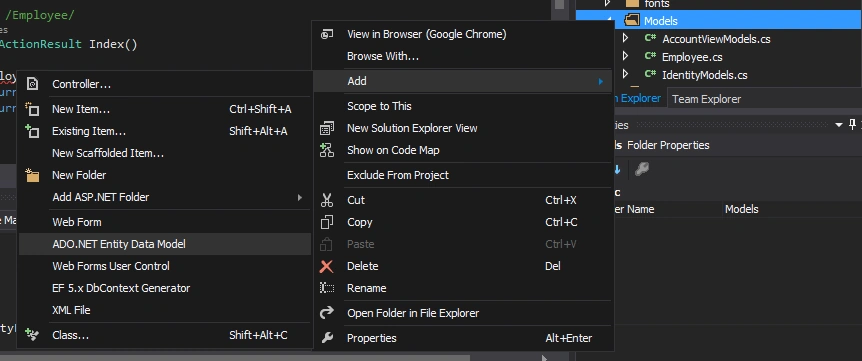
Figure 7: Add ADO.NET Entity Framework
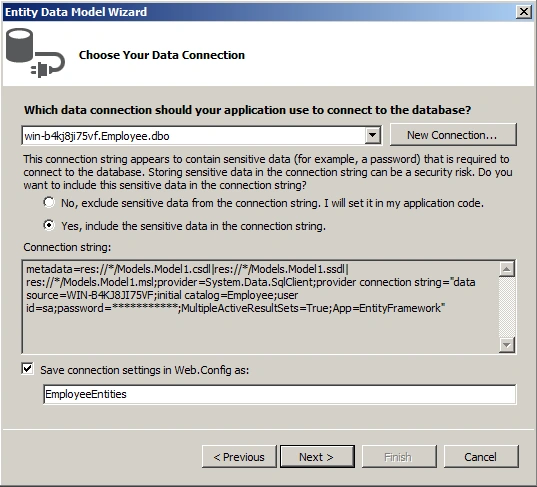
Figure 8: Connection setting
Add the View as in Figures 9 and 10.
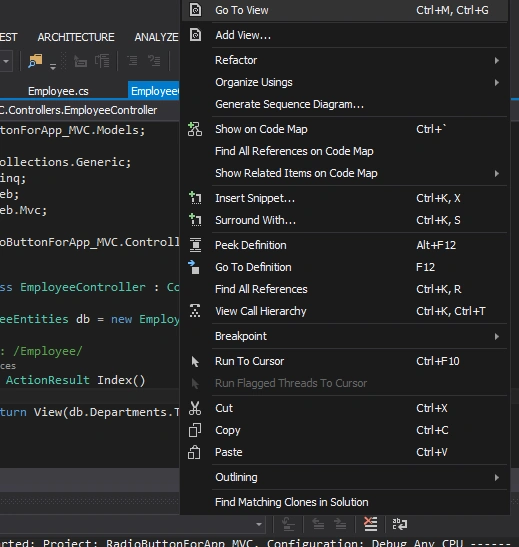
Figure 9: Add View
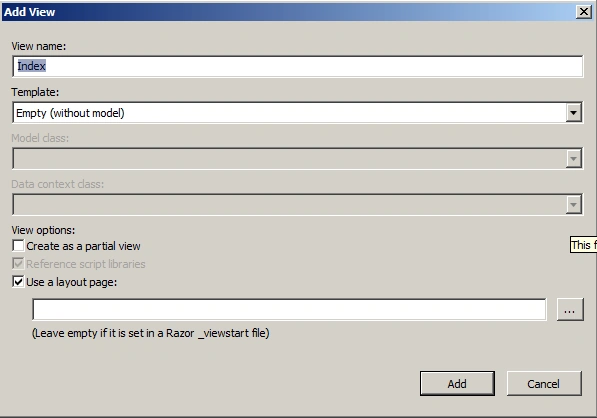
Figure 10: Index View
Index.cshtml
- @model RadioButtonForApp_MVC.Models.Employee
- @{
- ViewBag.Title = "Index";
- }
- <h2>Index</h2>
- @using (Html.BeginForm("Index", "Employee", FormMethod.Post))
- {
- foreach (var department in Model.Departments)
- {
- @Html.RadioButtonFor(p => p.SelectedDepartments, department.DepartmentName, department.IsSelected == true ? new { Checked = "checked" } : null)@department.DepartmentName
- }
- <br />
- <input type="submit" value="Submit" />
- }
The output of the application is as in the following.
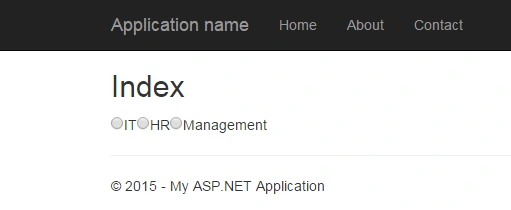
Figure 11: Index
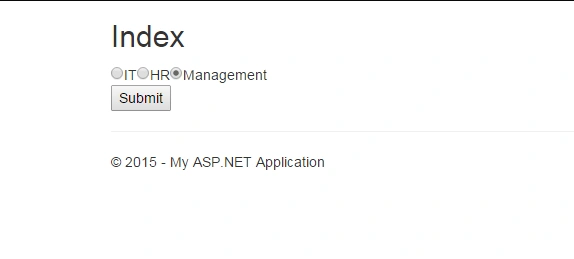
Figure 12: IsSelected
Summary
In this article we saw how to use the RadioButtonFor helper handling IsSelected in MVC applications.
Happy coding!
Join the conversation! Your thoughts help the community grow.