

Here are the steps,
Step 1: Create SharePoint Blog site using Office365.
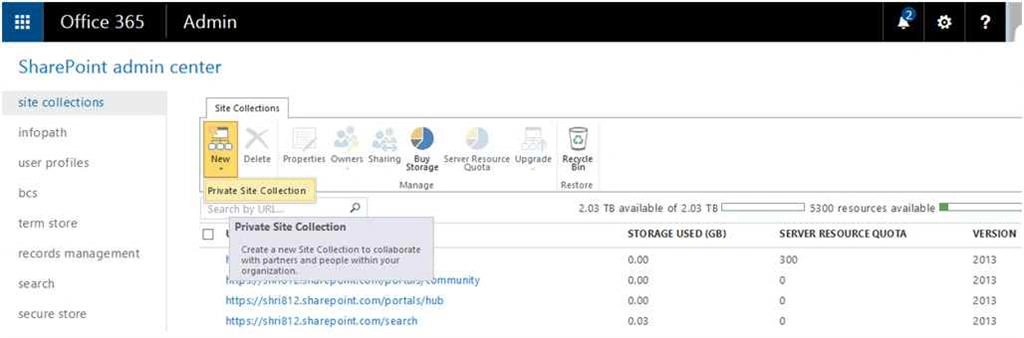
- Go to Office 365 SharePoint Admin Center.
- Select New tab, then Private Site Collection.
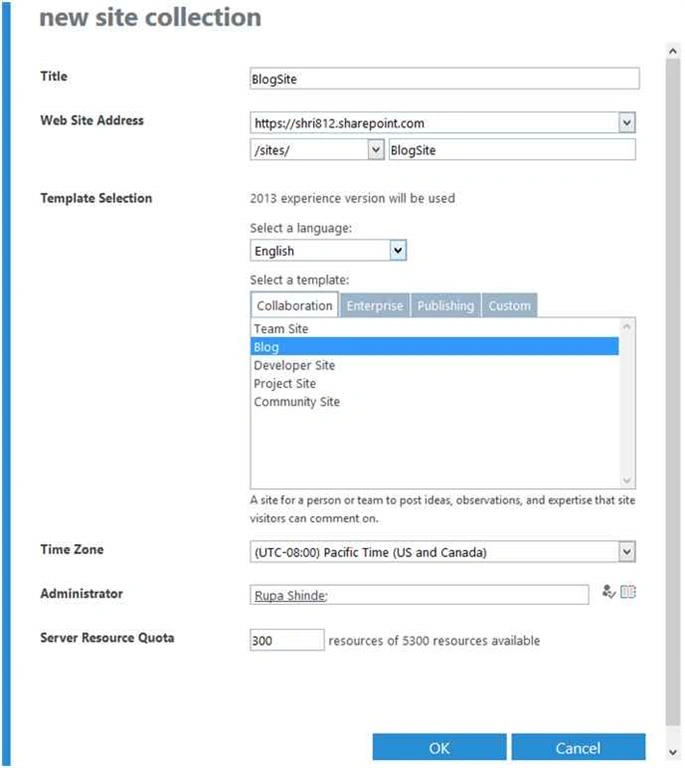
- Select “Blog” template for Site Collection.
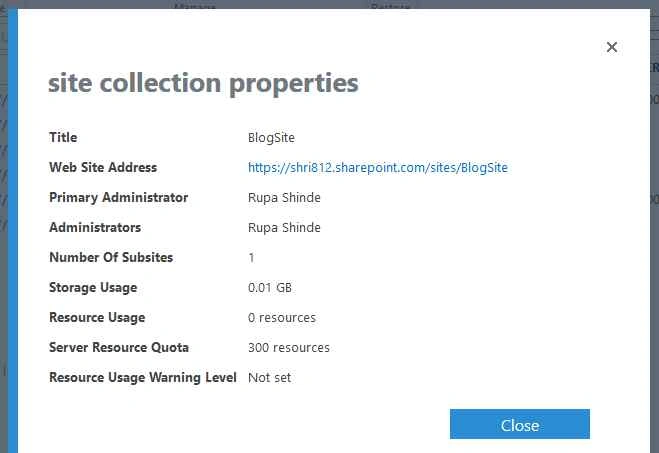
- Check Blog site collection properties as in the following screenshot,
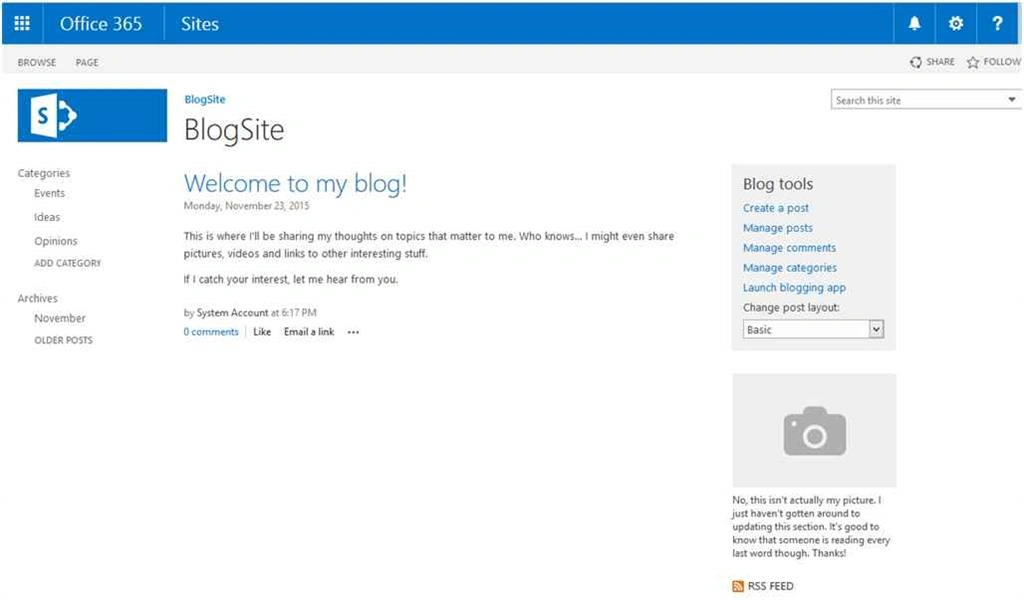
Step 2: Blog Site User Interface
Step 3: Enable Publishing Site Collection feature
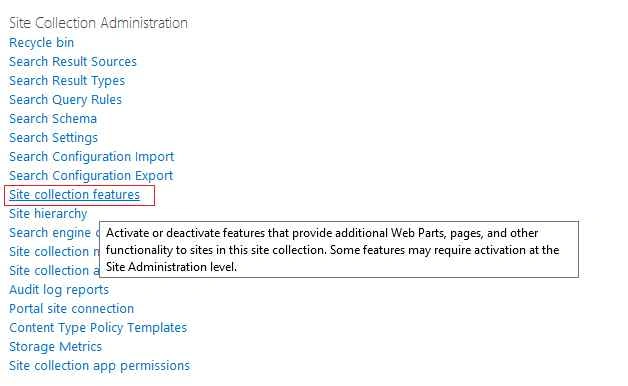
Feature:

Step 4: Navigation option enable under Site Settings, then Look and Feel.
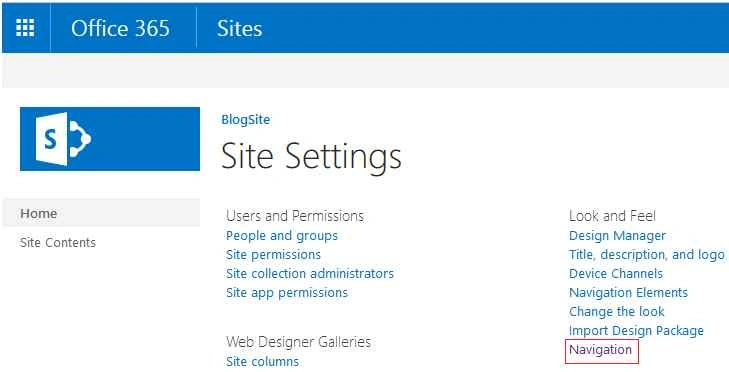
Step 5: Go to structure navigation and Add Global navigation link as in the following screenshot,
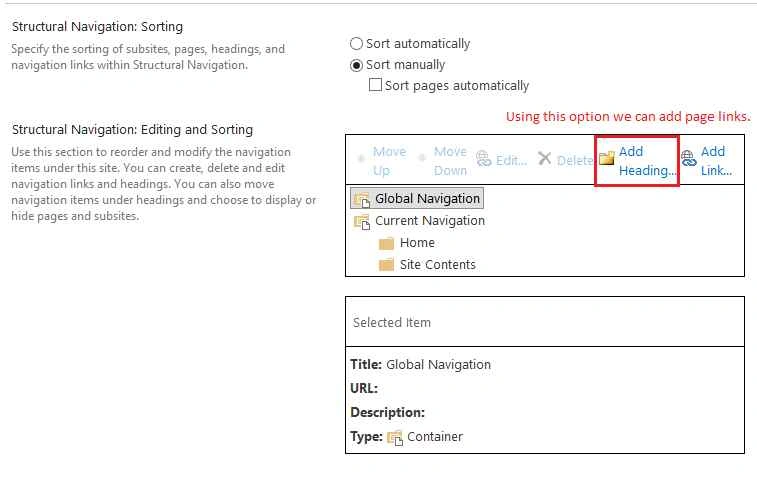
Global Navigation:
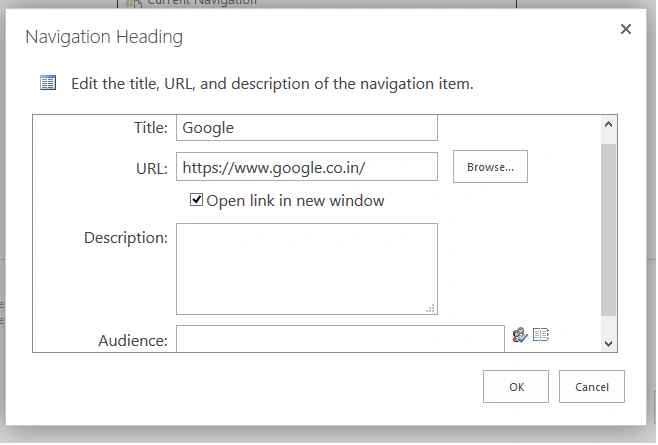
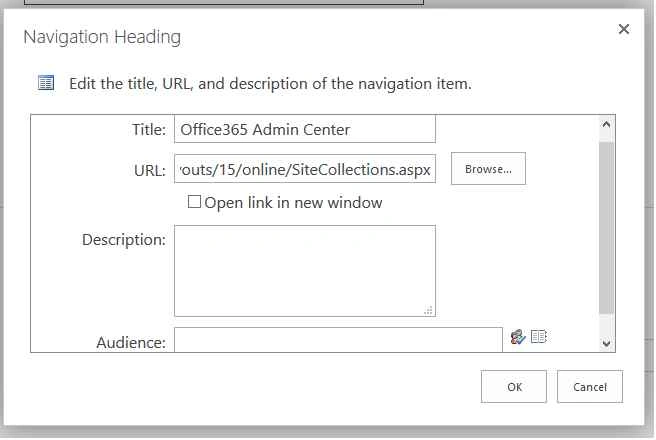
Step 6: Go to structure navigation and Add Current navigation link as in the following,
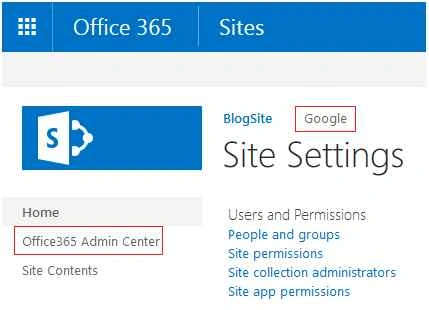
Step 7: Final Output
Santhakumar MunuswamyPosted Nov 28, 2015, 2:38 AM
Nice share
Raja TPosted Nov 25, 2015, 1:20 AM
Thanks for sharing