

Welcome to an article about an action Loop N Times in Nintex Workflows through SharePoint 2013 and Office 365. This article will display the action “Loop N Times” and how to configure it.
While we update something through our workflows, we have some requirement that we need to update something for each item number of times, so under those cases we need to use this action.
Let’s see how we’ll do it
- Create a list, Dev Testing.
- Click on the LIST tab on the Top ribbon and click on Nintex Workflows.

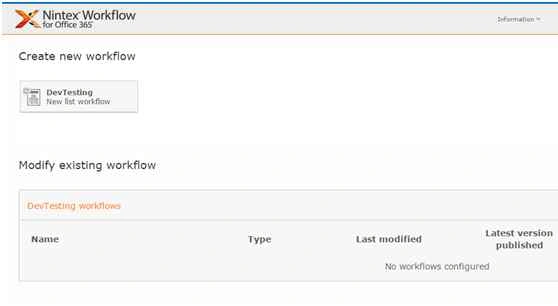
- You will see the following screen, to create a new workflow.
- Click on “Create new workflow”.
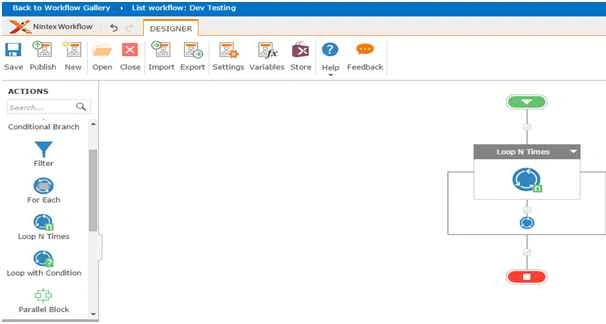
- You will come to the design phase of the Nintex workflows.
- Add the action, “Loop N Times” either by right clicks on the workflow or by dragging and dropping from the left toolbox.
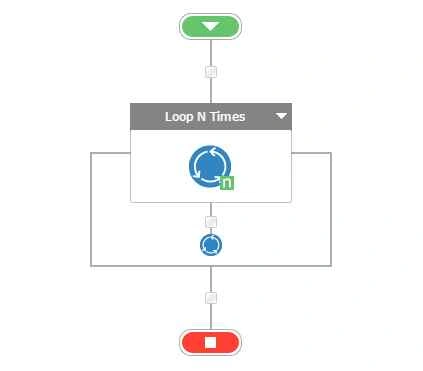
- Let’s see it closely.
- When you double click on the action, you will see the following screen:
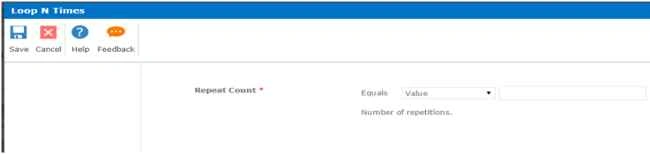
Configuration
- Repeat Count: Add in the number as the n number of times you want the workflow to loop.
- Once done with the configuration, you will be able to loop each item as much as the number of times you want and you can add the necessary actions underneath the looping.
This loop n time’s action can be used for various actions. So in this article we saw about the Action: Loop N Times in Nintex Workflows. We will see more in my other articles. Until then, Keep learning!
Sibeesh VenuPosted Oct 26, 2015, 1:19 AM
Nice Share
Harshad PansuriyaPosted Oct 26, 2015, 12:32 AM
Nice one
Nilesh JadavPosted Oct 25, 2015, 9:42 PM
Great Nice one sir !
Santhakumar MunuswamyPosted Oct 25, 2015, 10:39 AM
Good one