

Introduction
Hi all, I hope you are fine. Today we will learn about AngularJS Basic Filters. If you are new to AngularJS then I suggest you read the Basics of AngularJS.
Now with the assumption that you have read my previous article, we are starting.
This article explains $http in Angular JS.
Using the code
$http is a service for reading data from web services. It uses the get (service URL) method for the process. We will see that with an example.
- <div ng-app="httpApp" ng-controller="httpController">
- <ul>
- <li ng-repeat="det in details">{{ det.name + ', ' + det.countrycode }}
- </li>
- </ul>
- </div>
- < script >
- var app = angular.module('httpApp', []);
- app.controller('httpController', function($scope, $http) {
- $http.get("http://api.geonames.org/citiesJSON?north=44.1&south=-9.9&east=- 22.4&west=55.2&lang=de&username=demo")
- .success(function(response) {
- $scope.details = response.geonames;
- });
- }); < /script>
So in the success part we are returning the response of the web service.
Now if you write the response.geonames in the success in the browser console as follows, you will get the array as shown below.
- console.log(response.geonames);
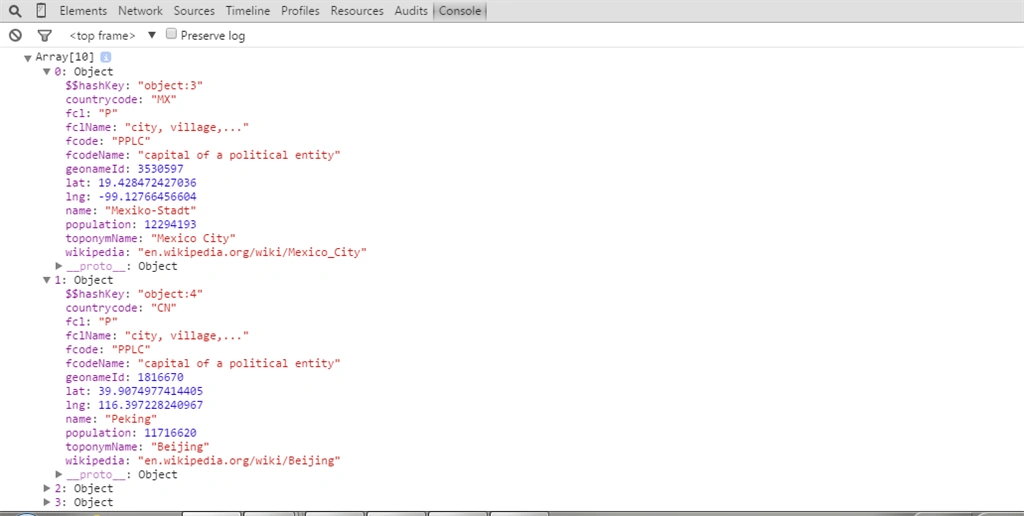
Once it is returned we are showing the response data to the UI using the repeat directive.
So that is all.
Complete HTML
- <!DOCTYPE html>
- <html
- xmlns="http://www.w3.org/1999/xhtml">
- <head>
- <title>Angular $http - SibeeshPassion </title>
- <style>
- li {
- border: 1px solid #ccc;
- border-right: none;
- border-left: none;
- padding: 2px;
- text-align: center;
- list-style:none;
- }
- </style>
- <script src="https://ajax.googleapis.com/ajax/libs/angularjs/1.3.14/angular.min.js"></script>
- </head>
- <body>
- <div ng-app="httpApp" ng-controller="httpController">
- <ul>
- <li ng-repeat="det in details">{{ det.name + ', ' + det.countrycode }} </li>
- </ul>
- </div>
- <script>
- var app = angular.module('httpApp', []);
- app.controller('httpController', function ($scope, $http) {
- $http.get("http://api.geonames.org/citiesJSON?north=44.1&south=-9.9&east=-22.4&west=55.2&lang=de&username=sibeeshvenu")
- .success(function (response) {
- $scope.details = response.geonames;
- console.log(response.geonames);
- });
- });
- </script>
- </body>
- </html>
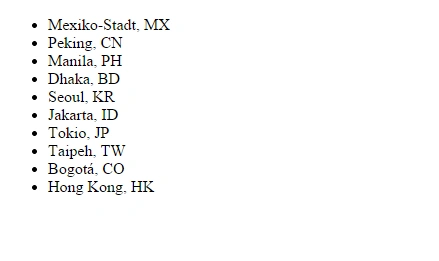
Now apply the CSS
Add the following CSS to your page.
- < style > li {
- border: 1px solid#ccc;
- border - right: none;
- border - left: none;
- padding: 2px;
- text - align: center;
- list - style: none;
- } < /style>
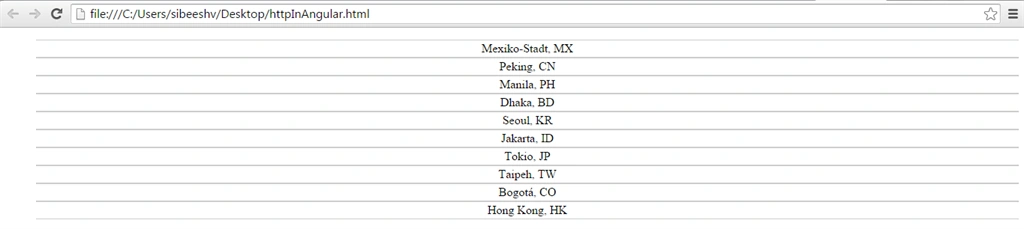
Cool. We did it.
Conclusion
Now that is all for the day, I will return with another set of items in Angular JS soon. I hope you liked this article. Please provide your valuable suggestions.
Kindest Regards,
Sibeesh venu
Sibeesh Passion
Sibeesh VenuPosted May 3, 2015, 10:18 AM
KP Singh Chundawat Thank you buddy
Karthik Muthu KaruppanPosted Apr 23, 2015, 11:30 AM
Good one
Sibeesh VenuPosted Apr 21, 2015, 6:56 AM
Jitendra Kumar Thanks buddy
Jitendra KumarPosted Apr 21, 2015, 5:32 AM
Nice one.
Sibeesh VenuPosted Apr 18, 2015, 4:55 AM
Nitin Tyagi Thanks dude.
Sibeesh VenuPosted Apr 18, 2015, 4:55 AM
KP Singh Chundawat Thank you buddy.
Sibeesh VenuPosted Apr 18, 2015, 4:55 AM
Santhakumar Munuswamy Thank you .
NitinPosted Apr 18, 2015, 12:56 AM
good show
K P Singh ChundawatPosted Apr 18, 2015, 12:05 AM
Nice Sibeesh...Keep it up
Santhakumar MunuswamyPosted Apr 17, 2015, 10:30 PM
Good