

Smart Unit Tests in Visual Studio 2015 preview
As we all of know Microsoft has introduced the new Visual Studio named Visual Studio 2015 Preview with more features for the users. Using the Microsoft Visual Studio 2015 preview Microsoft has introduced some new features that make it easier for developers to create applications. All the features play a very vital role in the development process. People say that these features provide a peek for the Visual Studio and Microsoft and I agree with them because all these features are very very powerful with many points of view as well as the developer's point of view, as well as the tester's point of view as well as a learning point of view.
All the features are shown in the figure: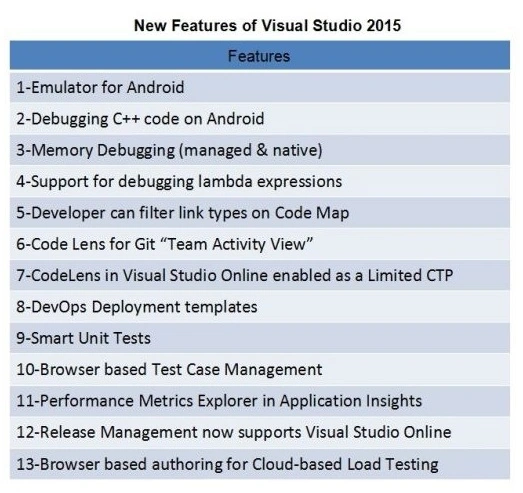
Here I elaborate one of the features of Microsoft Visual Studio 2015 that is known as the Smart Unit Tests in Visual Studio 2015.
Smart Unit Tests
Smart Unit Tests means to generate the own test case depending on the needs. In a Smart Unit Test we can check every line of our code as needed. These types of codes are also known as the parameterized test cases. We can make a unit test case for every method separately or make a single unit test case for the entire class, a single class. Mostly developers do not create the Smart Unit Test Cases but if they create their own test cases then definitely these test cases will be very helpful and beneficial for them because if they do this then they can save the development time. Smart Unit Test cases create the test data for every line of code. Every time a text case occurs it is responsible for executing a specific statement. When we make test cases then we can easily determine which statement fails and which statement is successful. If there is a statement that will fail then depending on our test cases we check it and do the changes and again run it. So smart test cases are also used to find bugs easily. We cannot perform the Smart Unit Tests on unmanaged code.
The following is how to use the Smart Unit Tests in our code:
- Open Visual Studio 2015 preview. It is necessary that you have the Ultimate version of Visual Studio 2015 Preview.
- Create a new project in Visual Studio 2015 Preview and choose a console application in it.
- Here in the console application you make a method as needed but it must have a class that is always public. If the class is not public then you will encounter an error during the creation of the Smart Unit Test.
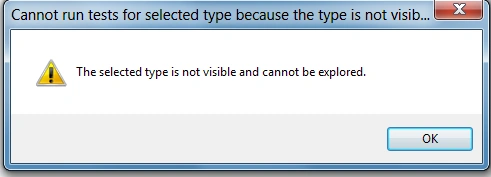
- So please be sure to make the class public.
- Now open your class file. Right-click on the method or the class. You have an option named Smart Unit Test.
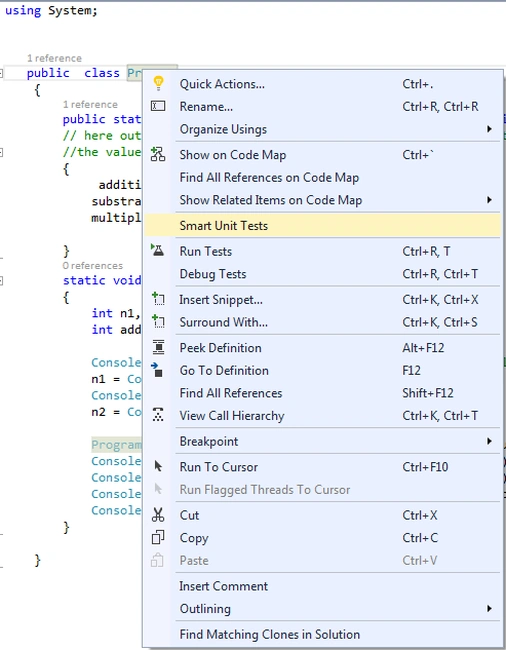
- Wait for a moment then in the "Smart Unit Tests - pending" popup window emerges. The test is like this:

- Now a parameterized unit test emerges for this method on which you right-click and make a Smart Unit Test. If you have more then one method in a class then right-click on the class name and make the Smart Unit Test. When you do this then all the functions that are present in the class have their own Smart Unit Test, but it should be compulsory that all methods in the class be public.

- Here you see two check boxes, one is Green and the other one is Red. In the red you see those Smart Unit Test that have failed and in the Green you see those tests that are executed successfully.
- There is a column in Smart Unit Test where you can see all the tests and events. In it there are the following options:
All test.
Passed test.
Failed test.

- If you want to see the events the first drop down list selects the events and you can get the information about the events.
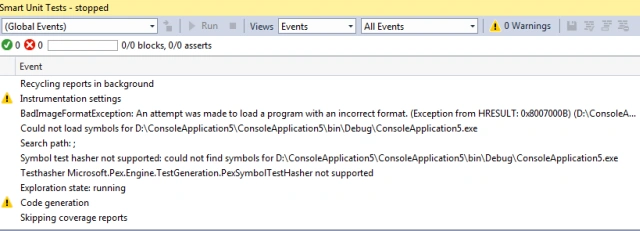
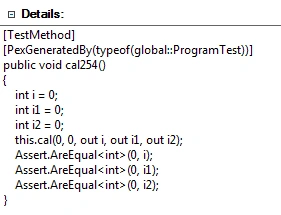
- You can get the entire detail of the your test case that is generated. First click on the test case, then you see the details.

- Now in you Solution Explorer you need to see a test file.
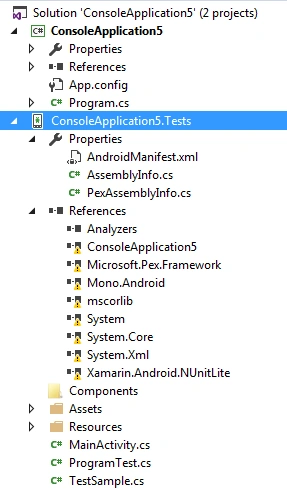
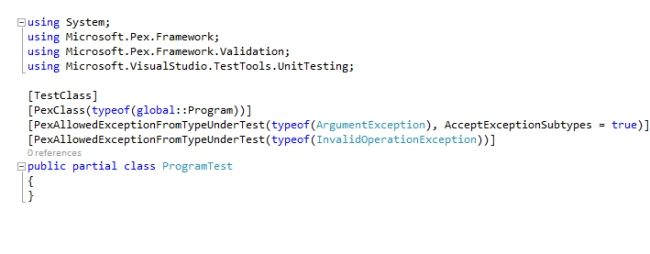
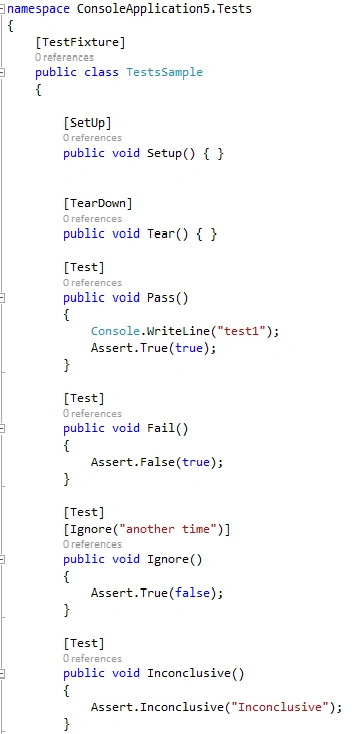
- The details of the test file are like this.
Code:
- using System;
- public class Program
- {
- public static void cal(int n1, int n2, out int addition, out int substraction, out int multiplication)
- // here out is a keyword which is work like a refrence parameter mostly we use the return keyword to return
- //the value but return keyword used only return for one value here but through the out keyword we can return the multiple value
- {
- addition = n1 + n2;
- substraction = n1 - n2;
- multiplication = n1 * n2;
- }
- static void Main(string[] args)// entry point of our program
- {
- int n1, n2;
- int addition, substraction, multiplication;
- Console.Write("Enter first number");// for entering te value
- n1 = Convert.ToInt32(Console.ReadLine());
- Console.Write("Enter second number");
- n2 = Convert.ToInt32(Console.ReadLine());
- Program.cal(n1, n2, out addition, out substraction, out multiplication);// return the value
- Console.WriteLine("{0} + {1} = {2}", n1, n2, addition);
- Console.WriteLine("{0} - {1} = {2}", n1, n2, substraction);
- Console.WriteLine("{0} * {1} = {2}", n1, n2, multiplication);
- Console.ReadLine();
- }
- }
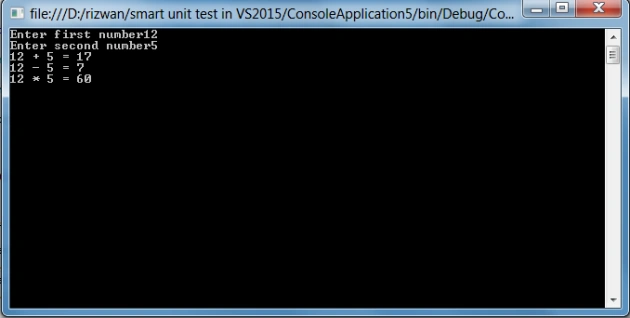
Output
Summary
Smart Unit Tests are very helpful when you have complex code like many interfaces in a program or you are passing an interface as a parameter in a method. At that time the Smart Unit Test is very beneficial for the users because at that time we create the test case and run then manually to find the bug in our projects or in our code. Here Smart Unit Test gives the warnings or errors if it is present in the code or maybe you follow some wrong method or procedure to build a project. So finally I will say that Smart Unit Tests are a very important feature for developers in Visual Studio 2015 Preview. It makes programming and debugging easier.
Luciano GuerchePosted Aug 24, 2018, 2:09 PM
In .net core solutions tIn .net core solutions the "Smart Unit Tests" context menu does now show up. Am I missing anything?he "Smart Unit Tests" context menu does now show up. Am I missing anything?
Rizwan AliPosted Dec 30, 2014, 7:14 AM
thanks shridhar sharma
Shridhar SharmaPosted Dec 30, 2014, 7:09 AM
good work