

Introduction
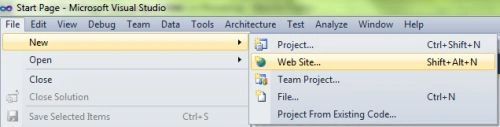
- Go to Solution Explorer
- Right Click on the Application name
- Select Add-->add new item
- Now in the window that opens, select an HTML page or new Webform
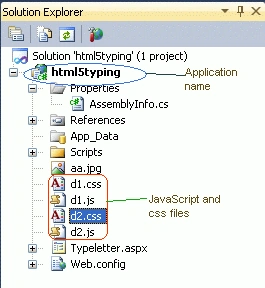
Step 2: In this section, we will create the style for the media and create the .css on the media screen. Put the given script in the Head section of the HTML or in between the <head>--</head>.
Here two CSS files are used for design purposes; one is for the section div, named d1.css and the other d2.css for the whole body of the web page.
d1.css scripting
- body {
- background: #008080;
- color: #800000;
- font: 300 x-large 'Comic Sans MS';
- font-style: normal;
- background-image: url('aa.jpg');
- }
- #section {
- height: 442px;
- left: 42%;
- margin: -240px 0 0 -320px;
- position: absolute;
- top: 57%;
- width: 842px;
- font-size: x-large;
- background-color: #008000;
- }
- #duplicate {
- bottom: 0;
- font: 300 .7em "Helvetica Neue", Helvetica,;
- position: absolute;
- right: 1em;
- text-align: right;
- }
- #duplicate d {
- color: #fff;
- }
- body {
- background: #fff;
- color: #000;
- font: 100.1% "Comic Sans MS", Lucida, Verdana, sans-serif;
- }
- #section {
- height: 480px;
- left: 50%;
- margin: 0 0 0 -320px;
- position: absolute;
- top: 0;
- width: 640px;
- }
- #duplicate {
- bottom: 0;
- font-size: .7em;
- position: absolute;
- right: 1em;
- text-align: right;
- }
- < script type = "text/javascript"
- charset = "utf-8" >
- window.onload = function() {
- var r = Character("section", 800, 600),
- pos = [0, 0];
- var letter = r.path("M0,0L0,0z").attr({
- fill: "#fff",
- stroke: "#fff",
- "fill-opacity": .3,
- "stroke-width": 1,
- "stroke-linecap": "round",
- translation: "100 100"
- });
- var kc = document.getElementById("keystrock");
- kc.onkeyup = function(e) {
- var key = this.value.substring(this.value.length - 1);
- this.value = "";
- if (key && key in helvetica) {
- letter.animate({
- path: helvetica[key]
- }, 200);
- }
- return false;
- };
- kc.onblur = function() {
- kc.focus();
- };
- kc.focus();
- }; <
- /script>
- <body bgcolor="White">
- <p>
- <b>
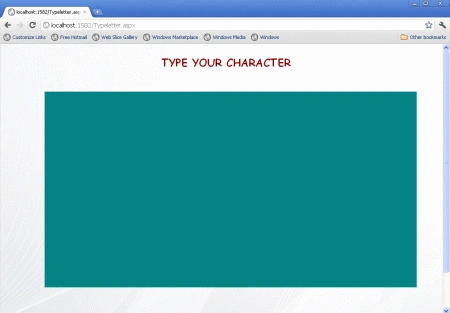
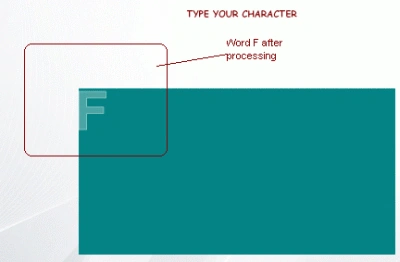
- <strong> TYPE YOUR CHARACTER </strong>
- </b>
- </p>
- <input type="text" value="" id="keystrock">
- <div id="section" style="background-color: #008080; font-family: 'Comic Sans MS'"></div>
- </body>
Here are some useful resources
Krishna GaradPosted Feb 4, 2012, 2:00 AM
Nice one