

In this section, I will show how to publish an ASP.NET App on Linux VM using the Docker extension of Visual Studio 2015. Before we begin, let's first install Visual Studio 2015 RC candidate on our machine. Then, Docker Extension is required for Visual Studio installed on our machine. You can install it from Extension and Updates as shown in the following screenshot.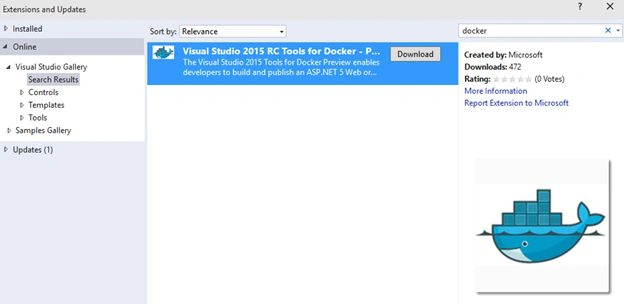
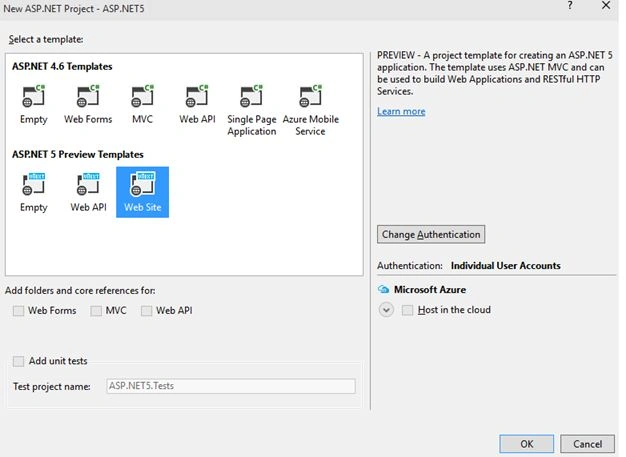
Now, create a new ASP.NET 5 website as shown in the following screenshot.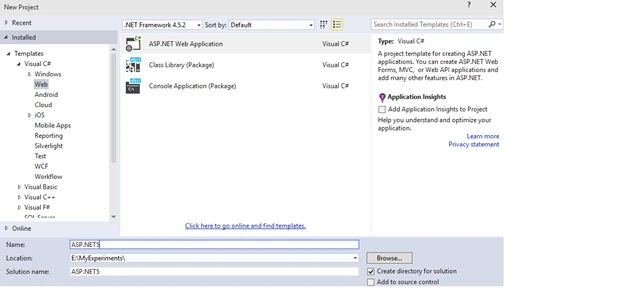
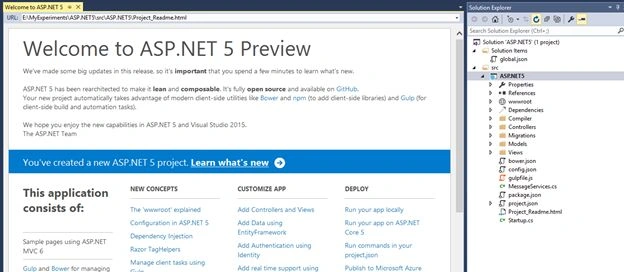
After successfully creating the website, right-click on the website and select Publish as given in the following screenshot.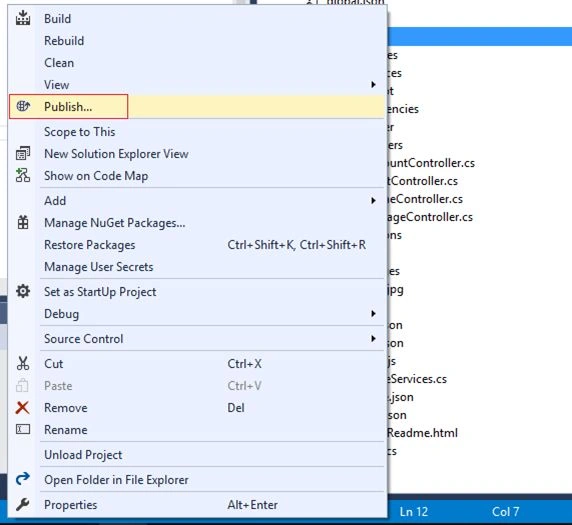
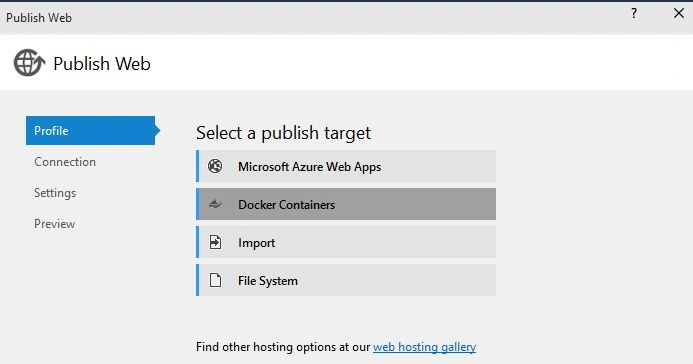
Then, the following options will be provided.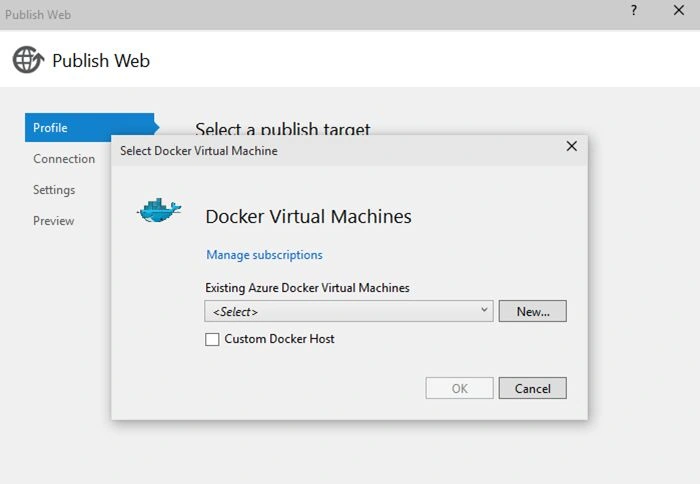
If you don't have a subscription, then you need to create one. Provide the details in the next screen after subscription.
Note: For privacy reason, my details are hidden.
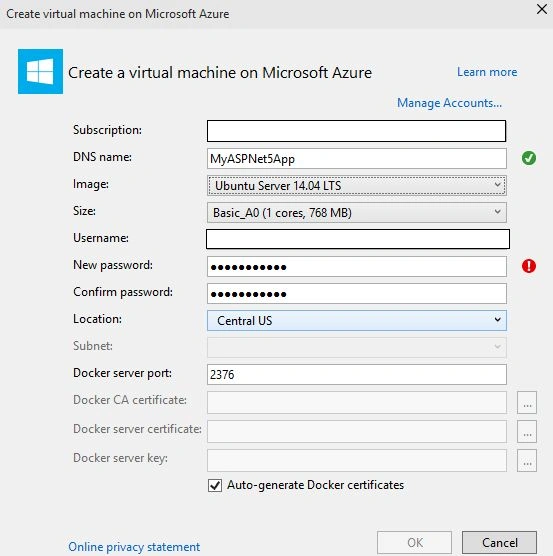
Next, the following confirmation message will be visible.
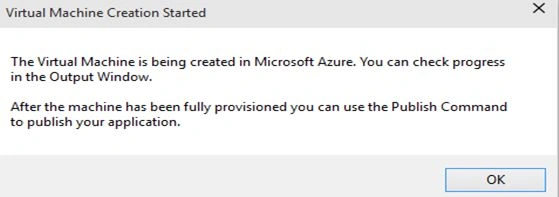
When OK is pressed above, it will build the app and prepare it for hosting. You can check the status of that in the output window when Azure is provisioning things for you. This process will take some time.
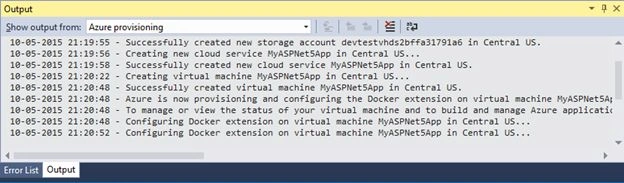
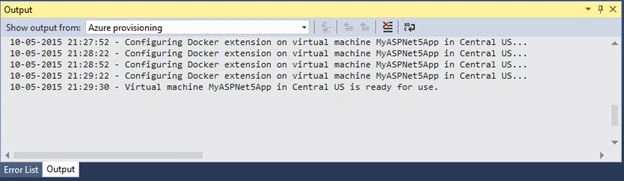
On completion, It will show a confirmation message as shown below.
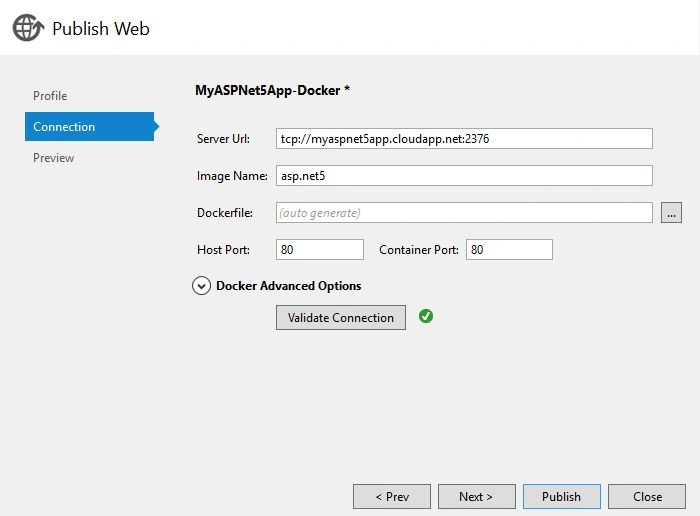
Next, after pressing the Publish button, the connections tab will be visible with the following VM credentials.
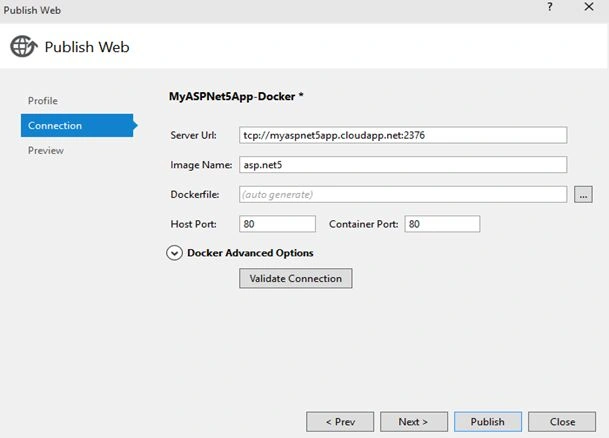
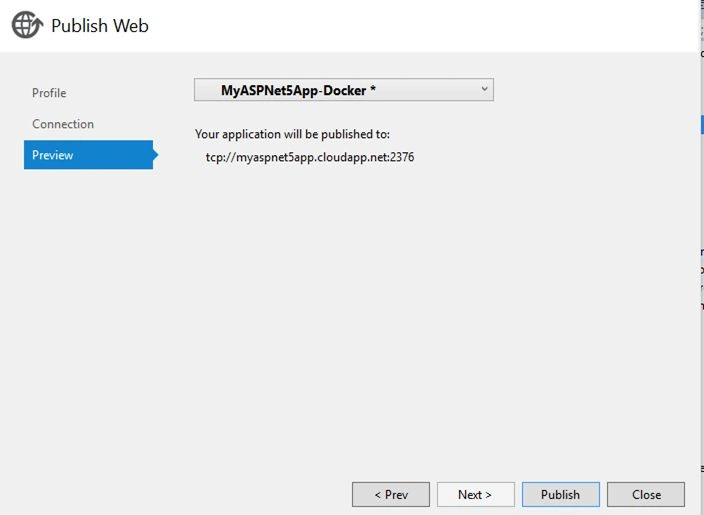
Now, click on Validate Connection for confirming everything is correct. Once verified, go ahead and click next and publish the app.
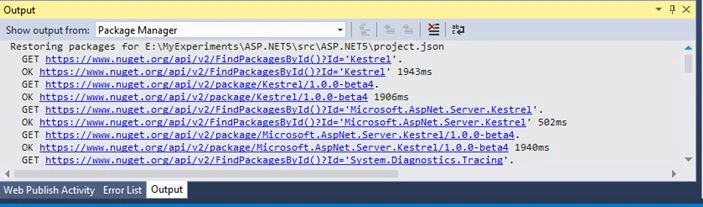
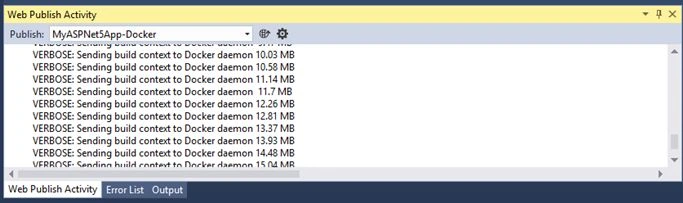
When building the app, you can check the status in the output window.
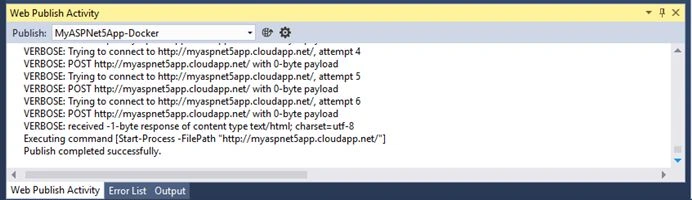
Once done, it will launch it in the browser.
Next, the following confirmation message will be visible.
When OK is pressed above, it will build the app and prepare it for hosting. You can check the status of that in the output window when Azure is provisioning things for you. This process will take some time.
On completion, It will show a confirmation message as shown below.
Next, after pressing the Publish button, the connections tab will be visible with the following VM credentials.
Now, click on Validate Connection for confirming everything is correct. Once verified, go ahead and click next and publish the app.
When building the app, you can check the status in the output window.
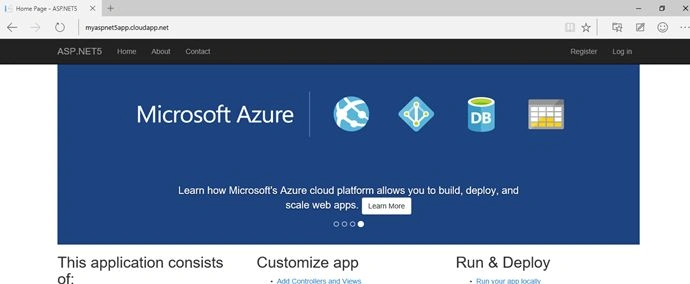
Once done, it will launch it in the browser.
Note: It was successfully launched in my new Project Spartan Web Browser running on my Windows 10 machine.
Thanks for joining me.
Thanks for joining me.
Mahesh ChandPosted May 13, 2015, 12:30 AM
Great Job Rahul. I learned something new today. Thanks.
Santhakumar MunuswamyPosted May 12, 2015, 3:19 PM
Thanks for good work
Gowtham RajamanickamPosted May 12, 2015, 1:16 PM
good
NitinPosted May 12, 2015, 12:50 PM
good one
Graham BellPosted May 12, 2015, 8:30 AM
Your articles have always been impressive. This is one of the best examples of the same. But, I'm regular visitor of your blog. Its good that you started writing on these platforms as well. Thanks for sharing the knowledge :)
Dinesh BeniwalPosted May 12, 2015, 6:35 AM
Thanks for sharing Rahul ;)
Sibeesh VenuPosted May 12, 2015, 6:26 AM
Good one
Manoj KulkarniPosted May 12, 2015, 5:46 AM
Nice article. Thank you for sharing
Abhishek JaiswalPosted May 12, 2015, 5:21 AM
very informative, thanks for sharing! :)