

Introduction
This article explains how to set various events on successive clicks on the same button in Android.
Procedure
- Start Eclipse IDE.
- Create a new project.
- Create a MainActivity.java file.
- Create an activity_main.xml file for layout design.
- Add a button in the XML layout.
- Then look up the button by its id in the MainActivity.java file.
- Add various events in the onClick function.
The following is the code.
MainActivity.java
- package com.example.doubleclickevent;
- import android.os.Bundle;
- import android.app.Activity;
- import android.view.Menu;
- import android.view.View;
- import android.view.View.OnClickListener;
- import android.widget.Button;
- import android.widget.Toast;
- public class MainActivity extends Activity implements OnClickListener {
- Button b1;
- int i = 0;
- @Override
- protected void onCreate(Bundle savedInstanceState) {
- super.onCreate(savedInstanceState);
- setContentView(R.layout.activity_main);
- b1 = (Button) findViewById(R.id.btn);
- b1.setOnClickListener(this);
- }
- @Override
- public boolean onCreateOptionsMenu(Menu menu) {
- getMenuInflater().inflate(R.menu.main, menu);
- return true;
- }
- public void onClick(View v) {
- if (i == 0) {
- Toast.makeText(getApplicationContext(), "hiii abhi", 1000).show();
- i++;
- } else if (i == 1) {
- Toast.makeText(getApplicationContext(), "hello", 1000).show();
- i = 0;
- }
- }
- }
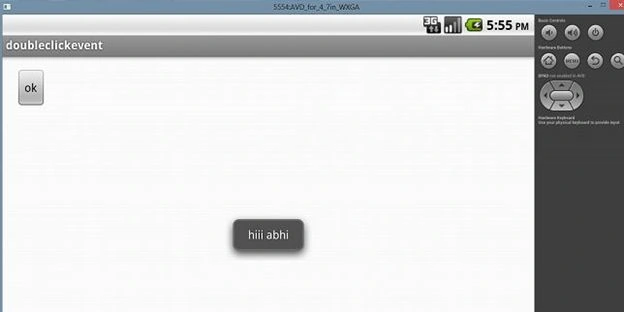
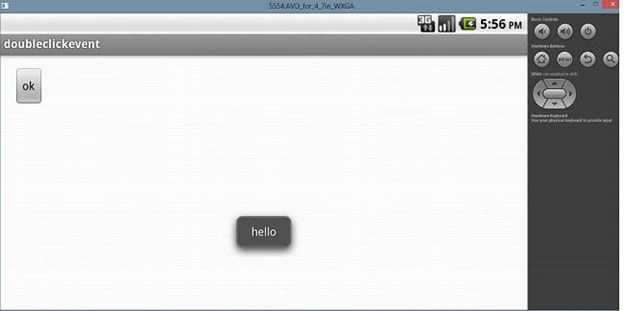
Join the conversation! Your thoughts help the community grow.