
SharePoint provides lot of customization to the users, one of the option is to maintain the custom properties in user profile. If we create the properties in user profile it will be the personalized values for the users. Let's see how to create the custom properties in user profile:
Steps to create custom user profile property
The following are the steps to create custom property.
Step 1: Go to SharePoint online admin center.
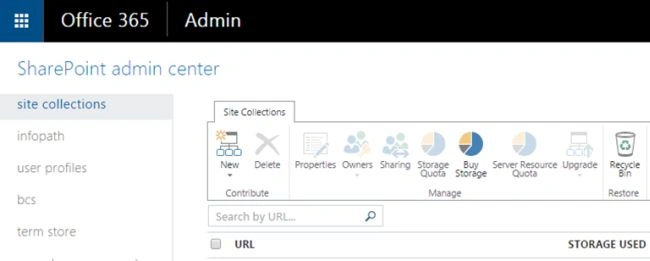
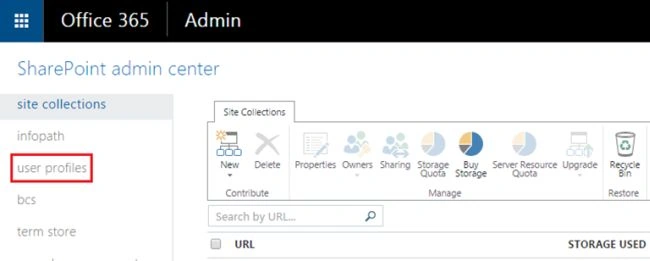
Step 2: Click on “User Profiles” from the left navigation.
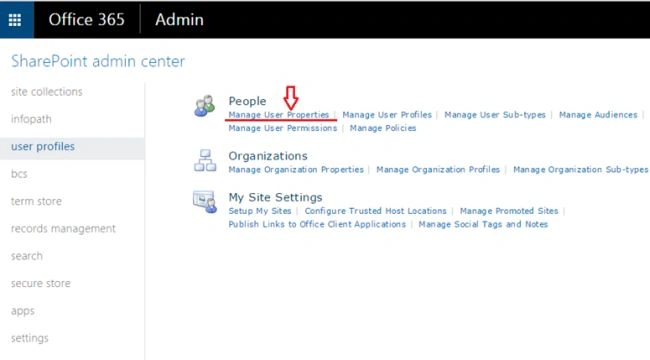
Step 3: On user profile settings page, select Manage User Properties as in the following screnshot:
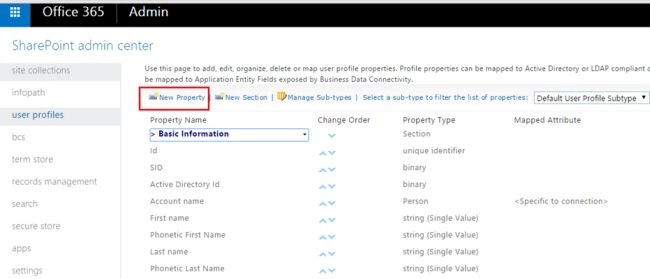
Step 4: Click “New Property” to create new property,
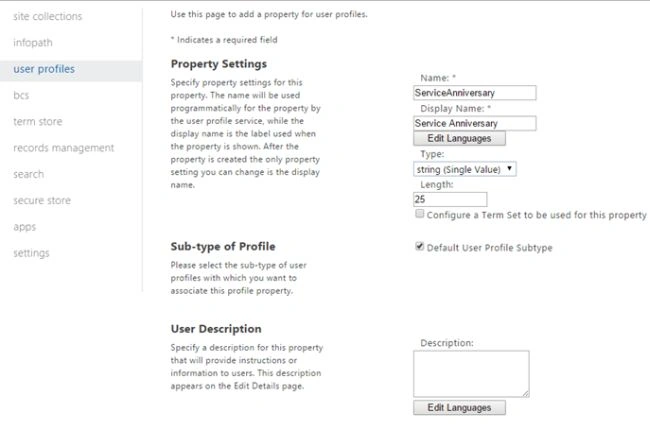
Step 5: On the new property page, you can add the property details as in the following screenshot:
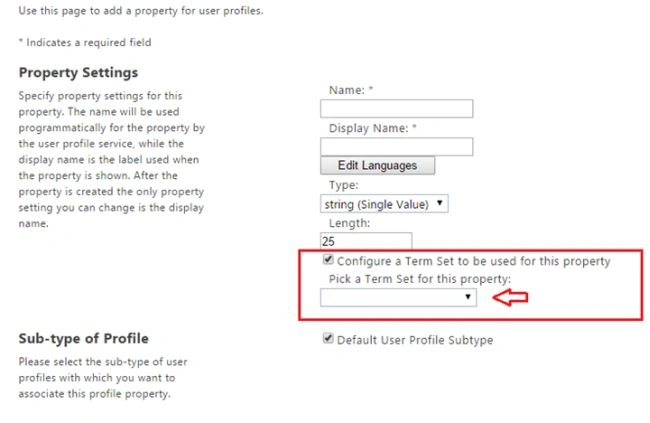
Step 6: map the property to term set also, but you need to check the “configure Term set to be used for this property”,
From the dropdown, you can choose the term set.
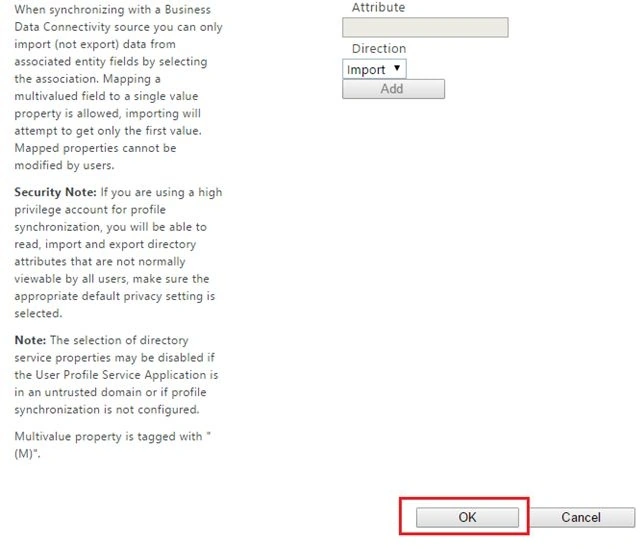
Step 7: Provide all mandatory fields and settings as you need them. After that click OK to create a property,
Finally User profile property will be created successfully.
Summary
I hope you have enjoyed reading th article. Happy reading and happy Learning.

Create Custom User Profile Property In SharePoint Online
Join the conversation! Your thoughts help the community grow.
Sign in to leave a comment
It is the same account you read, post and publish with — and you will come straight back to this page.
Kuppurasu NagarajPosted May 26, 2016, 12:42 PM
Nice Sharing..
Gowtham RajamanickamPosted Apr 8, 2016, 9:19 AM
Good share
Kaviya BalasubramanianPosted Sep 18, 2015, 1:33 AM
Thank you all :)
Vijay BhaskarPosted Sep 15, 2015, 4:00 PM
thank you..
Santhakumar MunuswamyPosted Sep 8, 2015, 3:12 PM
Thanks for nice share
Mohammed IbrahimPosted Sep 8, 2015, 3:08 PM
nice share
RakeshPosted Sep 8, 2015, 12:25 PM
Good one
Kaviya BalasubramanianPosted Sep 8, 2015, 9:01 AM
Thank u Pankaj
Pankaj Kumar ChoudharyPosted Sep 8, 2015, 8:47 AM
Nice Explain Mam..........
Kaviya BalasubramanianPosted Sep 8, 2015, 6:23 AM
Thank you :)
Sabyasachi MishraPosted Sep 8, 2015, 5:30 AM
Thanks for nice share
Karthikeyan KPosted Sep 8, 2015, 4:58 AM
Good share...