

This article is a continuation of the following articles:
- Snapshot Replication in SQL Server 2008: Part 1
- Snapshot Replication (Setting up Publisher) in SQL Server 2008: Part 2.
I thought to keep the pictorial concept so that anyone can easily set up and map at their end.
Publisher:
The Publisher can be denoted as the origin of the database on which the schema or record amendments take place. Publisher is a point that manages data for replication and sends commands to the distributor for further process, for example, S1.
Subscriber
The Subscribers is the point, where the subscriber database incurs the notification and a copy of the data from the distributor about the changes that happen in the publisher database. The subscriber database generally lives on a different something, for example, S2.
Setting up the Subscriber
Once the publisher (Snapshot replication (Setting up publisher) in SQL Server) has been set up, it's time to create the subscriber for it.
The following procedure is required to set up the subscriber.
Step 1
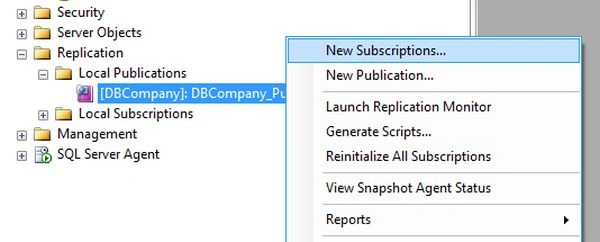
Right-click on DBCOmpany_Pub and choose the option “New Subscription” to create a subscription.
 Step 2
A Publisher dropdown shows the publisher name that we have created recently in the last activity. Please refer to the image below for reference and click on the Next button.
 Step 3
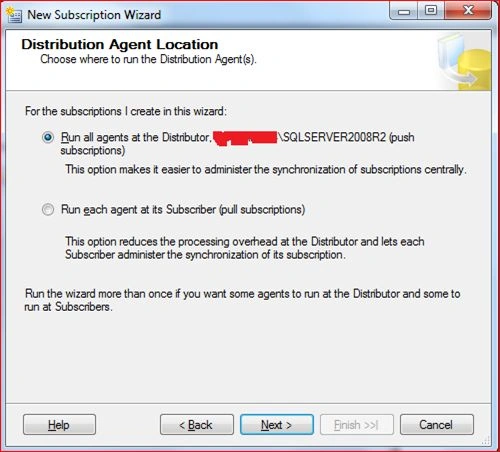
The following window will appear and click on the "Next" button.
 Step 4
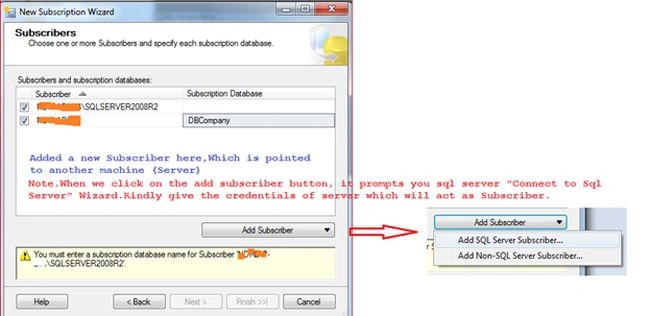
In this step, we will add new subscribers that will be a different machine or the same machine where we have already set up the Publisher account (for example S2). Kindly refer to the screen captured below for a better understanding. Then click on the Next Button.
 Step 5
Please see the image given below and take the necessary action.
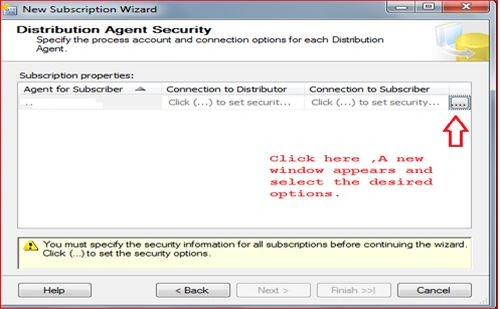 Kindly refer to the image below after clicking on the button as advised above in the image. Now choose the necessary actions in a prompted dialog box and press OK.
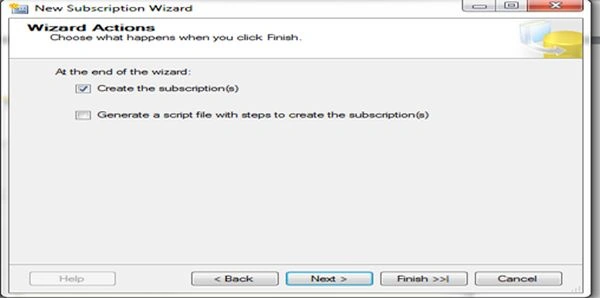
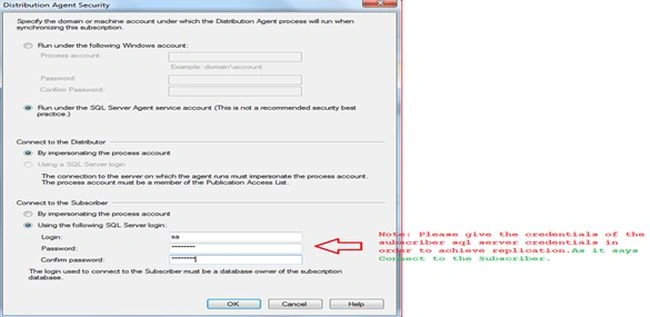 After fulfilling the window shown above kindly click on the Next button and proceed further.
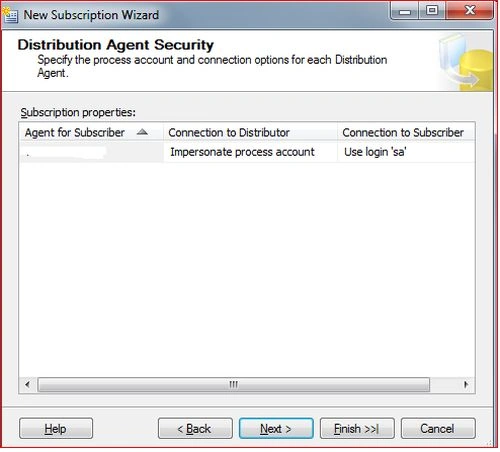 Step 6
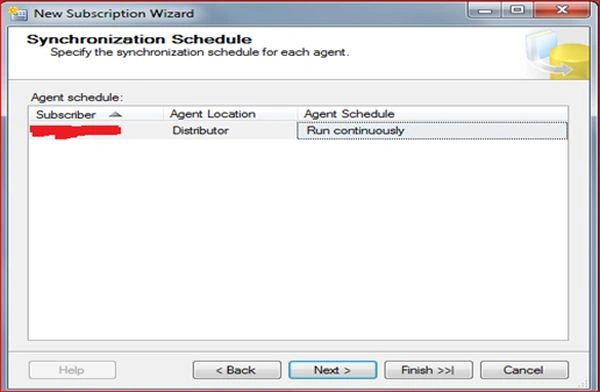
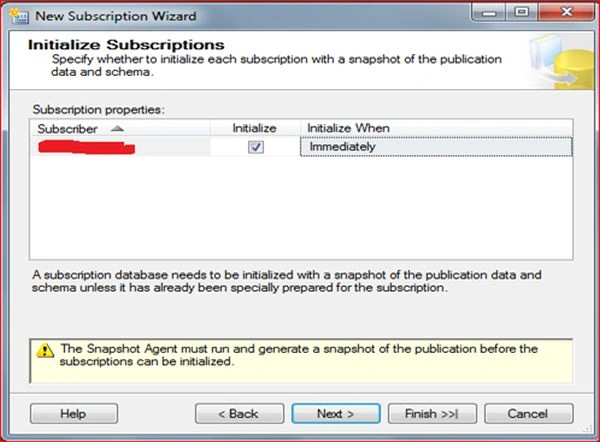


Sachin KaliaPosted Jun 2, 2015, 12:49 AM
ThanksGowtham Rajamanickam For your valuable feedback :)
Gowtham RajamanickamPosted May 28, 2015, 10:42 AM
this is great..