

StringTokenizer class
The StringTokenizer class exists in the java.util package and allows an application to break the string into tokens by specifying a delimiter. The tokenization methods of StringTokenizer is much simpler than the one used in the StreamTokenizer class.
Unlike StreamTokenizer, StringTokenizer does not differentiate among identifiers, numbers and quoted strings and dord not even recognize and skip comments.
Let's see a simple example to see what this class can do.
Example
In this example, a string is tokenized on the basis of commas, white spaces and hyphens.
- import java.util.StringTokenizer;
- public class Demo{
- public static void main(String args[]){
- StringTokenizer str = new StringTokenizer("This is demo of white space"," ");
- while (str.hasMoreTokens()) {
- System.out.println(str.nextToken());
- }
- System.out.println();
- StringTokenizer str1 = new StringTokenizer("This,is,demo,of,comma", ",");
- while (str1.hasMoreTokens()) {
- System.out.println(str1.nextToken());
- }
- System.out.println();
- StringTokenizer str2 = new StringTokenizer("This-is-demo-of-hyphen", "-");
- while (str2.hasMoreTokens()) {
- System.out.println(str2.nextToken());
- }
- }
- }
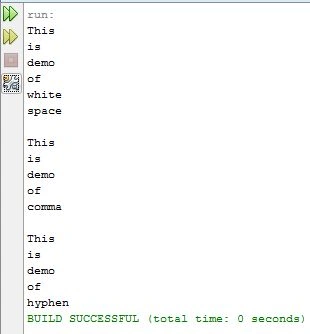
Constructors used
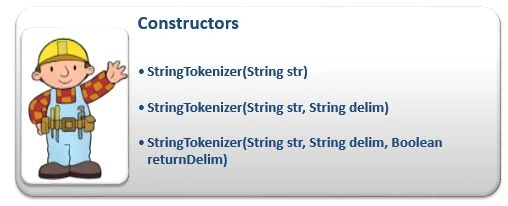
There are three constructors used by the StringTokenizer class as in the following.
- StringTokenizer(String str): Constructs a StringTokenizer with the specified string.
- StringTokenizer(String str, String delim): Constructs a StringTokenizer with the specified string and delimiter.
- StringTokenizer(String str, String delim, Boolean returnDelim): Constructs a StringTokenizer with the specified string, delimiter and returnDelimiter value. If the value is true then the delimiter characters are considered to be the token otherwise characters serve to separate tokens.
Methods used
There are six methods used by the StringTokenizer class that areas in the following.
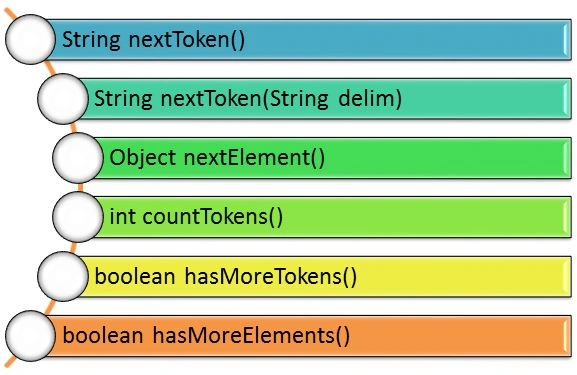
Let's explain all the methods with simple examples.
String nextTokens()
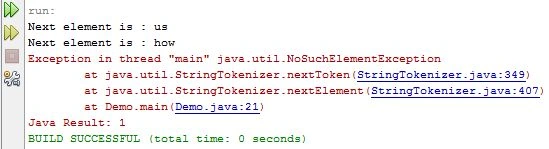
This method returns the next token from the StringTokenizer object. It throws NoSuchElementException() if there are no more tokens available in the StringTokenizer object.
Example
- import java.util.*;
- public class Demo {
- public static void main(String[] args) {
- // creating string tokenizer
- StringTokenizer str = new StringTokenizer("Learn,code and share...");
- // checking next token
- System.out.println("Next token is : " + str.nextToken());
- str = new StringTokenizer("One two and three");
- System.out.println("Next token is : " + str.nextToken());
- str = new StringTokenizer("123-456-789 000");
- System.out.println("Next token is : " + str.nextToken());
- }
- }
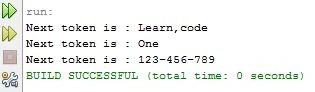
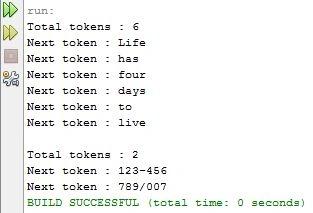
In the preceding output, you can see that the words linked in some way are also printed as the next token and that are not linked, like separated by white space, are not considered to be the next token.
String nextTokens(String delim)
This method returns the next token based on the delimiter. In other words, first of all, the set of characters considered to be delimiters by the StringTokenizer object is changed to be the characters in string delim. Then the next token in the given string after the current position is returned.
It also throws NoSuchElementException() if there are no more tokens available in the StringTokenizer object.
Example
- import java.util.*;
- public class Demo {
- public static void main(String[] args) {
- // creating string tokenizer with delimeter
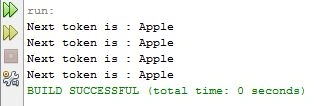
- StringTokenizer str = new StringTokenizer("Apple/Mongo/Csharp/Database/EJB");
- // checking next token
- System.out.println("Next token is : " + str.nextToken("/"));
- str = new StringTokenizer("Apple-Mongo-Csharp-Database-EJB");
- System.out.println("Next token is : " + str.nextToken("-"));
- str = new StringTokenizer("Apple,Mongo,Csharp,Database,EJB");
- System.out.println("Next token is : " + str.nextToken(","));
- str = new StringTokenizer("Apple Mongo Csharp Database EJB");
- System.out.println("Next token is : " + str.nextToken(" "));
- }
- }
Santhakumar MunuswamyPosted Jul 7, 2015, 2:54 PM
Good. Thanks for sharing