

Introduction
In this article, we learned about How to Change Keyboard Language in Windows 8.
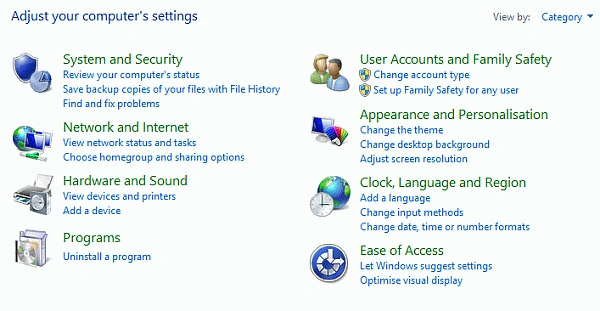
Step 1. Open Control Panel
Click on Clock, Language, and Region
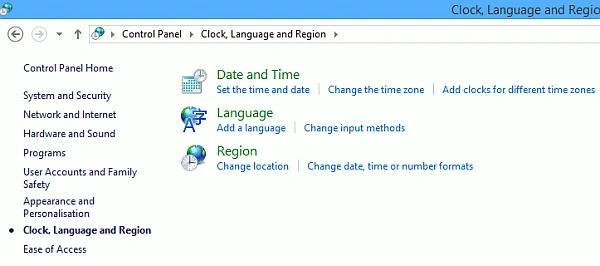
Step 2. Click on Add Language
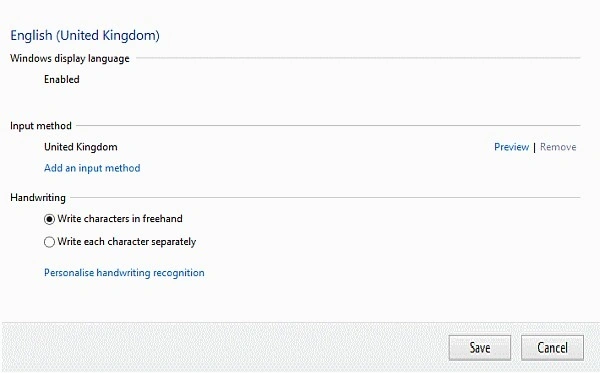
Step 3. Click on Options

Step 4. Click on Add an input method
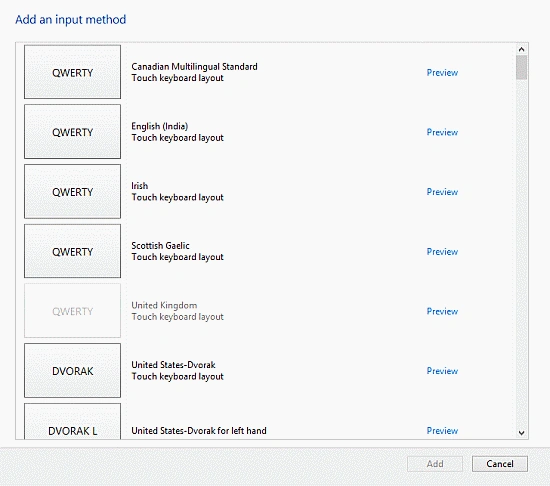
Step 5. Select a Language of your Choice and Click Add
Step 6. Press win + space from the keyboard
Summary
In this article, we learned about How to Change Keyboard Language in Windows 8.
Thanks for viewing my article
Join the conversation! Your thoughts help the community grow.