

Introduction
In this article, we will learn some frequently used simple JavaScript functions.
Let's look at the following snippet.
String () function
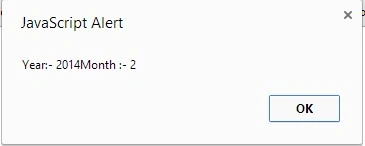
The String function converts an object value to a string object. The String () function is very similar to the toString() function in JavaScript.
- <!DOCTYPE html>
- <html xmlns="http://www.w3.org/1999/xhtml">
- <head runat="server">
- </head>
- <body>
- <form id="form1" runat="server">
- <script>
- var today = new Date();
- alert(String("Year:- " + today.getFullYear () + "Month :- " + today.getMonth()));
- // January is 0
- </script>
- </form>
- </body>
- </html>
eval () function
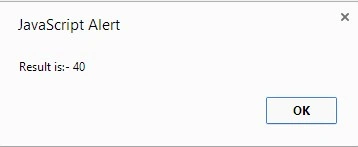
It is used to perform the evaluation of an expression. It takes one argument and evaluates its result.
- <!DOCTYPE html>
- <html xmlns="http://www.w3.org/1999/xhtml">
- <head runat="server">
- </head>
- <body>
- <form id="form1" runat="server">
- <script>
- var exp = 20 + 40 - 40 + 20;
- var result = eval(exp);
- alert("Result is:- " + result);
- </script>
- </form>
- </body>
- </html>
isNaN () function
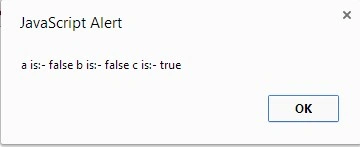
This function detects whether or not an object is a number. It returns true if the object is a number otherwise false.
- <!DOCTYPE html>
- <html xmlns="http://www.w3.org/1999/xhtml">
- <head runat="server">
- </head>
- <body>
- <form id="form1" runat="server">
- <script>
- var a = 20.20;
- var b = 200;
- var c = "Hello";
- alert("a is:- " + isNaN(a) + " b is:- " + isNaN(b) + " c is:- " + isNaN(c));
- </script>
- </form>
- </body>
- </html>
Number () function
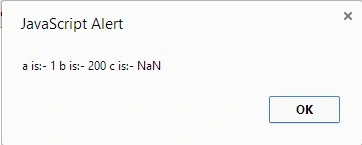
In the above example we tried to convert the Boolean type using the Number() function and it's showing “1” of the corresponding “true” value. For a string it's showing NaN, in other words it's not a number and not possible to convert it.
- <!DOCTYPE html>
- <html xmlns="http://www.w3.org/1999/xhtml">
- <head runat="server">
- </head>
- <body>
- <form id="form1" runat="server">
- <script>
- var a = true;
- var b = 200;
- var c = "Sagar";
- alert("a is:- " + Number(a) + " b is:- " + Number(b) + " c is:- " + Number(c));
- </script>
- </form>
- </body>
- </html>
Summary
In this article, we learned various frequently used global functions in JavaScript. In a future article, we will learn some more basic concepts of JavaScript.
Join the conversation! Your thoughts help the community grow.