

RDLC: (Report Definition Language
Client-side)
Note: First Install Report Viewer in your system.
Step 1: Create database.
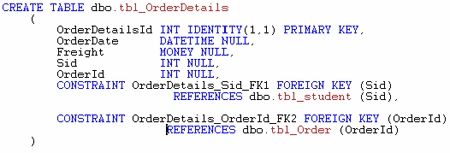
Prepare Database tables.
Table 1:
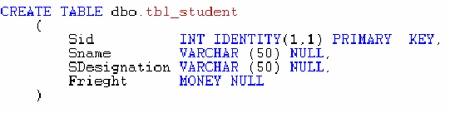
Table 2:
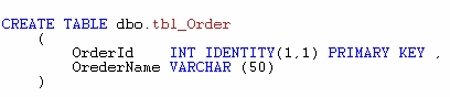
Table 3:
Step 2: Create a Web Application.
Open Visual studio 2010.
Go to file menu select New ->Project.
New Project Window Display in that select ASP.NET Empty Web Application.
Give Application name--RDLC and Click OK.



Step 3: Prepare Dataset
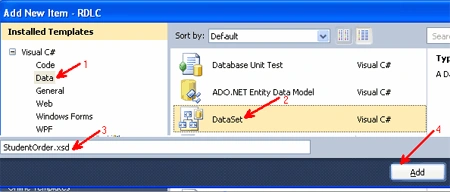
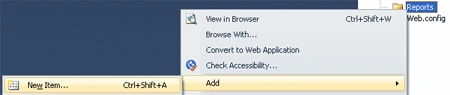
Right click on Application select Add, and again select New Item.
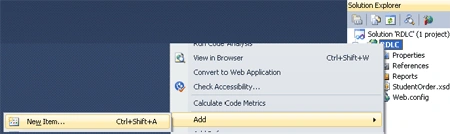
Select dataset and give dataset name (Student Order) and click Add button.
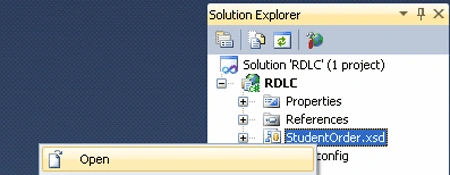
Student Order dataset is prepared in Solution Explorer. Right click on Dataset
and select Open.
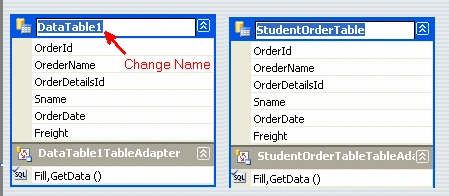
Dataset Designer window is display. In that window right click select add and
select Table Adapter.
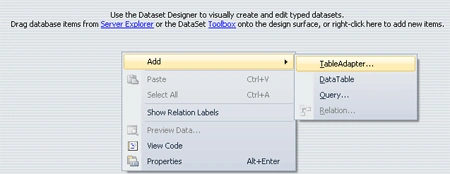
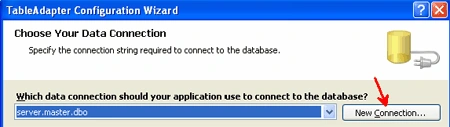
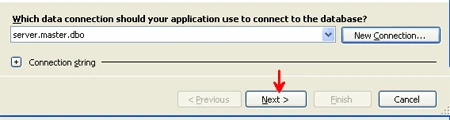
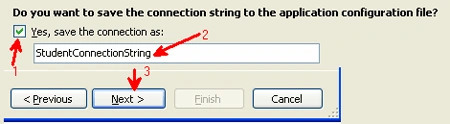
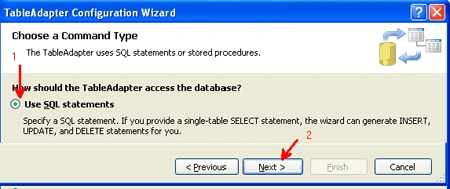
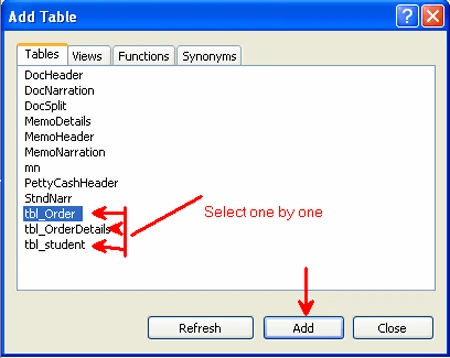
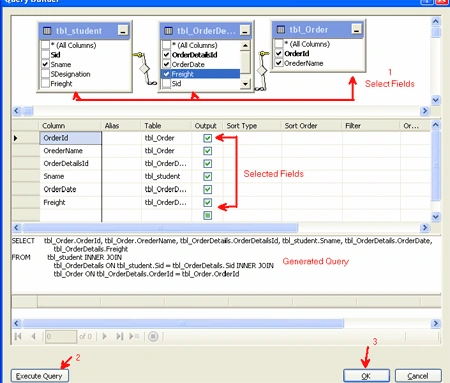
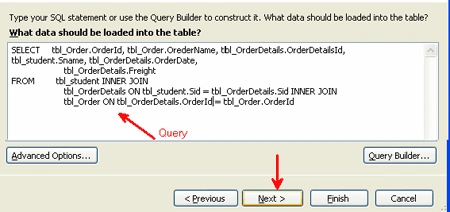
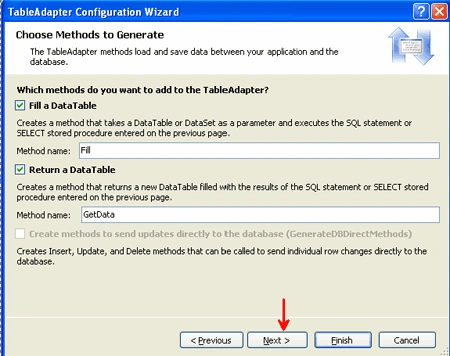
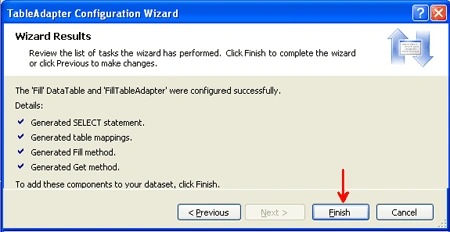
Table Adapter Configuration Wizard is display. In that click new connection.
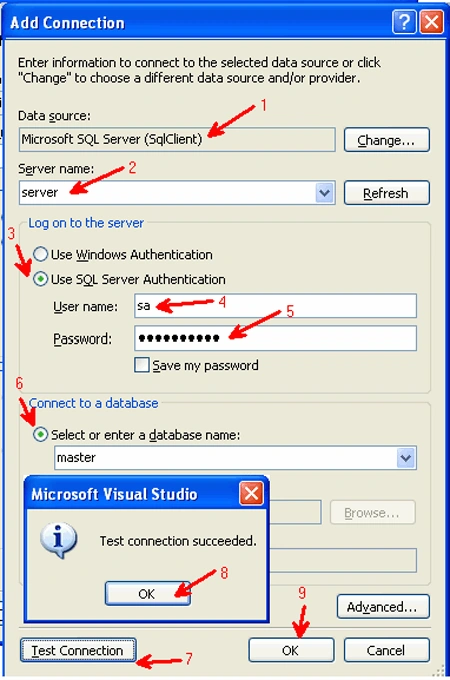
Add Connection Window is Display.
- Data Source: Microsoft SQL Server (SqlClient).
- Server name: Give Local System name/Server System name.
- Log on to the server: Click Use SQL Server Authentication Radio button.
- User Name: Give SQL Server username.
- Password: Give SQL Server Password.
- Connect to Data base: Click Select or enter a Database name Radio button. Select/enter your database name in combo box.
- Test connection: click test connection button if test connection is successful click ok button.


yogesh bhanushaliPosted Feb 19, 2016, 6:54 AM
how can use where statement here? pelese mail me on [email protected]
Nitin SharmaPosted Sep 8, 2015, 7:58 AM
how can we do this when we are using simple report not report wizard?
Raghavender ReddyPosted Jun 16, 2015, 9:32 AM
helpful
Mohit DuttaPosted Jan 30, 2015, 2:18 AM
to extract the values from the table of your above program
Mohit DuttaPosted Jan 30, 2015, 2:18 AM
how we can use external SQL query through ASP.NET
Manish Kumar ChoudharyPosted Nov 19, 2014, 6:12 AM
Good one.. Thanks..
Vamshi KrishnaPosted Aug 8, 2014, 4:10 AM
Thank you every body to read my artical.. and sorry am not availabe all these days give to replay....
Dhanaraj SalaimaniPosted Feb 25, 2013, 3:01 AM
OMG! Thanks a lot. Really nice explanation..
Chirag KhatsuriyaPosted Sep 5, 2012, 1:38 AM
Hi it's well explained... When we export to excel the data from report viewer it's give error for maximum row exceed? can we split in multiple sheets using report viewer?
Viishnuu DevenddraPosted Jun 11, 2012, 2:32 PM
really well explained... thanks... :)
Sai PrakashPosted Jan 16, 2012, 12:24 AM
good article krishna
Anil KumarPosted Nov 9, 2011, 5:40 AM
Nice explanation !!!