

Sign up for an Office 365 Developer Site
Ensure you have access to an Office 365 Developer Site. Here are three ways to get one:
- Are you an MSDN subscriber? Visual Studio Ultimate and Visual Studio Premium with MSDN subscribers receive an Office 365 Developer Subscription as a benefit. Redeem your benefit today.
- If you have one of the following Office 365 subscription plans:
- Office 365 Midsize Business.
- Office 365 Enterprise E1, E3, E4, or K1.
- Office 365 Education A2, A3, or A4.
- Office 365 Government G1, G3, G4, or K1.
- You can either start with a free 30-day trial, or buy an Office 365 developer subscription (with one user license for either option) using one of the following links. This subscription costs $99.00 per year.
Please refer to Sign up for an Office 365 Developer Subscription for more details.
The following describes how to add an app in Excel Online from the app store:
- Navigate to Office 365 developer site. URL.
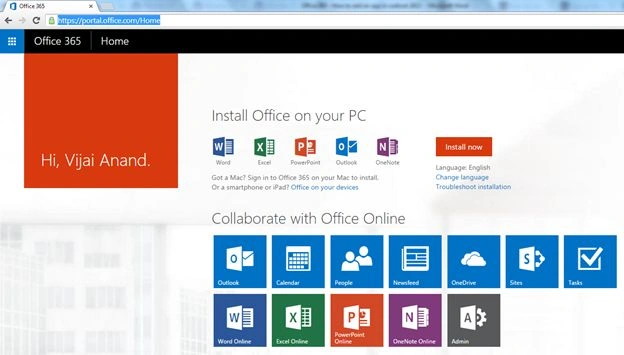
- Click on Excel Online.
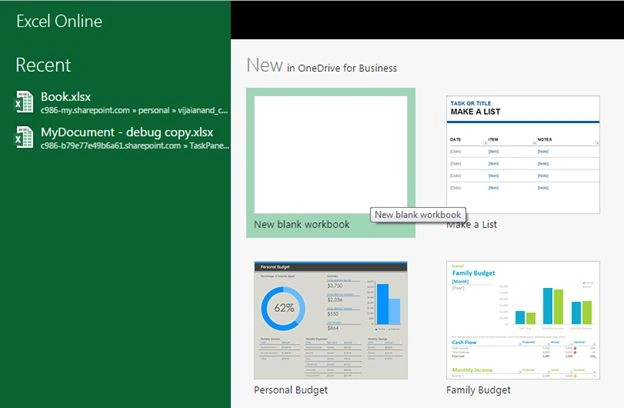
- Click on New blank workbook.
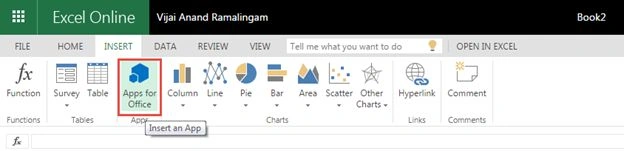
- Click on the Insert tab and then click on the Apps for Office button available under the Apps section.
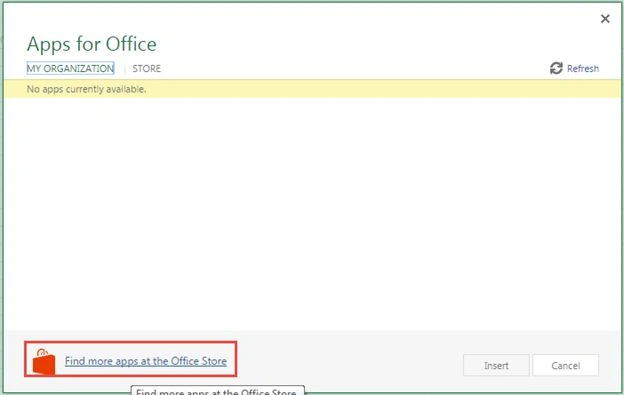
- Click on Find more apps at the Office Store.
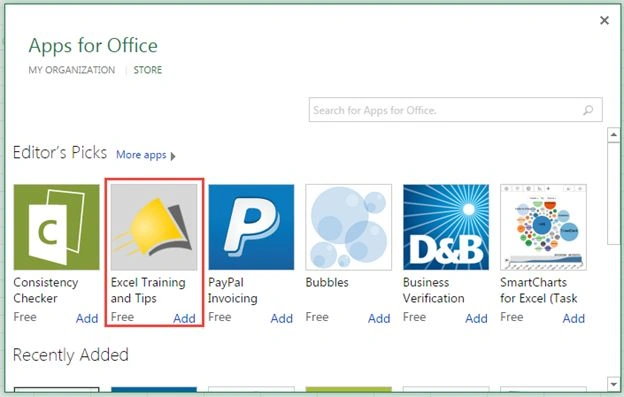
- All the available apps for Office will be displayed. Select Excel Training and Tips and then click on the Add button.
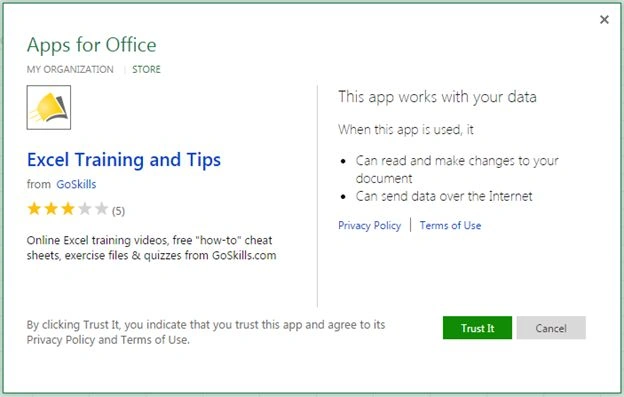
- Click on the Trust it button.
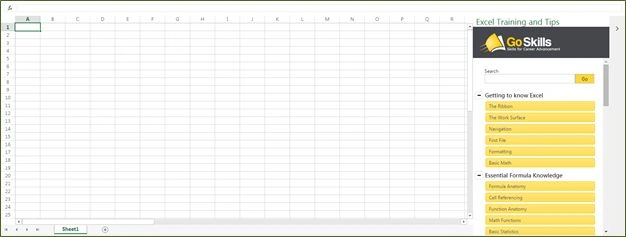
- The app is installed successfully from Office Store as shown below.
Summary
Thus in this article you saw how to add an app from the Office Store in Excel Online.
Tom MohanPosted Mar 3, 2015, 10:59 AM
NIce