

Introduction
First open your ASP.Net web application in Visual Studio.
Now in the top we have the option Build. Click on that and under Build you will find Publish Website.
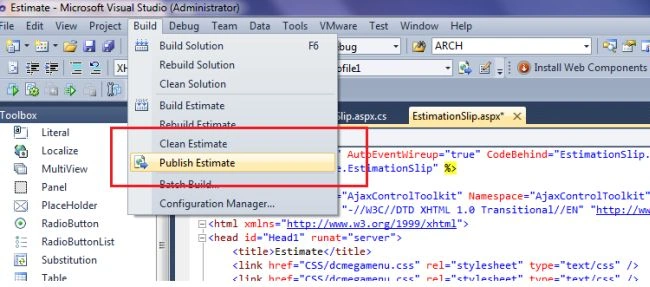 Click on Publish Website. Now open the publish web pop-up.
For Publish method select File System.
For Target location specify where to save your web application DLL file.
Click on Publish Website. Now open the publish web pop-up.
For Publish method select File System.
For Target location specify where to save your web application DLL file.
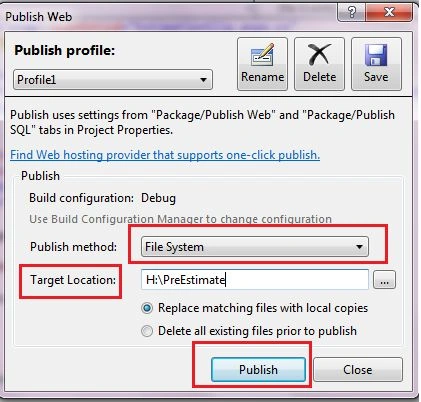 Then click on publish.
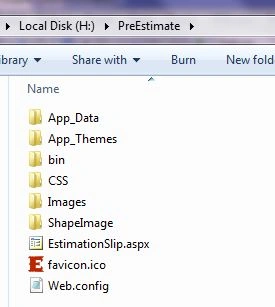
Go to the target folder and in that location, you will see your web application DLL file.
Then click on publish.
Go to the target folder and in that location, you will see your web application DLL file.
 Now open IIS manager. (Type inetmgr in the Run command.)
Right-click on Default Application and Add Application.
Now open IIS manager. (Type inetmgr in the Run command.)
Right-click on Default Application and Add Application.
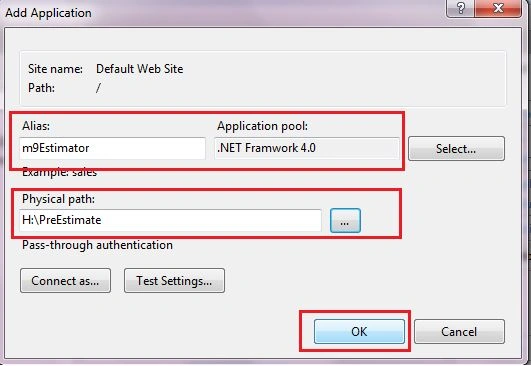
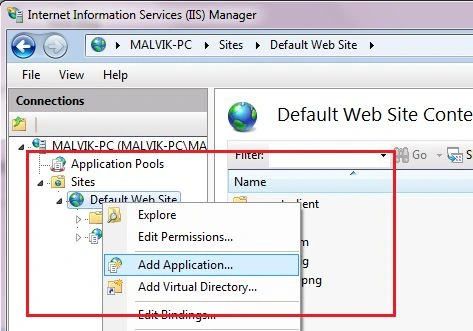 Enter Alias name then select an Application pool and Physical path.
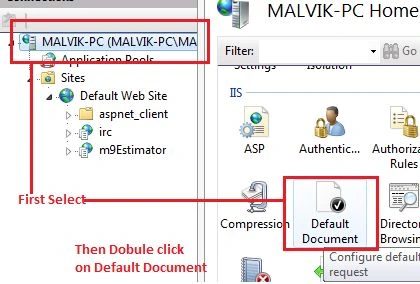
 Now Double-click on default document.
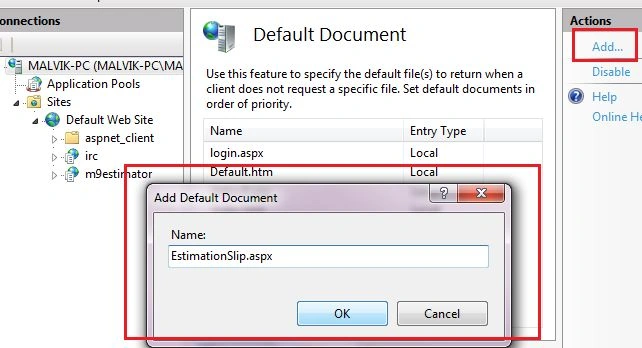
 And add a start page of your web application. Here my application start page is EstimationSlip.aspx.
 Now right-click on your application and browse.
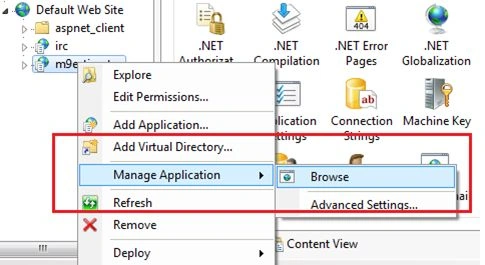 See your application without Visual Studio.
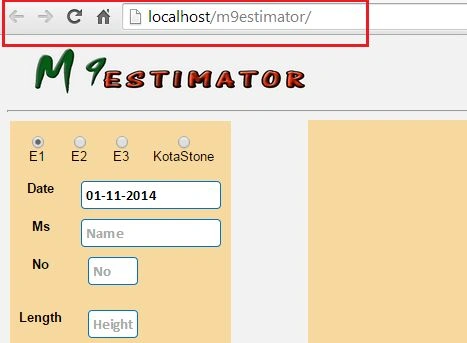 Enjoy!
Dinesh GabhanePosted Nov 7, 2019, 8:37 AM
Very Nice Article
Bhuvanesh MohankumarPosted May 23, 2016, 1:13 PM
Good one
pradeep s.kPosted Oct 23, 2015, 6:50 PM
After the last step (manage app -->browse), it is showing me the directory list. How to resolve it?
EnosPosted Apr 24, 2015, 10:19 PM
Good article and this is what I have been looking for especially for newbie like me. My question is, do you know how I can access my Asp. Net website on my phone. If yes, please guide me through steps or just drop me an email on [email protected] so that you can can goo understanding
aman tiwariPosted Apr 9, 2015, 11:17 AM
My website has been deployed but it cannot access database
Malvik BhavsarPosted Mar 5, 2015, 12:01 PM
yes abdulwahid khan, there are many way to deploy website. please refer following link. http://www.asp.net/web-forms/overview/older-versions-getting-started/deploying-web-site-projects/deploying-your-site-using-visual-studio-cs
abdulwahid khanPosted Mar 3, 2015, 11:27 AM
is there any other way/method to deploy website?if yes please share.
Joginder BangerPosted Jan 7, 2015, 6:02 AM
Hi first of all Good and small article about deployment of website... I have no idea about IIS server but last time in my office by luck working on IIS server. I manage website with this path c:\Windows\System32\drivers\etc\hosts... change something in hosts file and post again... So i request you if have any knowledge about this file, please share .