

In this article we learn what a Text Template Transformation Toolkit (T4) template is and how to customize it.
What a T4 template is
We use this template to generate the code when we add a view or controller in MVC. The file extension of this template is tt. Basically when we add a view or controller using a scaffhold template it is called a T4 template. By using this template if we add a controller or view then it generates some code automatically.
Suppose we made a class file in the model folder named ListEmployee.cs as in the following:
- using System.ComponentModel.DataAnnotations.Schema;
- using System.Data.Entity;
- namespace mvcDemo.Models
- {
- [Table("Employee_Master")]
- public class ListEmployee
- {
- public int Id { get; set; }
- public string Name { get; set; }
- public string Email { get; set; }
- }
- public class ListEmployeeContext : DbContext
- {
- public DbSet<ListEmployee> listEmployee { get; set; }
- }
- }
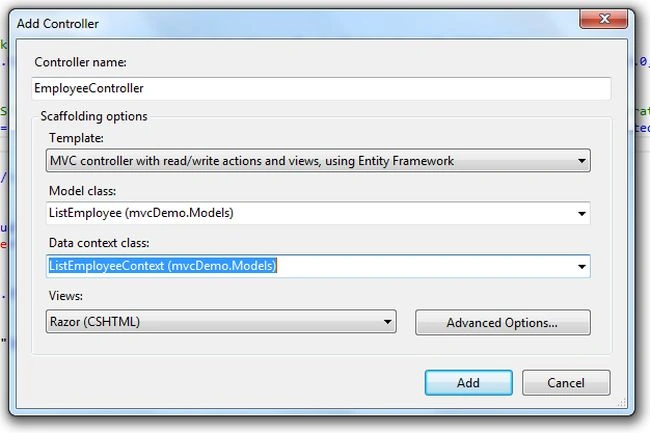
When we click on the Add button it generates a controller that has index, details, create, edit and delete methods and in the View folder a folder named Employee was generated with 5 views containing the same name as above. This is called a T4 template.
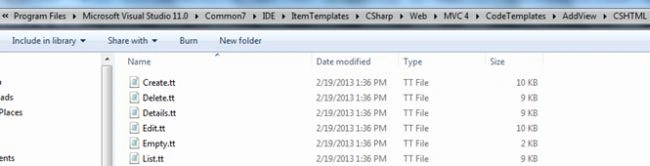
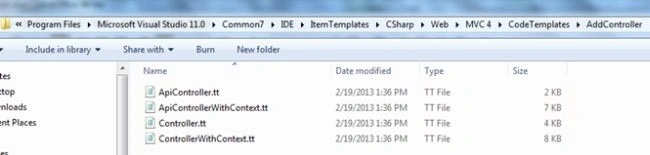
You can find the T4 template in the following paths.
For Views:
C:\Program Files\Microsoft Visual Studio 11.0\Common7\IDE\ItemTemplates\CSharp\Web\MVC 4\CodeTemplates\AddView\CSHTML
For Controllers:
C:\Program Files\Microsoft Visual Studio 11.0\Common7\IDE\ItemTemplates\CSharp\Web\MVC 4\CodeTemplates\AddController.
Now I will add my own T4 template to an existing list of templates.
- Copy list.tt and paste it.
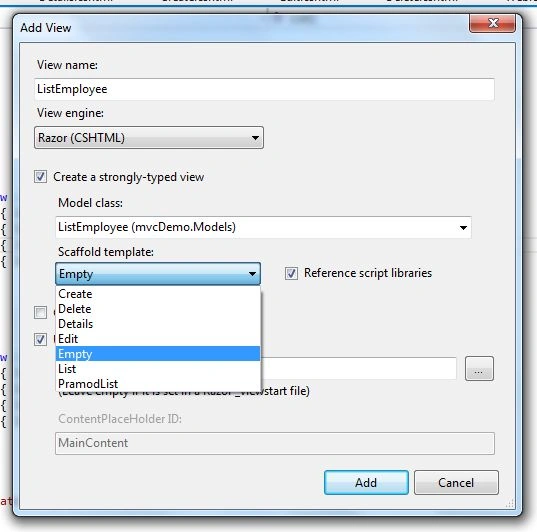
- Rename it List then copy to PramodList
- Let's make some changes in PramodList.tt, to do this let's open PramodList.tt in Notepad.
- <th style="color:red;">@Html.DisplayNameFor(model => model.<#= property.ValueExpression #>) </th>
Add the following code to HomeController.
- public ViewResult ListEmployee()
- {
- List<ListEmployee> listEmployee = new List<ListEmployee>();
- listEmployee.Add(new ListEmployee() { Id = 1, Name = "Pramod", Email = "[email protected]" });
- listEmployee.Add(new ListEmployee() { Id = 2, Name = "Ravi", Email = "[email protected]" });
- listEmployee.Add(new ListEmployee() { Id = 3, Name = "Rahul", Email = "[email protected]" });
- listEmployee.Add(new ListEmployee() { Id = 4, Name = "Deepak", Email = "[email protected]" });
- return View(listEmployee);
- }
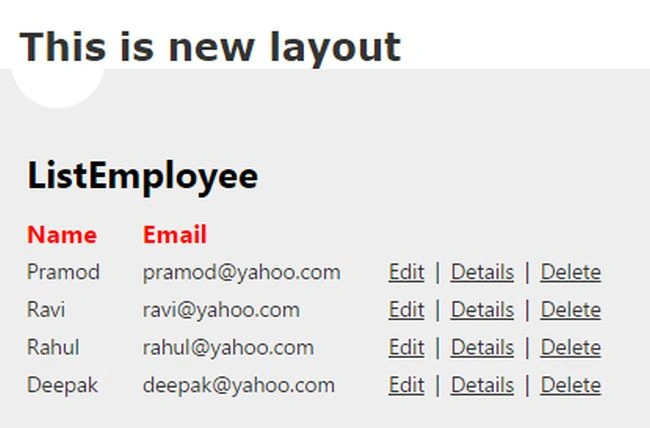
See the output is expected. There is no href tag for creating the new employee and the heading of the list is in the red color.
By default Visual Studio makes these change for all projects. But I don't, to do that I want the changes for a specific project. To do that let's copy the CodeTemplates folder located at “C:\Program Files\Microsoft Visual Studio 11.0\Common7\IDE\ItemTemplates\CSharp\Web\MVC 4” and paste it into our project root folder and delete PramodList.tt from “C:\Program Files\Microsoft Visual Studio 11.0\Common7\IDE\ItemTemplates\CSharp\Web\MVC 4\CodeTemplates\AddView\CSHTML”.
After making these change let's add a view using the PramodList template and run the application and see the output.
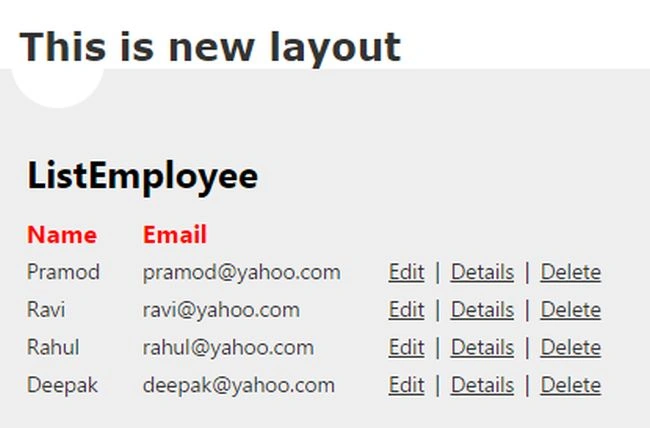
The output is the same and this template is only for the current project.
Kiran ThakurPosted Nov 6, 2016, 2:01 AM
Nice one.. This article is really solve my issue.. thanks and keep sharing...
Pramod ThakurPosted Jun 4, 2016, 1:39 AM
tnx Prafulla Sahu..
Pramod ThakurPosted Jun 4, 2016, 1:38 AM
tnx Mahesh Alle
Prafulla SahuPosted May 25, 2016, 12:33 AM
This is what I was exactly looking for Thanks a ton. Great help
Mahesh AllePosted Oct 1, 2014, 8:16 AM
This is very interesting Pramod. Thanks for posting this article.
Arunava BhattacharjeePosted Sep 25, 2014, 11:47 PM
Oh that's great...thanks Pramod..great help indeed :)
Pramod ThakurPosted Sep 25, 2014, 8:08 PM
Arunava : Please read this article "t4 template using xml". I hope you got your answer.. http://www.c-sharpcorner.com/UploadFile/b182bf/t4-template-using-xml/
Arunava BhattacharjeePosted Sep 25, 2014, 2:29 AM
Thanks Pramod..it will be a great help :)
Arunava BhattacharjeePosted Sep 24, 2014, 11:30 PM
I still didn't have good idea about T4 templating. Still trying to learn it. It's a good thing introduced by EF. But can be used in other situations also. I want to generate automatic class with properties from a xml file using T4 where class name and properties can be found from the child nodes and attributes. This post is pretty good. Can you submit more article if you are good with T4?In web there are not so many :(
Mahesh ChandPosted Sep 24, 2014, 8:07 PM
Interesting. T4 template. Thanks for sharing.