

Information about Microsoft SQL Server
- Microsoft SQL Server is a one-type database
- Microsoft SQL Server was created by Microsoft for Web and Desktop application data management
- For any database created the main concept is for security; in this the create-member-level security is for data access in any data application
SQL Operations
Here we see how to work with SQL Database basic operations such as print data, addition(+), subtraction (-), multiplication (*), division (/) and so on.
We will now see some SQL operations.
Print
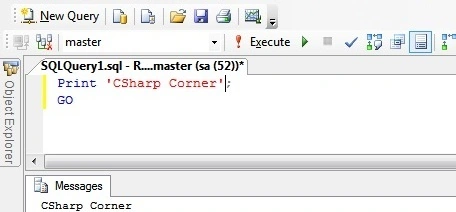
The print command is used to print in the SQL editor.
Command
- Print ’write something’
Unary Operator
Unary operators are one type mathematical operator.
Two type unary operators.
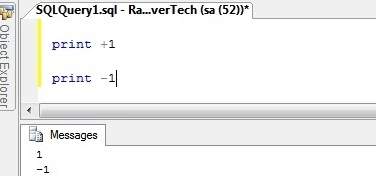
A unary operator assigns to a value positive or negative at zero (0).
For example, a positive value +1 and a negative value -1.
This means that this is assigned to in a mathematical series value as in -2, -1, 0, 1, 2…
Binary Operation
Binary operation is a very useful concept in SQL databases.
The following are one-by-one binary operations.
- Addition (+)
This operation is uses with a numeric value or string type data.
For example: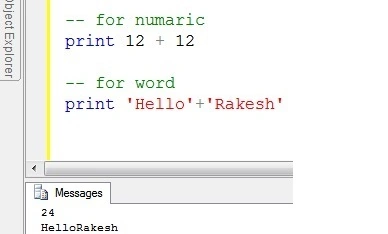
This operator is used for number addition and to join two words.
- Subtraction (-)
This is used to subtract two number values.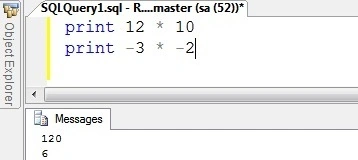

- Multiplication (*)
This is used to multily two number values.
- Division(/)
This is used to divide two number values.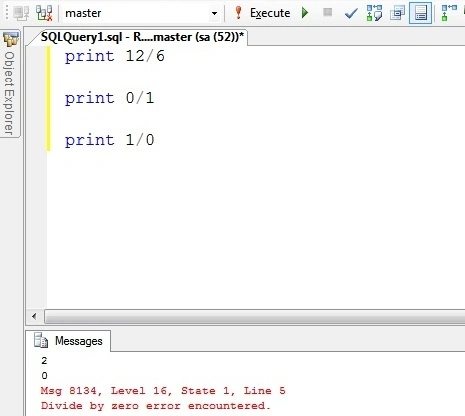
In this see a SQL database follows all mathematical rules. Any numeric value can never be divided by Zero (0).
- Modulo (%)
It's very useful in numeric calculation.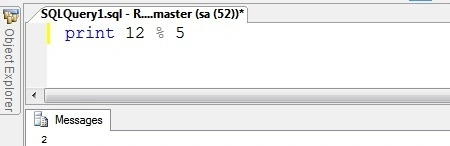
- Bracket ) (
It's used in every computer language and database.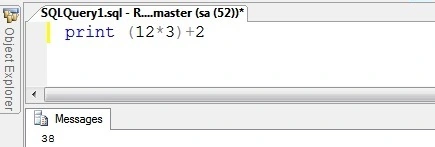
- Bit Operation (~)
Our computer language by default works with bit values 0 and 1. We see here some binary operations with SQL. How do they work? Bit operations work with the ~ symbol.
Command: ~ number data
Bitwise NOT Operator
It's a not unary operation. It defines any numeric data on the left side.
Command : ~ number
print ~ 12
get -13
Bitwise AND operator (&)
It's for a two-value comparison.
Command : value1 & value2
print ~12 & ~13
get -14
Bitwise OR operator ( | )
It's one more comparison operator.
Command : value1 | value2
print ~12 | ~13
get -13
Bitwise Exclusive OR operator ( ^ )
It's also a comparison operator.
Command : value1 ^ value2
print 127^130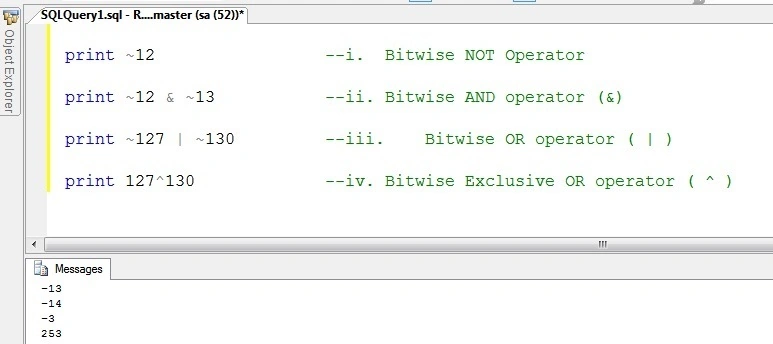
SQL Variables And Datatypes
In this, see how to declare programmatically SQL variables and data types. Data types are a very important part of any database.
Declare Variable
The Declare keyword is used to declare a variable.
For example:
DECALRE value datatype
- declare @12 int
- declare @Rakesh char
- declare @17052015 date
We declare a variable after it;s initialized.
In this use must @ mark initialize for any variable and also use the SELECT or SET keyword.
Many types of variables are available in databases, let's see one-by-one some variables.
- Boolean Variable
The Boolean data type uses bit type operators, true/false, yes/no, 1/0 and so on.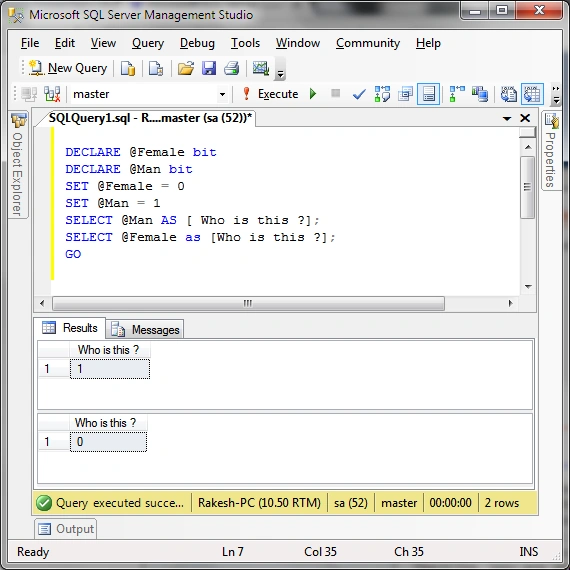
- Number variable
Any number variable is declared using int, smalltype, bigint data types.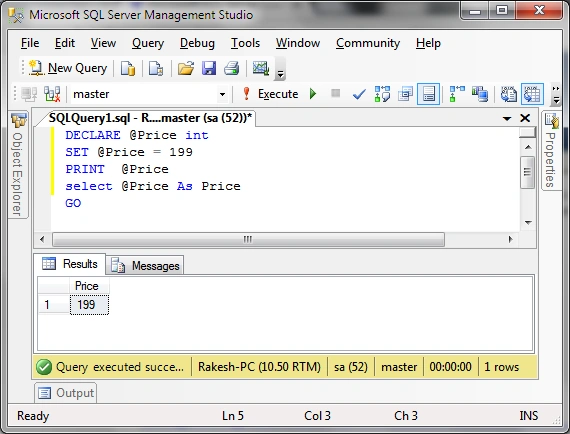
- Decimal Type
It's used for decimal numeric value declaration.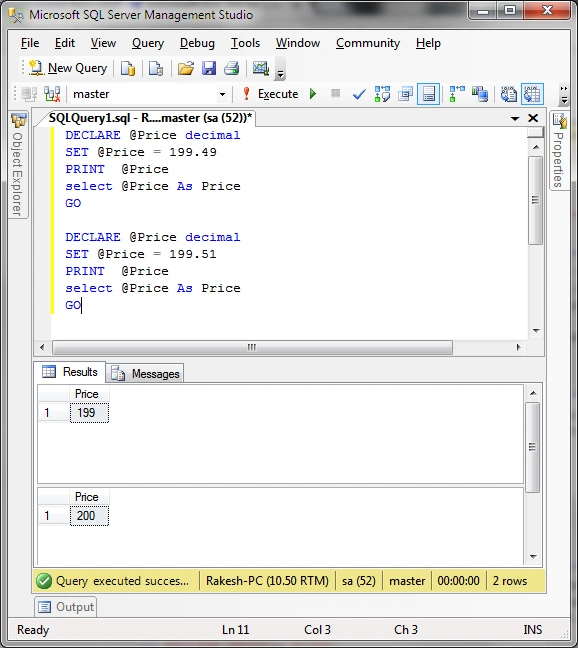
- Float type
Used for factorial data type declaration. It is also known as a Real numbers.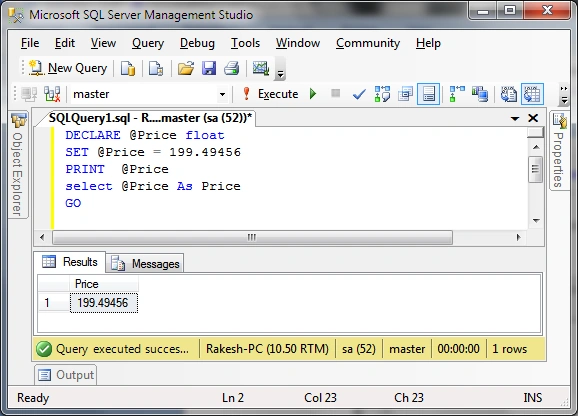
- Money
It's used for currency value declaration.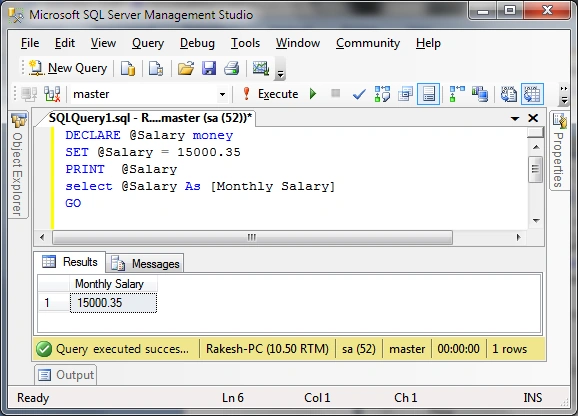
- Character and String
It's used for character and string value data. In character data there is only word characters and in a string are words. Both types of declarations use a single quote.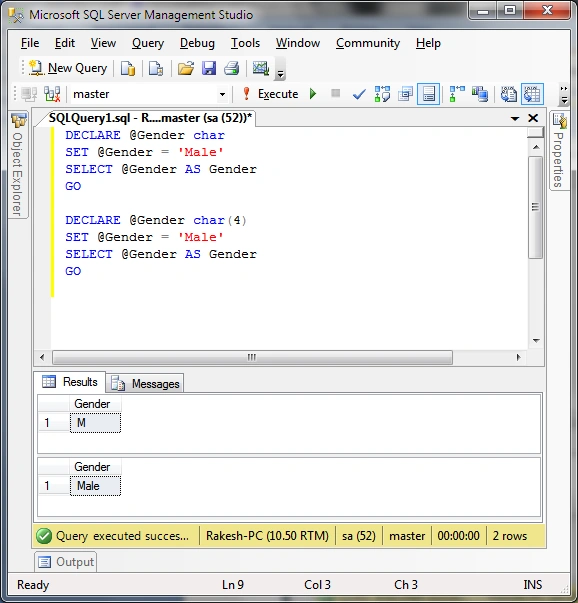
- String
In SQL any string data value uses varchar and nvarchar data types.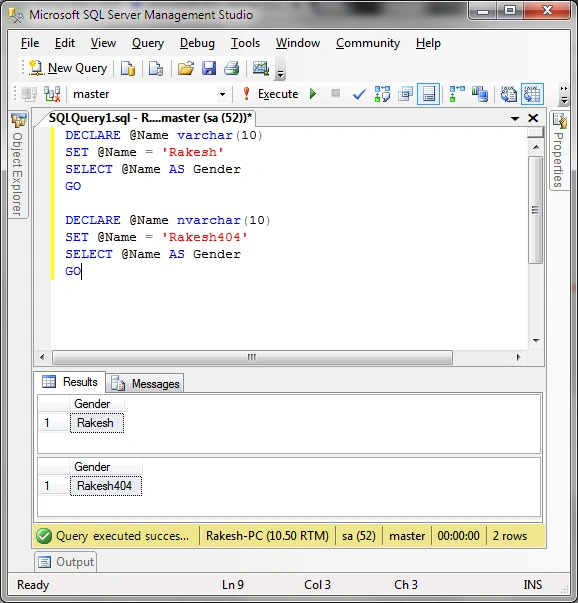
- Time
it's for time data in a database.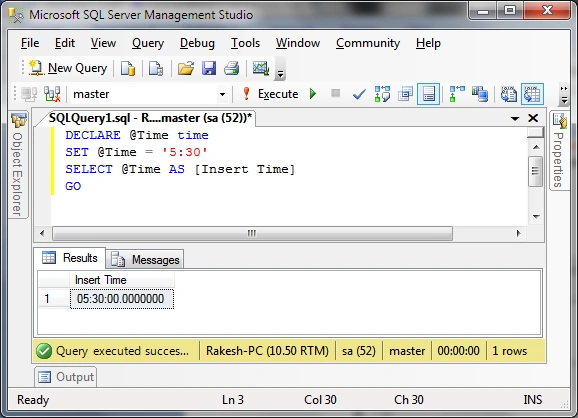
- Date
It's for date data types in SQL.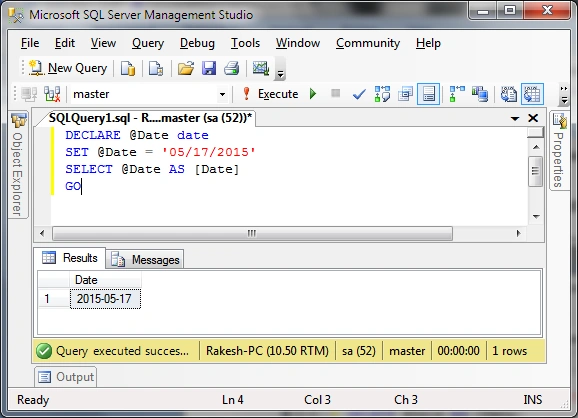
This is some information about SQL database data types and how to declare and hold SQL data in a SQL database.
RakeshPosted May 19, 2015, 11:43 AM
Thank you all of you
Santhakumar MunuswamyPosted May 19, 2015, 12:47 AM
Thanks for nice one
Praveen KumarPosted May 19, 2015, 12:00 AM
very good
Pankaj Kumar ChoudharyPosted May 18, 2015, 9:12 PM
Really Nice Article sir.........