

Since I am becomng familiar with Dynamics CRM I thought of sharing some cool stuff about CRM that may be helpful for others. Microsoft launched Dynamics CRM 2013 aka ORION mid of 2013 with an experience that is:
- Easyto use
- Seamless across devices
- A cleaner, faster and more intuitive User Interface
1. Flat User interface
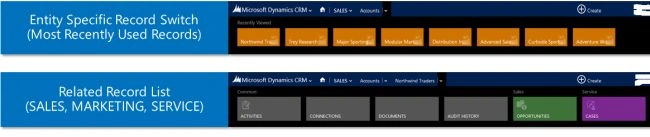
- Modernizedf low to optimize information display.
- No pop-ups. You can use back buttons to navigate to go to a previous page or click on the top navigation that displays the most recently visited record.
2. Command Bar
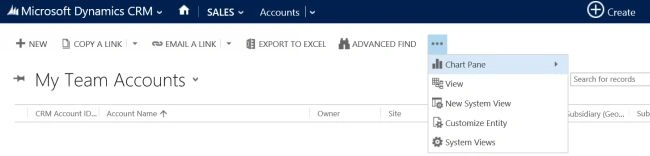
- New navigation optimized for analysis and search.
- The navigation is streamlined to show less commands rather than displaying all the options in the ribbon as in 2011.
3. Auto Save
- This feature eliminates extra clicks, also reduces the chance of data loss from connectivity issues.
- Auto-save can be turned ON/OFF based on the customization settings.
- Auto-save will save the records every 30 seconds by default.
4. Business Process Flow
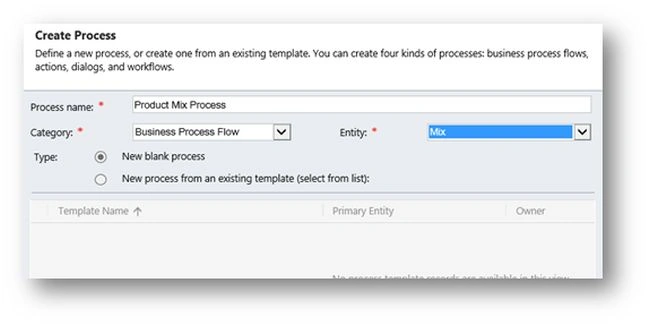
- This feature shows the roadmap and shows step-by-step guidance of what you need to do.
- Supports Multi-entity processes, stage gating, role-based processes.

5. Quick Create Forms
Whenever the user clicks "Create" on the top right of the screen, the form that is displayed is called the Quick Create form. This allows users to fill out a subset of fields needed to create the record. What’s neat about this is that it does not disturb the record you are on.
The Dynamics team added ready-to-use "Quick Create forms" for certain entities (Account, Campaign Response, Case, Competitor, Contact, Lead and Opportunity). You can even customize these Quick Create forms or create them for other entities you might need.
6. Social Pane
Using form customization enables you to prioritize what data you want to see first. To customize the social pane, you can go to the form for the entity. Click on the “Social Pane” and then click on “Change properties” to open up the properties for the social pane. One thing here to note is that either we can configure activity feeds or yammer social posts.
Gowtham RajamanickamPosted Mar 13, 2015, 2:18 AM
good...