

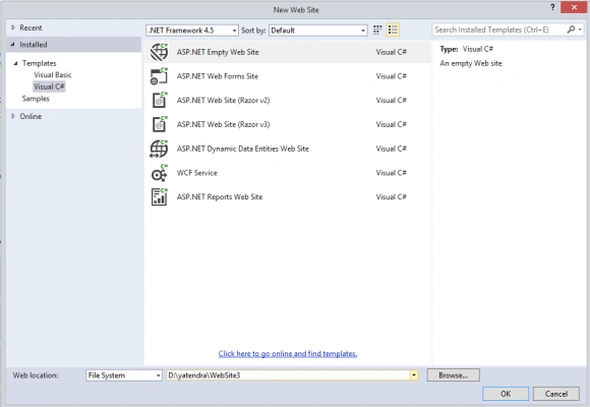
We first open Visual Studio 2013 as administrator and create a new website. Create using File -> New -> Website. From the Visual C# tab select the ASP.NET Empty Web Site and click on the OK button.
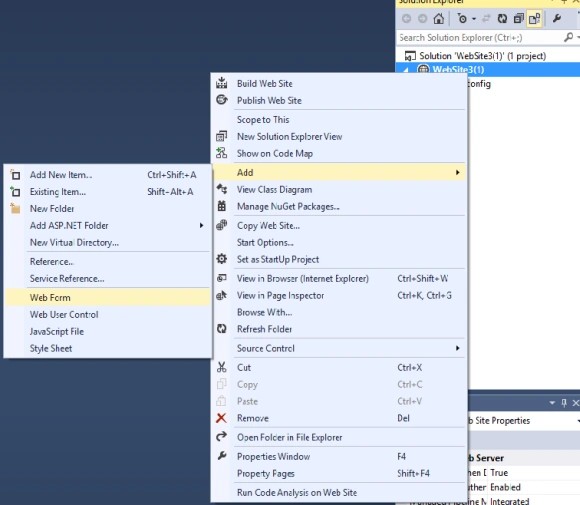
After creating the website the next step is to add a web form to this website. Right-click on the website and add a Web Form to the website.
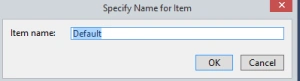
Type the page name, whatever you want.
In the next section we design the ASP.NET page like that:
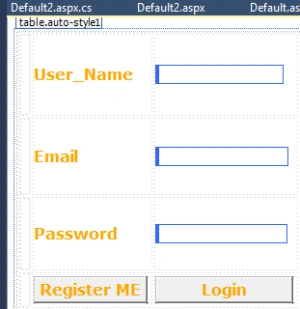
In the Design page we have used three labels, three textboxes and two buttons. One is for the Registration and the other one is for the Login. Now provide the name of labels and buttons, depending on your requirements.
Now create the table into the SQL Server database and take the three fields. The fields are username, password and email fields. The code looks as in this,
- create table registration
- (
- Username varchar(100),
- Email varchar(100),
- Password varchar(20)
- )
Stored Procedure for the table,
- create procedure [dbo].[strlogin]
- (
- @username varchar(40),
- @email varchar(50),
- @password varchar(20)
- )
- as
- insert into registration values(@username,@email,@password )
We now double-click on the button and use the following code,
- protected void Button1_Click(object sender, EventArgs e)
- {
- string strcon = "Data Source=.;uid=sa;pwd=Password$2;database=roham";
- SqlConnection con = new SqlConnection(strcon);
- SqlCommand com = new SqlCommand("CUser", con);
- com.CommandType = System.Data.CommandType.StoredProcedure;
- SqlParameter p1 = new SqlParameter("username", TextBoxusername.Text);
- SqlParameter p2 = new SqlParameter("password", TextBoxpassword.Text);
- com.Parameters.Add(p1);
- com.Parameters.Add(p2);
- con.Open();
- SqlDataReader rd = com.ExecuteReader();
- if (rd.HasRows)
- {
- rd.Read();
- Label3.Text = "Login successful.";
- Label3.Visible = true;
- }
- else
- {
- Label3.Text = "Invalid username or password.";
- Label3.Visible = true;
- }
- }
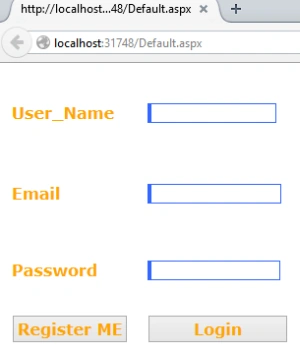
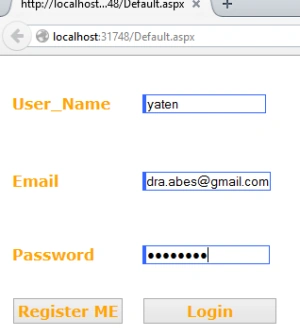
Enter the Username, Email-id and Password and click on the Register Me Button.
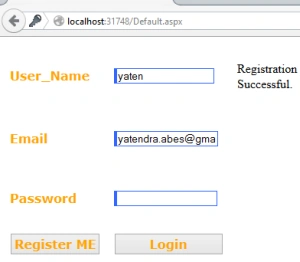
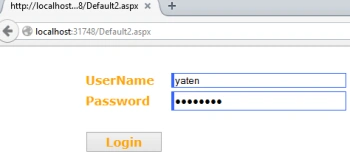
For login we create an another webform and now right-click on the website.
Add a new form and provide the name, whatever you want.
The Design the form like this,

Now create a Stored Procedure for the login page as in the following,
- create PROCEDURE CUser
- (
- @username as varchar(50),
- @password as varchar(50)
- )
- AS
- SELECT * FROM registrationtab WHERE username=@username AND password=@password
- protected void Button1_Click(object sender, EventArgs e)
- {
- string strcon = "Data Source=.;uid=sa;pwd=Password$2;database=roham";
- SqlConnection con = new SqlConnection(strcon);
- SqlCommand com = new SqlCommand("CUser", con);
- com.CommandType = System.Data.CommandType.StoredProcedure;
- SqlParameter p1 = new SqlParameter("username", TextBoxusername.Text);
- SqlParameter p2 = new SqlParameter("password", TextBoxpassword.Text);
- com.Parameters.Add(p1);
- com.Parameters.Add(p2);
- con.Open();
- SqlDataReader rd = com.ExecuteReader();
- if (rd.HasRows)
- {
- rd.Read();
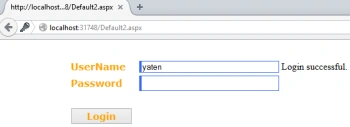
- Label3.Text = "Login successful.";
- Label3.Visible = true;
- }
- else
- {
- Label3.Text = "Invalid username or password.";
- Label3.Visible = true;
- }
- }
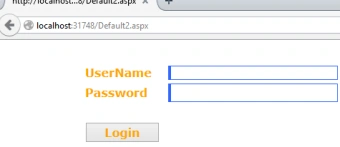
I hope this article is helpful for the readers that want to simply create a registration and login page in ASP.NET. Thanks for reading this article, I hope you like it.
valerie tiyiselaniPosted Feb 26, 2019, 4:07 AM
Hi i am new to C# am still learning , am trying to do the form registration example but after clicking on register me but nothing happens ,
Apoorva SPosted Feb 23, 2018, 8:21 AM
I want a small help in coding asp with VB, BT it's hard for me to explain the concept, how I send my project image in order to get help
Peter (Deathloki)Posted Feb 2, 2018, 5:00 AM
How can i connect the sql database if i only work local? total new to c#
Yatendra SharmaPosted Mar 21, 2015, 12:15 AM
Okkk R?K?SH
RakeshPosted Mar 20, 2015, 5:26 PM
Good start :) ...Change the button properties in the click events...It's "Button1_Click" in both cases.
Keertti Raj Thangavelu BabuPosted Mar 20, 2015, 8:14 AM
useful resource for the beginners..