

Property is a member that provides the mechanism to what gets assigned and what gets returned from your fields/classes variables. In simple terms we can say that properties help us to inject the logic inside the fields /classes variables. By using the Access modifiers we can make it possible to what gets assigned and what gets returned from your fields. Properties implements Encapsulation because it hides the complexity from the User.
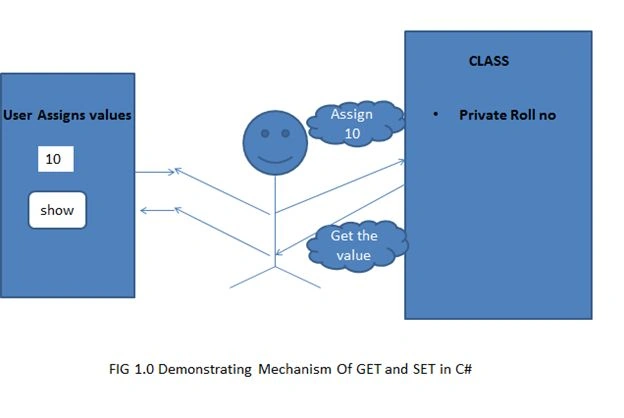
Why Properties:
- As discussed earlier if we make our class fields public we will not have any control on what gets assigned and what gets returned from your fields.
- The following are the scenarios which we face when our fields are public.
The following is a class called Employee Class with public fields ID:
- Our Business rule say that ID should not be less than 1.
- Name cannot be set to NULL.
- Marks Should be Read only
But as we can see in the following code snippet we are able to change the values and assigned the same to our fields.
- public class Employee
- {
- public int ID;
- }
- public class Program
- {
- static void Main(string[] args)
- {
- Employee obj = new Employee ();
- obj.ID = -100; // ID should not be less than 1
- obj.NAME = null; // name should not be empty
- obj.MARKS = 20; //Marks should be a read only property but here we are able to change it
- Console.WriteLine("the values of the new object are ID {0}", obj.ID);
- Console.ReadLine();
- }
- }

So in order to validate the Business rule we use get and set methods properties in C#. The programming language that before properties they use Getter and Setter (for better understanding) method as in the following:
- Firstly, we create our property to be private so that they won’t be accessible to the external world.
- Now we write to methods for set and get i.e. SetId, GetId to control what get into the fields and what set into the fields of class.
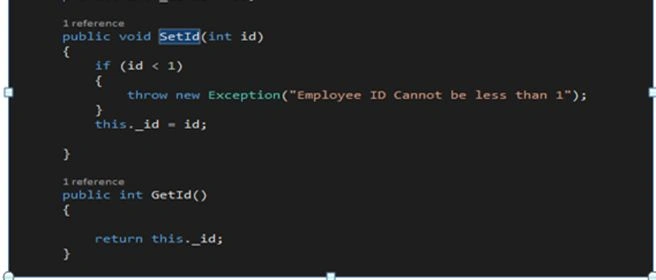
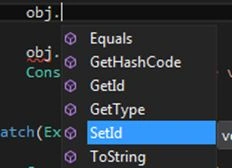
Now I initialize the object of Employee class we find that we are not able get access to our fields rather we are able to access SetId and GetId methods. Now I set the value to the _id field as in the following screenshot:
Now I have set the value of id as -100 and then call the obj.Getid we see how the flow of program goes.
Step 1: Once the object is created we try to set the value of _id=-100
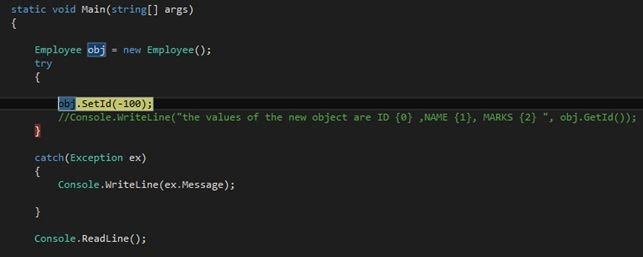
Step 2: As the id value passed is less than 1 it enters the exception and throw a new exception for the same.
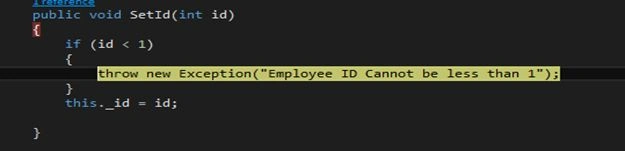
Step 3: It enters the catch block and will print the exception message as in the following screenshot:


Now we input a correct value which is greater than 1 and print the value using getId function as in the following screenshot:

Output
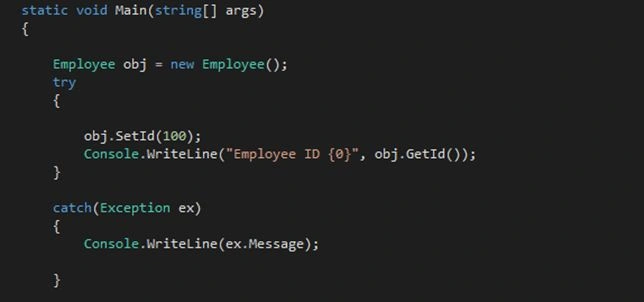
Now we are following the business rules so the output will be:

So now we can see that these methods are allowing us to control over what gets assigned and returned.
Now we will see how in C# we implement Properties in order to hide complexity from the User (Encapsulation).
In order to use a property you have to write the following:
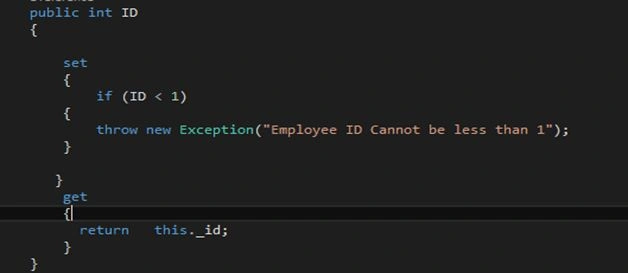
Or we can use code snippet shortcut prop and press tab for the same.


And then create your get and set accessor as above.
Now before as we created the object of Employee class and we called the function getID and setId but now we will not get any method beside no will get ID Property as in the following:

Now how will it be checked once the value of property ID is passed to the set accessor it has keyword called (value).

Once the value is assigned to property ID it calls the set accessor as in the following:
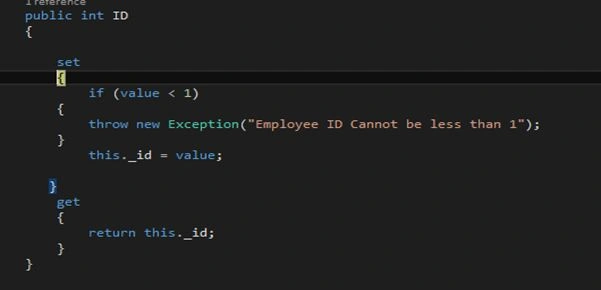
And for getting the values of the id we have to just write object name than property name, it invokes the id provide and it invokes the get accessor of this property and returns a value which is present in private.
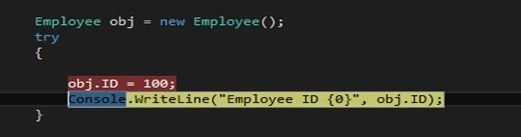

As we can see get and set are Read Write properties, user can write a value to the fields and same he can read the value from the fields.
So what if want an only read only field like pi in math’s that is 3.14 or other ready only fields as per business logic.
For this we need to make our property with only get accessor.
For example, Here I am taking an example of bonus which is same for all employees in order to make it a read property will assign only get accessor to it as shown below.
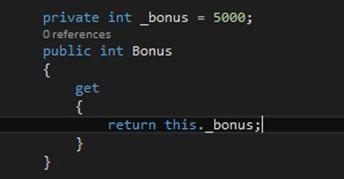
Now if I try and change the property to something else
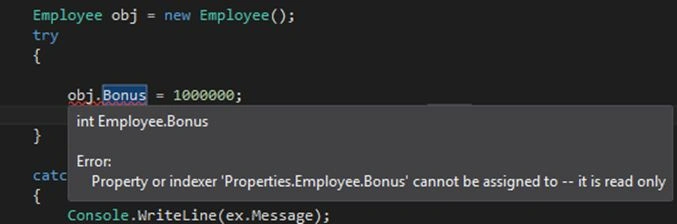
It shows that its value cannot be assigned as it is a read only property i.e. we can only read the value, not assign them.
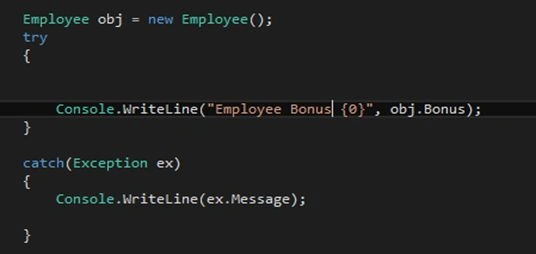

And if in case you want to make a property you want to write only than you have to use only set accessor.
Auto Implemented Properties: As earlier discussed shortcut for property prop, actually Microsoft introduces auto implemented properties in C# 3.0 for scenarios where we don’t want to inject any logic Eg. City etc. In Auto Implemented we don’t have to create private fields because compiler will automatically create for us private field and the public property will be used to read and write to that property.
E,g. Of Auto Implemented Property.
- public int MyProperty { get; set; } //Just one line
Santhakumar MunuswamyPosted Oct 5, 2015, 11:54 PM
Nice Share
Nilesh JadavPosted Oct 4, 2015, 8:48 PM
Good one on Properties
Saillesh PawarPosted Oct 4, 2015, 2:37 PM
Thanks Vinodh
Vinodh NarayananPosted Oct 4, 2015, 2:02 PM
nice share