Introduction
This is a simple application for beginners that shows how to create an image gallery using HTML 5 and CSS 3 tools. We know that CSS is the acronym for Cascading Style Sheet that helps to design a form in a web application. CSS has three levels; they are level 1, level 2 and level 3. CSS level 3 is always used to develop an animated application with the help of HTML 5 tools. CSS 3 provides an advanced module used in web applications that include selectors, box models, 2D, and 3D transformation, animation and user interface. Now in this article, we have created an image gallery using CSS3 and HTML 5.
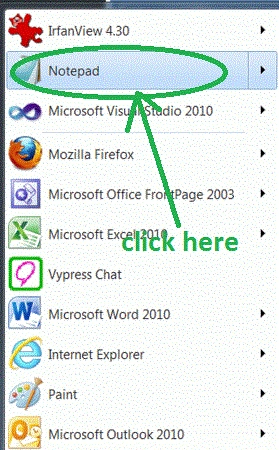
Step 1: First Open an HTML editor such as Notepad.
- Open start->Notepad.
- The name of the editor is "Tom."
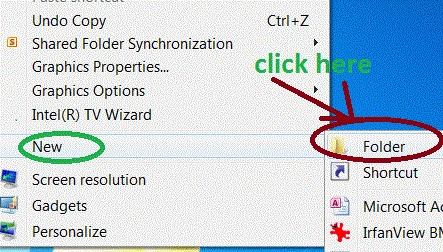
Step 2: Add a Folder on Desktop.
- Right-click on desktop.
- New->add folder.
- The name of the folder is own choice there is "Joy".
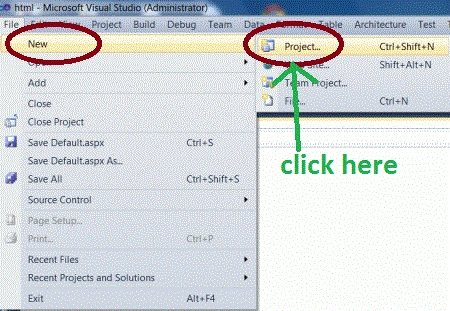
Step 3: Open Visual Studio.
- Go to file -> New->Projects.
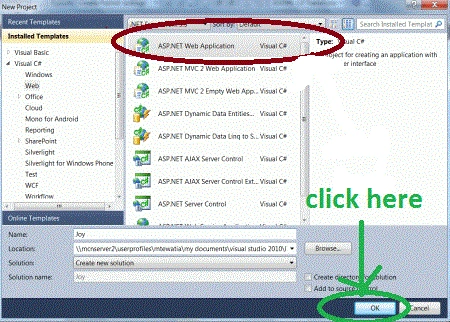
- Create an ASP. NET Web Application.
- Name of "Img.aspx".
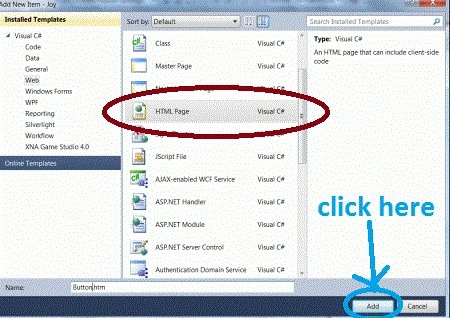
Step 4: Add an HTML file to your web application.
- Right-click on Solution Explorer.
- Add->add new item->HTML form.
- The Name of the HTML form is "Gallery.html".
Step 5 : Set the image in a <div> tag.
Code
- <div class="gallery">
- <a tabindex="1">
- <img src="images/IM1.gif" />
- </a>
- <a tabindex="1">
- <img src="images/IM10.gif" />
- </a>
- <a tabindex="1">
- <img src="images/DSC03240 - Copy.JPG"/ >
- </a>
- <a tabindex="1">
- <img src="images/DSC03240.JPG" />
- </a>
- <a tabindex="1">
- <img src="images/DSC03241 - Copy.JPG"/ >
- </a>
- <a tabindex="1">
- <img src="images/DSC03241.JPG" />
- </a>
- <a tabindex="1">
- <img src="images/DSC03243 - Copy.JPG" / >
- </a>
- <a tabindex="1">
- <img src="images/DSC03243.JPG" / >
- </a>
- <a tabindex="1">
- <img src="images/DSC03262 - Copy.JPG" / >
- </a>
- <a tabindex="1">
- <img src="images/DSC03262.JPG" />
- </a>
- <a tabindex="1">
- <img src="images/DSC03262.JPG" />
- </a>
- <a tabindex="1">
- <img src="images/DSC03267.JPG"/>
- </a>
- <a tabindex="1">
- <img src="images/DSC03282.JPG" />
- </a>
- <a tabindex="1">
- <img src="images/avatar.jpg" />
- </a>
- <a tabindex="1">
- <img src="images/c7e8afa53ad15d62ebbb636ff860d604.jpg" />
- </a>
- <a tabindex="1">
- <img src="images/SamTomato.jpg" />
- </a>
- <span class="closed">+</span>
- </div>
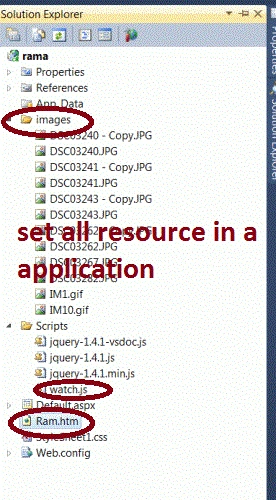
Step 6: Show all the resources used in the application.
Step 7: The complete code of an image gallery application is given below.
Code
- <html>
- <head>
- <link rel="stylesheet" href="StyleSheet1.css" type="text/css"/>
- <title>manish</title>
- </head>
- <body>
- <div class="gallery">
- <a tabindex="1">
- <img src="images/IM1.gif" />
- </a>
- <a tabindex="1">
- <img src="images/IM10.gif" />
- </a>
- <a tabindex="1">
- <img src="images/DSC03240 - Copy.JPG"/ >
- </a>
- <a tabindex="1">
- <img src="images/DSC03240.JPG" />
- </a>
- <a tabindex="1">
- <img src="images/DSC03241 - Copy.JPG"/ >
- </a>
- <a tabindex="1">
- <img src="images/DSC03241.JPG" />
- </a>
- <a tabindex="1">
- <img src="images/DSC03243 - Copy.JPG" / >
- </a>
- <a tabindex="1">
- <img src="images/DSC03243.JPG" / >
- </a>
- <a tabindex="1">
- <img src="images/DSC03262 - Copy.JPG" / >
- </a>
- <a tabindex="1">
- <img src="images/DSC03262.JPG" />
- </a>
- <a tabindex="1">
- <img src="images/DSC03262.JPG" />
- </a>
- <a tabindex="1">
- <img src="images/DSC03267.JPG"/>
- </a>
- <a tabindex="1">
- <img src="images/DSC03282.JPG" />
- </a>
- <a tabindex="1">
- <img src="images/avatar.jpg" />
- </a>
- <a tabindex="1">
- <img src="images/c7e8afa53ad15d62ebbb636ff860d604.jpg" />
- </a>
- <a tabindex="1">
- <img src="images/SamTomato.jpg" />
- </a>
- <span class="closed">+</span>
- </div>
- <div style="display:none;">
- <script type="text/javascript">
- (function (w, c) {
- (w[c] = w[c] || []).push(function () {
- try {
- w.yaCounter1378189 = new Ya.Metrika({ id: 1378189,
- clickmap: true
- });
- }
- catch (e) { }
- });
- })(window, 'manish application');
- </script>
- </div>
- <script src="Scripts/watch.js" type="text/javascript" defer="defer"></script>
- </body>
- </html>
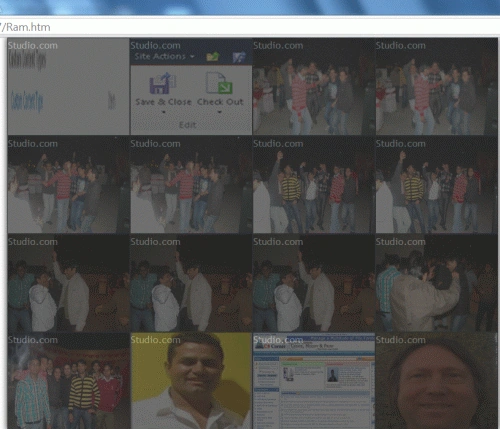
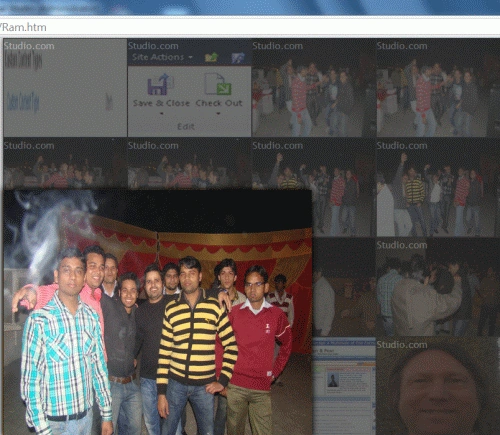
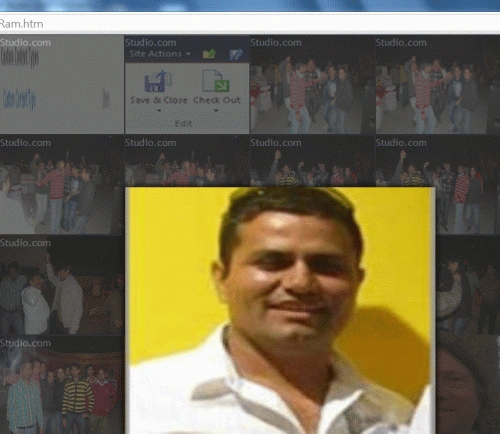
Step 8: Run an application on a browser.


Gowtham RajamanickamPosted Apr 11, 2015, 1:13 PM
good
ROHAN PANDEYPosted Mar 8, 2015, 9:33 AM
note well explain not usefull